
Collection software for firearms, coins, stamps, knives, Japanese swords, geological specimens & more - offline - no cloud risks - Windows, Mac, Linux, iOS, and Android.
Try full features Free for 30 Days - No Credit Card. After 30 days you can upgrade or continue to use free version.
Statistics Page
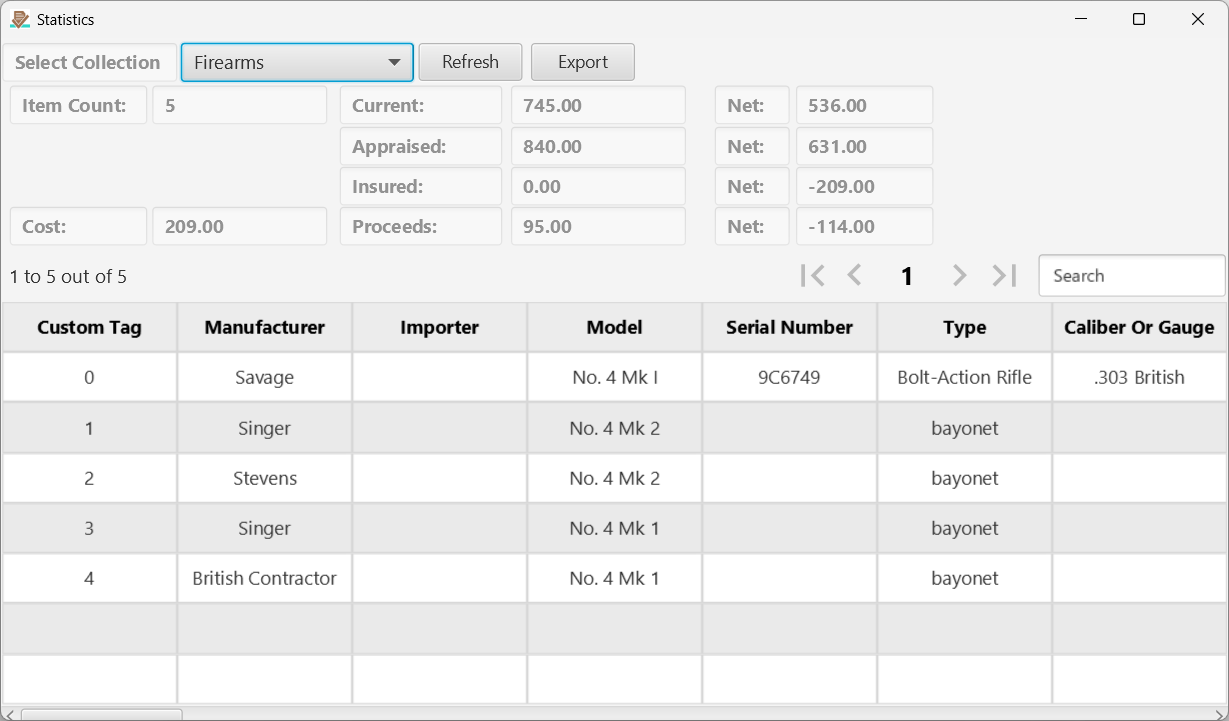
Figure 2 The Statistics page.
Clicking the Stats button on the Main page opens this page which displays a complete list of values and some stats for the selected collection. Click on a header to change the sort order of the data. Click a row to open the ID page for the clicked item.
Hint: Use the Search field to quickly find items on the page. In fact, for very large collections, it is faster to jump directly to this statistics page to find items of interest than to wait for all of the items to load on the main page.
← Main Page | Contents | Reports →
Part of the NM Collector CP 2.3 user manual. Download the full manual (PDF).