
Collection software for firearms, coins, stamps, knives, Japanese swords, geological specimens & more - offline - no cloud risks - Windows, Mac, Linux, iOS, and Android.
Try full features Free for 30 Days - No Credit Card. After 30 days you can upgrade or continue to use free version.
Description Page
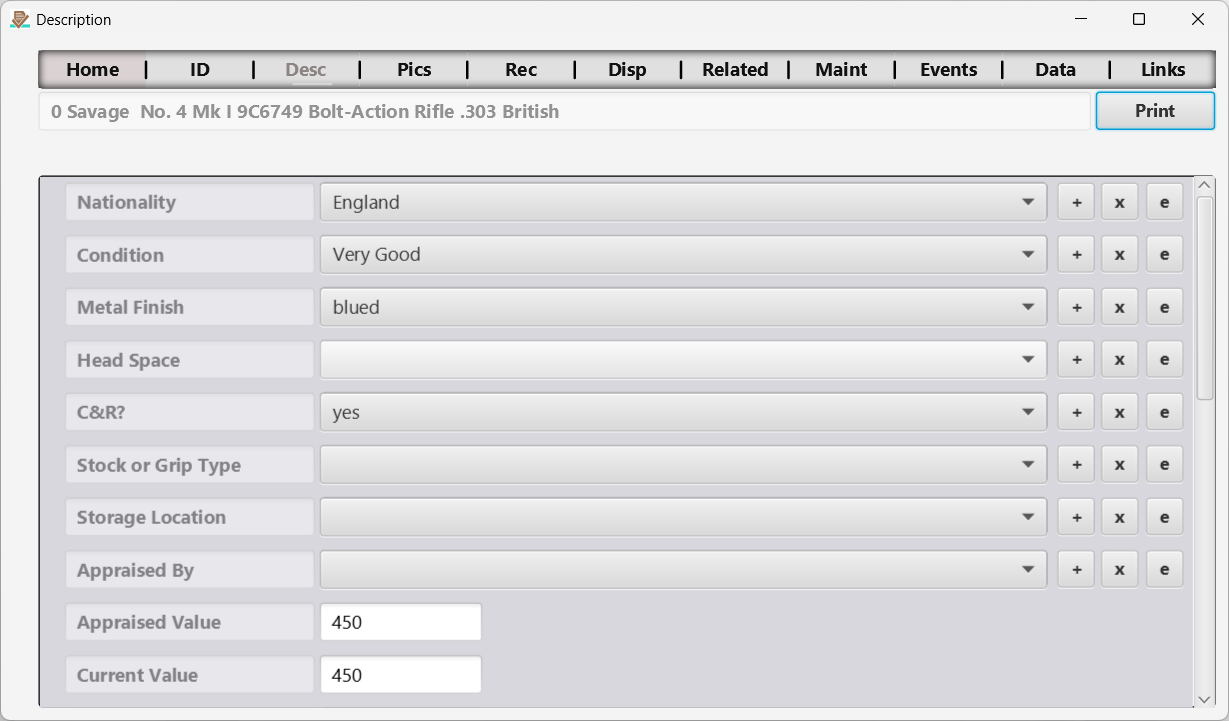
Figure 6 The Description page.
Here description information can be captured. It can be difficult at times to distinguish between identification and description information. I like to think of identification information as that which uniquely identifies the item. Description information is not required to uniquely identify the item. You can decide what fields you consider to be identification and description by customizing your collection template to suit your needs.
Editable text/drop-down fields on this page use the same desktop autocomplete and mobile searchable picker described under Autocomplete and searchable choices in the ID Page section.
← Edit Drop Down List (DDL) Page | Contents | Pictures Page →
Part of the NM Collector CP 2.3 user manual. Download the full manual (PDF).