
Collection software for firearms, coins, stamps, knives, Japanese swords, geological specimens & more - offline - no cloud risks - Windows, Mac, Linux, iOS, and Android.
Try full features Free for 30 Days - No Credit Card. After 30 days you can upgrade or continue to use free version.
Unzip it into a templates folder, then choose File > Import > Collection Template.
Watches and Clocks collection template
Watch and Clock Collection Software
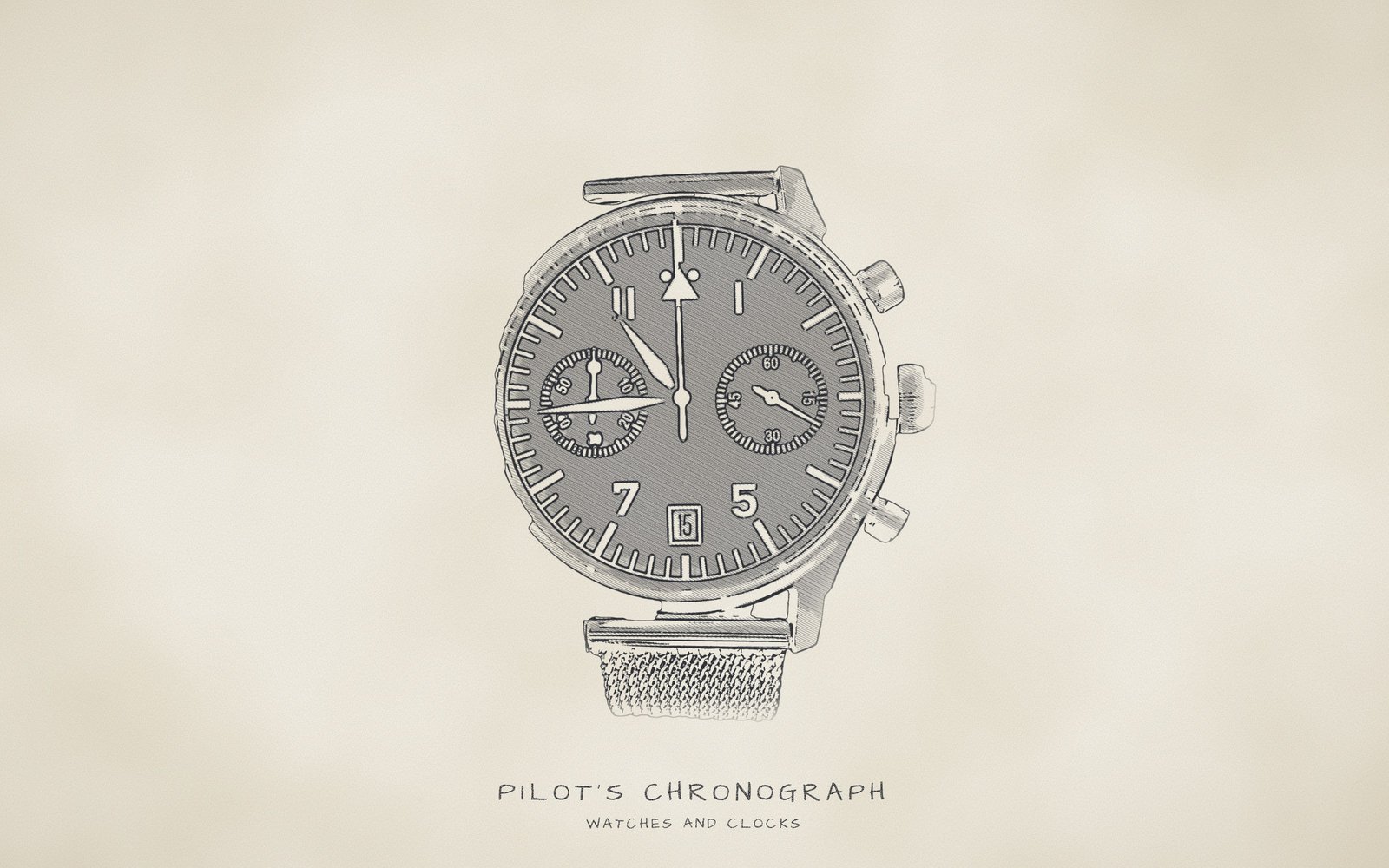
Movement details, values and service history for every wristwatch, pocket watch and clock, kept together.
38 labelled fields, 21 drop-down lists, 459 preset values.
Records for the wrist, the pocket and the mantel, kept on your computer and phone.
NM Collector CP gives each wristwatch, pocket watch and clock its own record, whether you buy at NAWCC regionals and watch shows, wear a few good watches in turn, or look after a clock that came down through the family. The Identification tab holds what a watchmaker or a buyer asks about first: maker, reference and serial numbers, movement and caliber, complications and jewel count. The lists already use the hobby's terms, with 56 makers such as "Longines", "Waltham" and "Gustav Becker", and 24 types, from "GMT" and "Field" watches to "Carriage" clocks and "Railroad Grade" pocket watches.
Nothing in the template is locked. Labels can be renamed and lists edited, and a maker, caliber or reference number you type once can be added to its list so it is offered for the next piece. Every record, picture and service date stays on your own computer or phone, and the app itself never connects to the internet.
Browse the full lists
Choose a list in the first drop-down, then open the second one to scroll through every value in that list, or start typing to jump to a value. These are for browsing only; nothing you pick here is saved.
At a glance
- Identification lists for "Brand" (56 makers, such as "Elgin" and "Junghans"), "Type" (24), "Dial Color" (16) and "Case Material" (21).
- "Movement Type" (14 entries), "Jewels" (9) and "Complications" (16), from "Date" and "GMT" to "Minute Repeater", with "Caliber" for the movement code.
- "Crystal" (6 entries), "Water Resistance" (8), "Bracelet or Strap" (12) and "Box and Papers" (5), such as "Full Set" and "Service Papers".
- "Condition" (13 entries) offers "Very Good" and "Fair" beside "Not Running" and "Restored", and "Storage Location" (6) includes "Winder".
- "Appraised Value", "Current Value" and "Insured Value", each dated and typed by you, beside what you paid on the Receipt tab.
- A Maintenance tab with 14 jobs, such as "Demagnetize" and "Bushings", and a "Next Due Date" for each one you log.
- A Pictures tab for the dial, case back and movement, and an Events tab with 7 occasions, such as "NAWCC Regional" and "Clock Show".
- Custom reports on the desktop and CSV export, from records kept on your own computer or phone with no account or connection.
- The 3 sample items, a chronograph, a railroad pocket watch and a mantel clock, show records filled in to different depths.
Works offline on Windows, Mac, Linux, Android and iOS · Your records stay on your devices · Every feature free for 30 days · Activations from $24.95 a year.
What this template is for
A railroad pocket watch in a desk drawer, a mantel clock chiming in the hall, a watch box of daily wearers and a chronograph due for its next service. The Watches and Clocks template records each of them: who made it, which model and reference it is, what kind of watch or clock it is, what shape it is in, where it is kept and what it is worth.
The Identification tab holds what tells one piece from another even when a serial number is missing or unreadable: "Brand", "Model", "Reference Number", "Type", "Dial Color", "Case Material", "Movement Type", "Caliber" (the maker's code for the movement inside), "Case Size", "Complications" (extra functions beyond telling the time, such as a date or a chronograph) and "Jewels" (the number of jewel bearings in the movement). The Description tab holds the current story: origin, condition, crystal, straps, box and papers, storage and the three values.
Ready-made lists cover 56 makers from "A. Lange & Sohne" to "Zenith" and 24 types from "Alarm" to "Wristwatch", plus movement types, complications, dial colors, case materials, crystals and a long country list. Fields such as "Model", "Reference Number", "Serial Number" and "Caliber" start empty and fill with your own entries, which are then offered again the next time you need them.
Service history is part of the design. The Maintenance tab arrives with watch and clock jobs such as "Full Service" and "Crystal Replacement" and with intervals from "12 months" to "7 years", and the Events tab offers occasions such as "Watch Show" and "Auction". Record a "Next Due Date" after each job and every piece, from a daily wearer to a longcase clock, carries the date of its next service with it.
What you can do with it
- Track service history by logging each job on the Maintenance tab with its "Completion Date", "Next Due Date" and interval, so the date of the last service and the date the next one is due stay with each piece.
- Prepare a schedule of your collection for an insurer, drawing on "Brand", "Model", "Reference Number", "Serial Number", "Case Size", "Insured Value" and "Date Insured".
- Know which pieces are in the "Safe", the "Safe Deposit Box" or on a "Winder" by running a custom report filtered on "Storage Location".
- Tell near-identical pieces apart using "Serial Number", "Caliber", "Case Size" and a written description of marks, even when several watches share a brand and model.
- Compare what you paid, from the Receipt tab, with the "Appraised Value", "Current Value" and "Insured Value" you record by hand, so you can see at a glance where each piece stands.
- Keep a log of shows, auctions, appraisals and meet-ups on the Events tab, with the date, place and cost of each, so the history of a piece is easy to trace.
- Keep each watch's paper trail together: "Box and Papers", "Identifying Marks and Features", "Condition Comments", service records and pictures, ready when an appraiser or buyer asks.
- A printed report or an export of items to CSV lets the stories, notes and values travel with the pieces when they pass to family.
Best for: Anyone with watches on the wrist, in a case or ticking on a wall who wants service dates, values and identifying details in one file, from daily wearers to antique pocket watches and household clocks. It also suits owners who need to show an insurer or buyer the serial number, box and papers and service record.
Why collectors choose NM Collector CP for Watches and Clocks
Reference, Serial and Caliber for Every Piece
"Reference Number" names the exact version of a model, "Serial Number" the single piece you own and "Caliber" the movement inside. The reference is part of the item name, so two versions of one model read differently in your list. If a piece goes missing, the serial number and "Identifying Marks and Features" hold the details to give when you report it.
Service History and the Next Due Date
Makers recommend a full service for a mechanical watch every several years, and case gaskets age. The Maintenance tab logs each job, such as "Full Service", "Pressure Test" or "Gasket Replacement", with who did it, what it cost and a "Next Due Date", so the history is on file when you sell or insure a piece.
Wristwatches, Pocket Watches and Clocks in One Collection
A dive watch, a hunter-case pocket watch and a grandfather clock can sit in one list. "Type" covers "Dive" and "Smartwatch" as well as "Pocket Watch (hunter)" and "Ships Bell", "Case Material" offers "Oak" and "Walnut", and "Case Size" is typed, so millimeters, pocket watch sizes and inches all fit. Fields that do not apply, such as "Caliber" on a smartwatch, can stay empty.
Movements and Complications in Collectors' Terms
"Movement Type" separates "Manual Wind" and "Automatic" watches from "Quartz", "Solar" and "Tuning Fork" ones, with "Weight Driven", "Verge" and "Fusee" for clocks and older watches. "Complications" runs from "Day-Date" and "Power Reserve" to "Perpetual Calendar" and "Tourbillon", and "Jewels" offers counts such as "17" and "21", or "none (quartz)".
Serial Numbers and Storage Places Kept Private
Serial numbers, values and a note of which pieces sit in the "Safe" or the "Safe Deposit Box" add up to a sensitive list. NM Collector CP keeps it on your own computer or phone with no account, and the app itself never connects to the internet. Nothing leaves unless you make a transfer file, a report or an export and send it yourself.
At Marts, Shows and the Watchmaker's Counter
The Android and iOS apps keep their own copy of the collection and never need a signal. At a regional mart or a watch fair, check which references and calibers you own before you buy, then record the purchase. At the watchmaker's counter, the caliber and last service are in your pocket.
A Record to Hand an Insurer, Appraiser or Heir
An insurer may ask for descriptions, serial numbers, photographs, receipts and appraisals, and heirs need much the same. Each has a place here, such as "Serial Number" and "Appraised By". Set "Include In Reports?" to "no" on pieces to leave out, then filter a desktop custom report on it, or save every item as CSV. Keep a copy of the report or CSV file away from the house.
Watches, Clocks and Your Other Collections
A new installation starts with 30 templates. A clock or two among general antiques suits Art and Antiques, a watch kept as household contents fits Home Inventory, a clock radio belongs in Radios and Electronics, and a Native American silver and turquoise watch band suits Southwest Pottery and Jewelry. Move Item moves a piece to another collection.
How the fields work
Every text field in a template is a drop-down field. Pick a value from the list or type your own; the + button adds what you typed to the list, the x button clears the field and the e button opens the list editor. Number fields accept any number, date fields hold dates and notes fields hold longer text. The details below cover every field on the Identification and Description tabs, and any drop-down on the other tabs that is specific to this template. Every list can be browsed in the drop-downs under Browse the full lists; lists of 10 values or fewer are also written out in full below.
Identification tab
The Identification tab holds what sets each piece apart even when no serial number is available. The item's name is built from "Custom Tag", "Brand", "Model", "Reference Number", "Type", "Dial Color" and "Case Material", in that order, so the order decides how each piece reads in lists and in the page title. "Serial Number", "Movement Type", "Caliber", "Case Size", "Complications" and "Jewels" follow.
Custom Tag
Drop-down · no preset values
A free-form label you choose, such as an inventory number or a nickname for a family piece. It comes first in the item's name, so whatever you put here leads how the piece reads in lists. Leave it empty if "Brand" and "Model" are enough.
This drop-down starts empty. Type a value into the field and use the + button to add it to the list; it will be there the next time you need it.
Brand
Drop-down · 56 preset values
The maker named on the dial or movement, such as "Omega" in the first sample item. It follows "Custom Tag" in the item's name and is one of the details an insurer or buyer will want. Choose "Other" or type a new maker if yours is missing.
An alphabetical list of 56 watch and clock makers, covering Swiss and German houses, American railroad-era and household clock companies, Russian and Japanese brands, and smartwatch makers such as "Apple" and "Garmin". Examples include "Patek Philippe", "Hamilton", "Seiko" and "Howard Miller". "Other" is there for anything missing.
All 56 preset values: choose “Brand (Identification tab, 56 values)” in the Browse the full lists drop-downs, further down this page.
Model
Drop-down · no preset values
The maker's name for the model, such as Speedmaster Professional, 992B Railway Special or Tambour mantel clock in the sample items. Together with "Reference Number" it tells collectors, dealers and repairers exactly which version you own. It follows "Brand" in the item's name.
This drop-down starts empty. Type a value into the field and use the + button to add it to the list; it will be there the next time you need it.
Reference Number
Drop-down · no preset values
The maker's reference or catalog number for the exact version, often engraved on the case, such as 145.022-69 on the first sample item. Many clocks and older watches have none, so leave it empty when there is nothing to record. It separates variants of a single model.
This drop-down starts empty. Type a value into the field and use the + button to add it to the list; it will be there the next time you need it.
Type
Drop-down · 24 preset values
The style or form of the piece, such as "Chronograph" for the Omega or "Railroad Grade" (built to railway timekeeping standards) for the Hamilton pocket watch. A piece takes one "Type" only, so the samples use the most specific style, not "Wristwatch". Use "Pocket Watch (hunter)" or "Pocket Watch (open face)" for pocket watches with no more specific style.
24 values that mix watch styles and clock forms. Wrist designs such as "Dive" and "Pilot" sit beside household and antique forms such as "Cuckoo", "Longcase / Grandfather" and "Marine Chronometer". Pocket watches are split into "Pocket Watch (hunter)", which has a cover over the dial, and "Pocket Watch (open face)".
All 24 preset values: choose “Type (Identification tab, 24 values)” in the Browse the full lists drop-downs, further down this page.
Dial Color
Drop-down · 16 preset values
The color or finish of the face, such as "Silver" on the mantel clock. It is one of the seven fields that build the item's name. If a dial has been redone, enter the color it shows now, choose "Redialed" under "Condition" and describe the work in "Condition Comments".
16 dial colors and finishes. Plain colors such as "Black", "Blue" and "Champagne" sit beside finishes and materials such as "Enamel", "Porcelain" and "Painted" that suit antique pieces, and "Skeleton" for dials that show the works.
All 16 preset values: choose “Dial Color (Identification tab, 16 values)” in the Browse the full lists drop-downs, further down this page.
Case Material
Drop-down · 21 preset values
What the case is made of, such as "Gold-filled" on the Hamilton pocket watch. It is the last of the fields that build the item's name, so the material closes each piece's name in lists. Clocks can use a wood such as "Mahogany", as the Seth Thomas sample does.
21 materials that cover both watch and clock cases. Metals dominate, from "Stainless Steel", "Titanium" and "Platinum" to solid gold in "Gold 14k" and "Gold 18k" and gold layered over a base metal in "Gold-filled", "Rolled Gold" and "Gold Plated", with woods such as "Oak", "Walnut" and "Mahogany" for clock cases.
All 21 preset values: choose “Case Material (Identification tab, 21 values)” in the Browse the full lists drop-downs, further down this page.
Serial Number
Drop-down · no preset values
The number the maker engraved on the case or movement, such as 30512345 on the Omega or C401234 on the Hamilton. It is usually the best way to single out one piece, and insurers and repairers often want it. It is kept out of the item's name. The mantel clock has none.
This drop-down starts empty. Type a value into the field and use the + button to add it to the list; it will be there the next time you need it.
Movement Type
Drop-down · 14 preset values
How the piece is powered and keeps time, for example "Manual Wind" for both the Omega and the Hamilton, "Key Wind" for the mantel clock or "Quartz" for a battery watch. It tells you whether a piece needs winding, a battery or light, and which kind of service it needs.
14 movement types in alphabetical order. Antique mechanisms such as "Verge" and "Fusee" and winding styles such as "Manual Wind", "Key Wind" and "Automatic" sit with "Weight Driven" for longcase clocks and with electronic types including "Quartz", "Solar" and "Atomic / Radio Controlled".
All 14 preset values: choose “Movement Type (Identification tab, 14 values)” in the Browse the full lists drop-downs, further down this page.
Caliber
Drop-down · no preset values
The maker's code for the movement inside the case, such as 861 for the Omega Speedmaster or 992B for the Hamilton railroad watch. Repairers use it to find parts and procedures, and collectors use it to check that a piece carries the movement it should.
This drop-down starts empty. Type a value into the field and use the + button to add it to the list; it will be there the next time you need it.
Case Size
Drop-down · no preset values
The physical size, written in whatever unit suits the piece: 42 mm for the Omega, 16 size (a traditional pocket watch measure) for the Hamilton, 21 in wide for the mantel clock. Because it is free text, watches and clocks can each use their natural measure.
This drop-down starts empty. Type a value into the field and use the + button to add it to the list; it will be there the next time you need it.
Complications
Drop-down · 16 preset values
Extra functions beyond hours, minutes and seconds. The samples show "Chronograph" on the Omega, "None" on the Hamilton and "Chime (Westminster)" on the mantel clock. Choosing "None" on purpose for a plain piece shows the field was considered, not skipped.
16 values covering watch and clock functions. Calendar types such as "Annual Calendar", "Perpetual Calendar", "Day-Date" and "Moonphase" sit with striking and chiming types such as "Minute Repeater", "Strike" and "Chime (Whittington)", plus "Tourbillon" (a rotating cage that carries the balance and escapement to average out the effect of gravity on timekeeping) and "None".
All 16 preset values: choose “Complications (Identification tab, 16 values)” in the Browse the full lists drop-downs, further down this page.
Jewels
Drop-down · 9 preset values
The number of jewel bearings in a mechanical movement, such as 21 for the Hamilton sample. Enter the count from the movement itself or the maker's specifications. Choose "none (quartz)" for battery watches. The mantel clock sample leaves it empty because the count does not apply or is unknown.
9 values, 8 of them jewel counts from "7" to "31" such as "17", "21" and "23", plus "none (quartz)". The list is sorted as text, not by number, so "7" appears after "31".
All 9 preset values: 15 • 17 • 21 • 23 • 25 • 27 • 31 • 7 • none (quartz)
Include In Reports?
Drop-down · 2 preset values
A "yes" or "no" marker that says whether this piece belongs in your reports. Set it to "yes" for pieces that should appear on an insurance list or a sale sheet, and "no" for those you want left out. All three sample items are set to "yes".
2 values only, "no" and "yes", so setting the marker takes a single pick and never needs typing.
All 2 preset values: no • yes
Identifying Marks and Features
Notes
Free text for anything that sets this exact piece apart: engravings, dial variations, scratches, replaced parts or a monogram. The Omega sample notes a step dial, a dot-over-90 bezel (the ring around the dial) and a light scratch on the back of the case. Details like these help when you describe a piece to an appraiser.
Description tab
The Description tab holds the current state and story of each piece: "Country", "Condition", "Crystal", "Water Resistance", "Bracelet or Strap", "Box and Papers" and "Storage Location", followed by two notes fields, the manufacture, appraisal, value and insurance dates, and the "Appraised Value", "Current Value" and "Insured Value", all entered by hand.
Country
Drop-down · 216 preset values
The country where the piece was made, such as "Switzerland" for the Omega sample. For older pieces the list includes historical names such as "Soviet Union (USSR; Soviet)" and "West Germany (FRG; Federal Republic of Germany)", which suit what the maker's markings show. Choose "Unknown" when the origin is unclear.
216 entries in alphabetical order, from "Afghanistan" to "Zimbabwe". Present-day nations sit beside historical states such as "Prussia (historical)", "Czechoslovakia" and "East Germany (DDR; GDR; German Democratic Republic)", plus "Unknown" for pieces whose origin is unclear.
All 216 preset values: choose “Country (Description tab, 216 values)” in the Browse the full lists drop-downs, further down this page.
Condition
Drop-down · 13 preset values
The overall state of the piece today. It holds one value, so it can carry either a cosmetic grade such as "Very Good" or a working status such as "Running". Use "Condition Comments" for the detail behind your choice, including the other half of the story.
13 values that mix cosmetic grades and working state. Grades run from "Mint" and "Excellent" down to "Fair" and "Poor", others record whether a piece is "Running", "Not Running" or "Needs Service", and a few note work done to it: "Redialed", "Refinished", "Restored" and "Serviced".
All 13 preset values: choose “Condition (Description tab, 13 values)” in the Browse the full lists drop-downs, further down this page.
Crystal
Drop-down · 6 preset values
The clear cover over the dial and what it is made of, such as "Hesalite" (a plastic crystal) on the Omega sample. Knowing the crystal tells you how easily it scratches and what a replacement should be, and a new one can be logged as "Crystal Replacement" on the Maintenance tab.
6 values covering the common crystal materials, from modern "Sapphire" and "Mineral" to plastics such as "Acrylic", "Hesalite" and "Plastic", plus "Glass (beveled)" for older watches and clocks.
All 6 preset values: Acrylic • Glass (beveled) • Hesalite • Mineral • Plastic • Sapphire
Water Resistance
Drop-down · 8 preset values
The water resistance rating marked on the case, such as "50 m" for the Omega sample or "None" for the Hamilton pocket watch. Treat it as the maker's test rating, not a safe diving depth, and remember that gaskets age. It helps you decide when a "Pressure Test" is worth logging on the Maintenance tab.
8 values written as ratings in meters, from "30 m" and "50 m" up to "300 m", "600 m" and "1000 m", plus "None" for pieces with no protection, such as pocket watches and clocks. The list is sorted as text, so "100 m" comes before "30 m".
All 8 preset values: 100 m • 1000 m • 200 m • 30 m • 300 m • 50 m • 600 m • None
Bracelet or Strap
Drop-down · 12 preset values
What a watch is worn on. If a bracelet or strap has been replaced, choose what is on the piece now, such as "Steel Bracelet", and add a remark in "Notes" that it is not original, since that often matters to buyers and appraisers. Clocks can simply use "None".
12 values covering wrist and pocket wear. Metal bracelets such as "Oyster" and "Jubilee" (bracelet designs made famous by Rolex), "Gold Bracelet" and "Mesh" sit with straps such as "Leather", "NATO" (a one-piece nylon strap) and "Rubber", pocket items such as "Chain (pocket)" and "Fob" (a short chain or strap ornament for a pocket watch), and "None".
All 12 preset values: choose “Bracelet or Strap (Description tab, 12 values)” in the Browse the full lists drop-downs, further down this page.
Box and Papers
Drop-down · 5 preset values
Whether the original box and paperwork still come with the piece, as with "Box Only" for the Omega sample. Appraisers and buyers often ask about a complete set, so recording this early saves searching later.
5 values describing what accompanies the piece: "Full Set", "Box Only", "Papers Only" and "Neither", plus "Service Papers" for pieces that come only with repair or service paperwork.
All 5 preset values: Box Only • Full Set • Neither • Papers Only • Service Papers
Storage Location
Drop-down · 6 preset values
Where the piece normally lives, such as "Watch Box" for the Omega sample, or "Worn Daily" for a piece in regular use. A custom report filtered on this field lists everything kept in one place, for example the "Safe Deposit Box".
6 values covering both secure storage and everyday use: "Safe", "Safe Deposit Box", "Watch Box", "Winder" (a device that keeps an automatic watch wound), "Display" and "Worn Daily". Add your own for a drawer, room or vault.
All 6 preset values: Display • Safe • Safe Deposit Box • Watch Box • Winder • Worn Daily
Appraised By
Drop-down · no preset values
The name of the appraiser, jeweler or auction house that valued the piece. Recorded beside "Date Appraised" and "Appraised Value", it shows who stands behind a figure. Names you type are added to the list so you can pick them again.
This drop-down starts empty. Type a value into the field and use the + button to add it to the list; it will be there the next time you need it.
Condition Comments
Notes
Free text for the detail behind the condition choice: dial spotting, case wear, replaced parts, how reliably it runs or how accurately it keeps time. Written remarks let you or a buyer compare condition later without relying on memory.
Notes
Notes
General notes that fit nowhere else, such as winding routine, timekeeping habits or history. The Hamilton sample records that it is lever-set (the time is set with a lever instead of the crown) and keeps time within a few seconds a day, and the mantel clock sample notes an eight-day movement wound on Sundays.
Date Manufactured
Date
The date, or your best estimate, when the piece was made, for example a year worked out from a serial number table or dial style. The Omega sample records 1969. An approximate date is better than a blank, and a line in "Notes" saying it is an estimate keeps it honest.
Date Appraised
Date
The date of the appraisal behind the "Appraised Value". Pair it with "Appraised By" so a valuation can be traced, and use it to notice when a piece has gone a long time without a fresh appraisal.
Date Current Value
Date
The date on which you last set or reviewed the "Current Value" figure, so you know how fresh that number is. You update both by hand, because the software does not look up prices.
Date Insured
Date
The date the insured amount was set or last confirmed with your insurer. It sits beside "Insured Value" and is handy to have on hand when you review cover or answer questions about a claim.
Appraised Value
Number
The value an appraiser assigned, typed as a plain number in your currency, such as 6500 for the Omega sample. No formatting is applied, so leave out currency symbols. Note in "Notes" whether it is a replacement or a market figure. The software does not look up prices, so it comes from your appraisal.
Current Value
Number
Your own estimate of what the piece is worth today, typed as a number in your currency, such as 450 for the Hamilton sample. Revisit it when you review the collection and record the date in "Date Current Value".
Insured Value
Number
The amount the piece is insured for, as a plain number, such as 7000 for the Omega sample. Keeping it beside "Appraised Value" and "Current Value" shows at a glance whether the three figures still line up.
Drop-downs on the other tabs
These fields belong to tabs that every collection has, but this template gives them values of its own.
Maintenance tab
Operation
Drop-down · 14 preset values
The kind of work done on the piece, such as "Full Service" for the Omega sample, "Crystal Replacement" or "Strap Change". Each job you log adds to that piece's service history, which buyers and repairers value.
14 jobs specific to watches and clocks. Big overhauls such as "Full Service" and "Cleaning" sit with targeted work such as "Oiling", "Regulation" (adjusting how accurately it keeps time) and "Crystal Replacement", and routine items such as "Battery Replacement" and "Strap Change".
All 14 preset values: choose “Operation (Maintenance tab, 14 values)” in the Browse the full lists drop-downs, further down this page.
Completed Units
Drop-down · 2 preset values
The unit of time, "months" or "years", that goes with the service interval on a job already done. The Omega sample's "Full Service" uses "years", matching a multi-year service cycle.
2 values only, "months" and "years", which cover almost every service cycle for watches and clocks.
All 2 preset values: months • years
Next Due Units
Drop-down · 2 preset values
The unit of time, "months" or "years", for the interval until the next service is due. Choose "years" for long mechanical cycles, as the Omega sample does, or "months" for shorter jobs such as a "Battery Replacement".
2 values, "months" and "years", so the interval to the next job can be counted in the unit that suits it.
All 2 preset values: months • years
Completed Increment
Drop-down · 5 preset values
The interval length that goes with a job you have logged, paired with "Completed Units". The Omega sample's "Full Service" records "5 years" here, the same as in "Next Due Increment", which uses the same list. Pick a listed interval or type your own, such as a cycle your watchmaker quoted.
5 ready-made intervals: "12 months", "2 years", "3 years", "5 years" and "7 years". They span a yearly check up to the long cycles typical of mechanical watches and clocks.
All 5 preset values: 12 months • 2 years • 3 years • 5 years • 7 years
Next Due Increment
Drop-down · 5 preset values
How long until the next service, such as "5 years" for the Omega sample, whose "Next Due Date" falls exactly five years after its "Completion Date". Choose the cycle your repairer recommends for that movement.
5 ready-made intervals, the same as for "Completed Increment": "12 months", "2 years", "3 years", "5 years" and "7 years". Add other cycles if your repairer suggests one.
All 5 preset values: 12 months • 2 years • 3 years • 5 years • 7 years
Events tab
Event
Drop-down · 7 preset values
The occasion in the piece's history, such as "Clock Show" for the Seth Thomas sample, where the note reads regional clock and watch show. Logging purchases, appraisals, auctions and shows makes the story of a piece easy to trace.
7 values suited to watch and clock collectors: "Appraisal", "Auction" and "Purchase", plus gatherings such as "Watch Show", "Clock Show", "Meet-up" and "NAWCC Regional" (a regional gathering of watch and clock collectors).
All 7 preset values: Appraisal • Auction • Clock Show • Meet-up • NAWCC Regional • Purchase • Watch Show
Tabs every collection shares
Besides Identification and Description, each item has these tabs. They work the same way in every collection.
- Pictures: Attach photographs to an item, with a note, the date each was taken, a sequence number and a flag saying whether the picture belongs in reports. Pictures are copied into the application’s own folder and stay on your device.
- Receipt: Who you got the item from and when: the business or person, address, date and amount, plus notes.
- Disposition: The same layout for the other end of an item’s life: to whom it was sold, traded or given, where, when and for how much.
- Related: Link an item to other items in your collections, for example a rifle and its scope or a watch and its box.
- Maintenance: Record maintenance operations with what was done, who did it, where, what it cost, when it was completed and when the next one is due. Repeat an operation each time you perform it.
- Events: A dated log of things that happen to an item: shows, appraisals, loans, repairs and outings, with a description, results, helpers, location and cost.
- Data Sheet: A large free-form area for anything that does not fit elsewhere, such as detailed measurements or component notes.
- Links: Links to web pages, documents and pictures related to an item, each with an optional description.
The three sample items
Every new installation includes three sample items in this collection so you can see how the fields are meant to be filled in.
- Omega Speedmaster Professional chronograph (listed as “Omega Speedmaster Professional 145.022-69 Chronograph Black Stainless Steel”): The most fully documented sample. Identification records "Reference Number", "Movement Type", "Caliber", "Case Size" and "Jewels", with a note on the step dial, the bezel and a scratch on the back of the case. Description adds a "Hesalite" crystal, "Box Only" for the box and papers and all three values, while Receipt and Maintenance record the purchase and a "Full Service" with a next due date five years on.
- Hamilton 992B Railway Special pocket watch (listed as “Hamilton 992B Railway Special Railroad Grade White Gold-filled”): A "Railroad Grade" pocket watch in a "Gold-filled" case with 21 jewels and a 16 size case. It has no "Reference Number", showing that a field can be left empty. Description records "Serviced" condition, a "Chain (pocket)", "Neither" for box and papers, a note on how well it keeps time and a current value of 450. Receipt records a person's name rather than a business.
- Seth Thomas tambour mantel clock (listed as “Seth Thomas Tambour mantel clock Mantel Clock Silver Mahogany”): A "Key Wind" clock in a "Mahogany" case with a "Silver" dial, "Chime (Westminster)" and a 21 in wide case. "Serial Number", "Caliber" and "Jewels" stay empty, so only relevant fields need filling. Description holds "Running" condition, "Display" storage, a winding note and a current value of 250, and the Events tab logs a "Clock Show".
Tips
- Use "Custom Tag" for a short inventory code or a nickname, such as a number written on a storage tray. It leads the item's name, so a consistent scheme keeps your lists easy to scan.
- Type your own entries into "Model", "Reference Number" and "Caliber" as you go and they build their own lists. Add makers you own that are missing from "Brand" rather than using "Other", so they group properly.
- Record "Serial Number" and "Reference Number" when a piece arrives, and photograph the dial and the back of the case on the Pictures tab. Add "Caliber" once a watchmaker has opened the case. Keep the Receipt details too, since purchase history and paperwork are the hardest facts to recover later.
- After each service, add a Maintenance record with the "Completion Date", the "Next Due Date" and a "Next Due Increment" such as "5 years", so the next service date is recorded with the piece and is easy to find when you review it.
Frequently asked questions about Watches and Clocks
How do I keep a service history and record when the next service is due?
On the Maintenance tab, choose the job in "Operation", such as "Full Service", "Oiling" or "Battery Replacement", and fill in "Completion Date", "Completed By" and "Completion Cost". Add a "Next Due Increment" such as "3 years" and the "Next Due Date". When the job is done again, the Duplicate button copies it.
My pocket watch has two serial numbers, on the movement and the case. Where do they go?
On many American pocket watches the case and the movement were sold separately, so each has its own number. Put the movement serial in "Serial Number", since collectors date a watch by it, and the case serial in "Identifying Marks and Features". The grade goes in "Model", as with 992B Railway Special on the Hamilton sample, and "Pocket Watch (hunter)", "Pocket Watch (open face)" or "Railroad Grade" goes in "Type".
Can NM Collector CP tell me what my watch is worth or when it was made?
No. The app values nothing and dates nothing, so every figure and year is one you type. What you paid is the Receipt tab's "Amount", while "Appraised Value", "Current Value" and "Insured Value" each have a date field that shows how old the figure is. When a serial-number table or a dealer gives you a year, enter it in "Date Manufactured".
Can I record whether a watch comes with its box and papers?
Yes. "Box and Papers" has 5 entries: "Full Set", "Box Only", "Papers Only", "Neither", and "Service Papers" when only paperwork from past servicing survives. A maker's warranty card often shows the serial number, reference, purchase date and retailer, so check it against the watch and note any mismatch in "Notes". Photograph the card on the Pictures tab, and use the Links tab to point to a scanned service invoice.
How do I record a redial, a polished case or a strap that is not original?
"Condition" takes one value, so pick the one that matters most, such as "Redialed" or "Refinished", and put the rest in "Condition Comments", such as replaced parts or how much the case has been polished. A watchmaker's work also goes on the Maintenance tab as "Polish", "Case Refinish" or "Strap Change". Record the current strap in "Bracelet or Strap" and its history in "Notes". Collectors generally prefer original parts, so the notes matter.
How do I record a grandfather or mantel clock, with its chime and winding?
Choose "Longcase / Grandfather" or "Mantel Clock" in "Type", and "Weight Driven" or "Key Wind" in "Movement Type". In "Complications", choose "Strike" for a clock that strikes but plays no tune, or "Chime (Westminster)" or "Chime (Whittington)" for one that also plays a melody. Longcase clocks are often dated from the dial and the maker's signature, so describe both in "Identifying Marks and Features" and photograph them. The winding routine fits in "Notes", and repairs such as "Bushings" go on the Maintenance tab.
Where are my watch and clock records kept, and does anything leave my devices?
They stay on your own computer or phone. The app itself never connects to the internet and needs no account, so it sends your serial numbers, values and storage places nowhere. What leaves is what you make and send: a report, a CSV export or a transfer file. Moved by cable, USB drive, AirDrop or Quick Share, a transfer file stays in your hands; email or a cloud service routes it through that provider.
Can I look through my collection at an NAWCC regional or a watch show with no signal?
Yes. No edition needs a connection, and the Android and iOS apps store your collection on the phone or tablet. On the computer, choose Collection Data Transfer on the Export page, then "Share Data"; on the phone, Collection Data Transfer on the Import page, then "Zip File". At a mart table you can check what you own and add a purchase. The copies are separate, and an import replaces everything on the receiving device, so if the phone holds anything new, export from it first.
How do I add the Watches and Clocks template to an installation I already use?
Watches and Clocks is one of the 16 templates new in NM Collector CP 2.3, so every new 2.3 installation includes it. If you installed earlier, download the template from the Downloads page and choose Import > Collection Template. The app creates a collection named Watches and Clocks if you have none. If you already keep one by that name, it lists every label that would change and lets you cancel first. Template imports also work on Android and iOS.
What do the three sample items in the Watches and Clocks collection show?
The Omega Speedmaster chronograph is the fullest record, with reference, caliber, "Hesalite" crystal, "Box Only", all three values, a purchase and a "Full Service" due again 5 years later. The Hamilton 992B railroad pocket watch has a "Gold-filled" case, 21 jewels, no reference number and a receipt naming a person. The Seth Thomas mantel clock is "Key Wind" with "Chime (Westminster)", leaves serial, caliber and jewels empty and logs a "Clock Show" event.
Getting this template
New installations of NM Collector CP start with all 30 templates. If you already use NM Collector CP, use the Download Template button at the top of this page, unzip the file into a templates folder on your computer, and add it with File > Import > Collection Template. The app matches the collection by name, creates it if you do not have it, and asks before it changes what any field is called.
NM Collector CP is free to try with all features for 30 days, with no credit card. After that you can keep using the free version, which needs no activation, or buy an activation for the full-feature version, for 1, 2 or 5 years or for life.
Try it with your own collection
Every feature is free for 30 days, with no credit card, on Windows, Mac, Linux, Android and iOS. Download the free trial.