
Collection software for firearms, coins, stamps, knives, Japanese swords, geological specimens & more - offline - no cloud risks - Windows, Mac, Linux, iOS, and Android.
Try full features Free for 30 Days - No Credit Card. After 30 days you can upgrade or continue to use free version.
Unzip it into a templates folder, then choose File > Import > Collection Template.
Toys and Models collection template
Toy, Die-Cast and Model Train Software
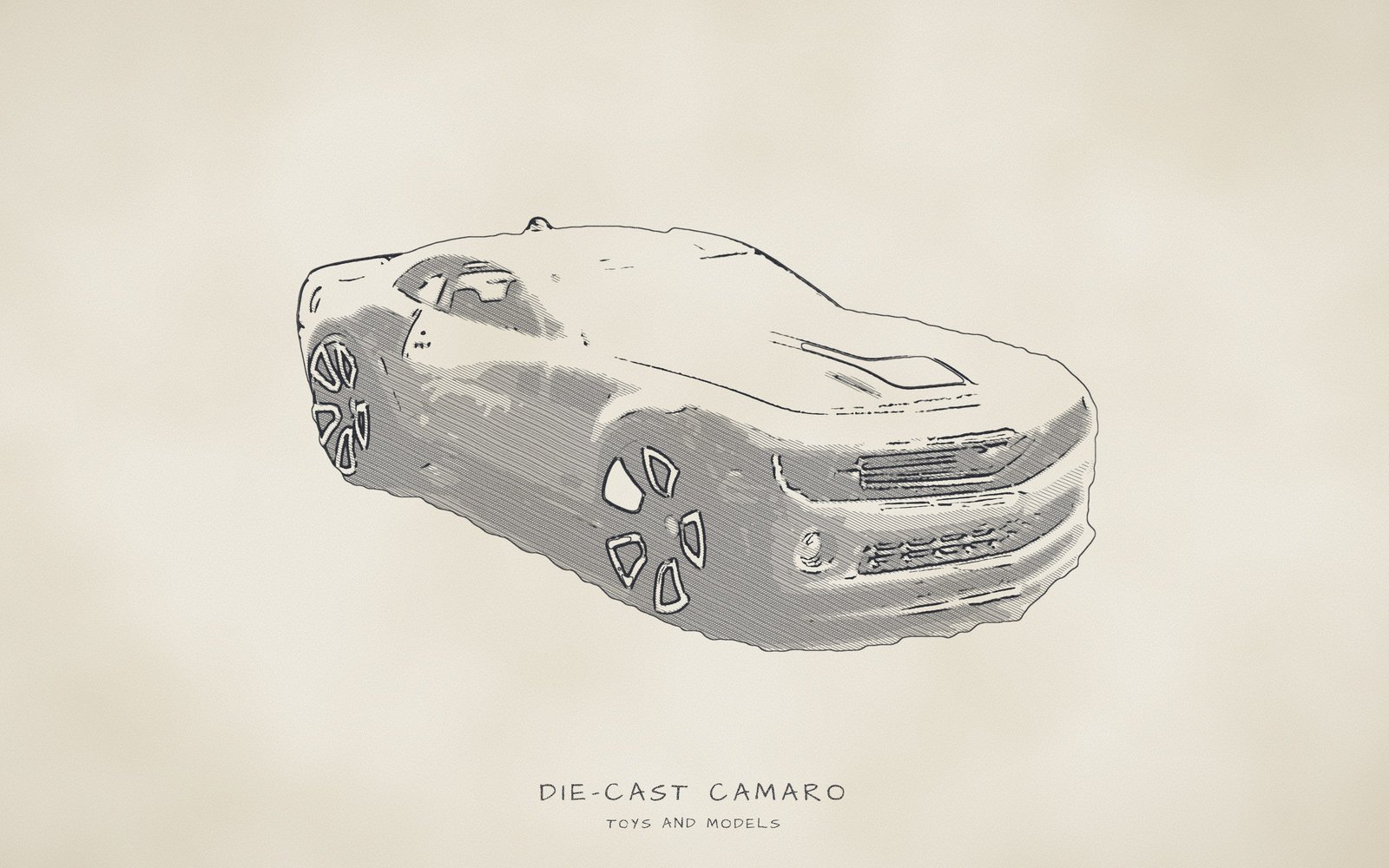
Catalog toys, die-cast cars, action figures, model trains and kits, with box, condition and completeness recorded beside every item.
39 labelled fields, 25 drop-down lists, 616 preset values.
From display case to train layout, recorded offline on your own devices.
NM Collector CP gives every piece in a toy or train collection its own record, down to the details that set one copy apart: the Hong Kong base on a Redline car, the card a figure is still sealed on, or the number stamped on a Lionel boxcar. "Brand" offers 47 makers, "Scale" and "Gauge (trains)" record size and track, and "Condition" and "Box Condition" grade the toy and its box apart. A shoebox of Matchbox cars fits as comfortably as a basement layout of Postwar trains.
None of it is fixed. Labels can be renamed and lists pruned to what you collect, and a maker or paint shade you type once can be added to its list for the next piece. Nothing you enter leaves your computer or phone unless you send it yourself: the app itself never connects to the internet and has no sign-in.
Browse the full lists
Choose a list in the first drop-down, then open the second one to scroll through every value in that list, or start typing to jump to a value. These are for browsing only; nothing you pick here is saved.
At a glance
- "Brand" lists 47 makers, such as "Lionel" and "Kenner", and "Line / Series" 23 lines and eras, such as "Redline" and "Postwar".
- "Scale" has 21 entries, ratios such as "1:64" and figure heights such as "3.75-inch figure", and "Gauge (trains)" 11, including "O27".
- "Type" names 19 kinds of piece, such as "Rolling Stock" and "Plush", and "Material" 12, such as "Tin Litho".
- "Packaging" (10 entries, such as "MOC (mint on card)") and "Box Condition" (9, such as "Shelf Wear") describe the package apart from the toy.
- "Condition" grades the piece from "C-1 Junk" to "C-10 Mint", beside "Completeness" (7 entries), "Originality" (6), "Working?" (4) and "Grading Service" (4).
- Pictures show each piece and its box, the Maintenance tab offers 10 "Operation" entries such as "Lubricate", and the Events tab 9 "Event" entries such as "Train Show".
- "Appraised Value", "Current Value" and "Insured Value" are typed by hand, each with its date, and "Storage Location" offers 8 places, such as "Layout (trains)".
- Custom reports run on the desktop, CSV export opens in a spreadsheet, and 3 filled-in samples cover a car, a figure and a locomotive.
- The app works offline, asks for no account and keeps every record on your own computer or phone.
Works offline on Windows, Mac, Linux, Android and iOS · Your records stay on your devices · Every feature free for 30 days · Activations from $24.95 a year.
What this template is for
This template is built for people who collect or simply own playthings and scale models: die-cast cars, action figures, tin and cast iron toys, dolls, plush, plastic model kits, board games, and model railroad locomotives and rolling stock (the cars a locomotive pulls). It records what each piece is, who made it, what shape it is in and whether the box survived, which are the details that other collectors, insurers and buyers tend to ask about first. It works for a single shelf of childhood favorites as well as for a large, carefully organized collection.
The Identification tab pins down exactly which item you are holding. The maker, line, model name, year, scale and color tell a blue 1968 Hot Wheels Custom Camaro from the same model in another color or year, while the item type, product number, material, country of manufacture, train gauge and edition add the finer points. The Description tab then covers everything that can differ between two otherwise identical pieces: packaging, condition, box condition, completeness, originality, working order, grading, storage location, appraisals and values.
Every text field is a drop-down list, and most ship with ready-made values, so you pick instead of typing. That saves keystrokes and keeps spelling consistent, which matters when you later filter or report on every Lionel item or everything kept in a "Display Case". The lists hold 47 brands, 23 toy lines and eras, 148 years, 21 scales, 19 item types and 216 manufacturing countries and historical states. Fields such as "Custom Tag", "Name / Model" and "Product Number" start empty because they hold your own information. You can rename any label, edit any list and type a new value at any time.
What you can do with it
- Build an insurance list that shows "Brand", "Name / Model", "Year", "Condition", "Packaging", "Insured Value" and "Date Insured" for every piece, with photographs on the Pictures tab, so you can hand an insurer the details it asks for.
- Find everything stored in one place by filtering a report on "Storage Location", for example all the pieces in a "Storage Bin", in the "Attic" or on the "Layout (trains)".
- Keep service dates for locomotives and other working pieces by logging an "Operation" such as "Lubricate" or "Wheel Cleaning" with its "Next Due Date", so the next job is written down beside the item.
- Prepare for an appraisal or sale by gathering "Packaging", "Condition", "Box Condition", "Completeness", "Originality", "Identifying Marks and Features" and photographs, so a buyer or appraiser can see the full picture in one place.
- Share the collection with heirs by exporting the items to CSV or printing a report, showing each piece's name, where it is kept and the story you recorded in "Notes".
- Spot what to look for next by filtering on "Completeness" or "Packaging" to list pieces that are "Missing Parts", "Loose Incomplete" or "Box Only", then note which ones you want to complete or upgrade.
- Compare what you paid, recorded on the Receipt tab, with your own "Current Value" estimate and its "Date Current Value", so you can see how old each figure is.
- Log where a piece has been, such as a "Toy Show", "Train Show" or "Operating Session", on the Events tab, so its history stays with the item.
Best for: Collectors of die-cast cars, action figures, tin and cast iron toys, plush, model kits and model trains, and anyone who has inherited or gathered a mixed toy collection and wants the condition, packaging and storage details of each piece recorded.
Why collectors choose NM Collector CP for Toys and Models
The Toy and Its Box, Graded Apart
A toy and its box often survive in different states, so each has its own grade. "Condition" rates the piece alone, while "Box Condition" notes "Crushed", "Taped" or "Torn", a "Sealed" package or "No Box". "Packaging" says whether the piece is sealed, carded or loose, and "Box Only" covers an empty box. Train collectors' clubs grade items and boxes separately too.
Versions, Variations and Special Editions
Two pieces from the same mold can differ in paint, wheels, base or release. "Line / Series" tells an early "Redline" or a "Treasure Hunt" from an ordinary "Mainline" car, "Color / Variation" offers "Enamel" beside 5 Spectraflame shades, and "Edition" marks an "Error / Variation" or a "Mail-away" piece. "Product Number" and "Identifying Marks and Features" hold what is marked on the box or stamped on the base.
A Care Log for Locomotives and Working Pieces
Log train care on the Maintenance tab: "Lubricate", "Wheel Cleaning" or "Track Cleaning", with an interval such as "3 months" or "10 hours run", a "Next Due Date", the "Completion Cost" and who did it in "Completed By". "Working?" on the Description tab says whether a piece runs.
Figures, Kits and What Came With Them
A loose vintage figure is judged partly by its small parts: whether its weapon or cape is there, and whether it is original or a reproduction. "Completeness" records "Missing Accessories" or "Missing Parts", and "Originality" can flag "Reproduction Parts" or a "Repainted" piece. For a kit, "Completeness" follows the build from "Unbuilt Kit" to "Built Kit".
Kept on Your Own Computer and Phone
The pieces you own, the shelves and bins they sit in and their insured values are details you may not want on anyone's server. NM Collector CP saves them, pictures included, on your own computer or phone. It needs no account, and the app itself never connects to the internet. A report, CSV export or transfer file leaves only when you send it.
At Swap Meets, Toy Shows and Auctions
At a sale table the usual question is whether you already own that car, and in what box. With the collection copied to an Android or iOS phone, type a name into the main page's filter and check "Color / Variation" and "Box Condition" on your copy, with or without a signal. Then log the purchase on the Receipt tab and the day as a "Swap Meet", "Toy Show" or "Auction" event.
When an Insurer, Appraiser or Heir Asks
A specialist insurer may ask for an inventory with photographs, purchase records or an appraisal, and an heir needs to know what each piece is and which shelf or bin holds it. Pictures, the Receipt tab, "Insured Value", "Appraised By" and "Storage Location" hold those answers, and a desktop custom report can leave out pieces marked "no" in "Include In Reports?". Grades and values are yours; the app does not supply them.
Room for Your Other Collections
A new installation holds 30 templates. Sports cards and autographs belong in Sports Cards and Memorabilia, toy catalogs and posters in Paper Items, and full-size cars and tractors in Motor Vehicles, while board games and puzzles stay here, as "Type" lists "Board Game" and "Puzzle". The Related tab can link a locomotive to its rolling stock or a figure to its playset.
How the fields work
Every text field in a template is a drop-down field. Pick a value from the list or type your own; the + button adds what you typed to the list, the x button clears the field and the e button opens the list editor. Number fields accept any number, date fields hold dates and notes fields hold longer text. The details below cover every field on the Identification and Description tabs, and any drop-down on the other tabs that is specific to this template. Every list can be browsed in the drop-downs under Browse the full lists; lists of 10 values or fewer are also written out in full below.
Identification tab
The Identification tab holds what makes each toy or model different from every other one. Seven fields build the item's name, in this order: "Custom Tag", "Brand", "Line / Series", "Name / Model", "Year", "Scale" and "Color / Variation". The order matters because it sets how items read in lists, and a field left empty adds nothing. The other fields cover type, product number, material, origin, gauge, edition, a report marker and a notes field for marks.
Custom Tag
Drop-down · no preset values
A label you choose yourself, and the first piece of the item's name. Good entries are an inventory number such as T-014, a shelf code, or a nickname like Dad's Lionel. It gives look-alike pieces, such as two copies of the same car, an unmistakable handle.
This drop-down starts empty. Type a value into the field and use the + button to add it to the list; it will be there the next time you need it.
Brand
Drop-down · 47 preset values
The maker named on the item or its box, such as "Hot Wheels", "Kenner" or "Lionel". The maker is the first thing that groups a collection and the first thing a buyer, appraiser or fellow collector asks about. If a maker is missing, type it in and add it to the list.
47 makers in alphabetical order. Die-cast, model railroad, action figure, plush and kit makers all appear, for example "Hot Wheels", "Lionel", "Kenner" and "Steiff", and an "Other" entry covers any maker that is not listed.
All 47 preset values: choose “Brand (Identification tab, 47 values)” in the Browse the full lists drop-downs, further down this page.
Line / Series
Drop-down · 23 preset values
The product line, series or era the item belongs to within its brand, such as "Redline" for early Hot Wheels cars with red-striped tires, or "Postwar" for Lionel trains from the years after World War II. Together with "Brand" it narrows a maker's output to one family.
23 values in alphabetical order. They mix toy franchises such as "Star Wars", die-cast lines such as "Treasure Hunt", and eras such as "Prewar" and "Postwar", with an "Other" entry for anything else.
All 23 preset values: choose “Line / Series (Identification tab, 23 values)” in the Browse the full lists drop-downs, further down this page.
Name / Model
Drop-down · no preset values
The specific model or character that separates this item from the rest of its line, worded as it is printed or as collectors know it: Custom Camaro, Darth Vader or 2037 Steam Locomotive and Tender. Keep the wording consistent, because it is the heart of how the item reads in lists.
This drop-down starts empty. Type a value into the field and use the + button to add it to the list; it will be there the next time you need it.
Year
Drop-down · 148 preset values
The year the toy or model was released or produced, such as "1968" for the sample Hot Wheels Custom Camaro or "1954" for the Lionel locomotive. A date on a base or box is sometimes only a design or copyright year, so record the year you can confirm and note any other date in "Identifying Marks and Features".
148 values, one for every year from "1880" to "2027" in order, covering antique tin and cast iron toys through toys of today. Pick a year, or type your own entry if all you know is a range.
All 148 preset values: choose “Year (Identification tab, 148 values)” in the Browse the full lists drop-downs, further down this page.
Scale
Drop-down · 21 preset values
The size of the model compared with the real thing, written as a ratio: "1:64" means one sixty-fourth of full size. It is how die-cast cars, kits and trains are grouped and displayed. Figures are recorded by height instead, such as "3.75-inch figure".
21 values: 17 ratios that cover die-cast, kit and railroad sizes, such as "1:64" and "1:18", three figure heights such as "6-inch figure", and "Not to scale" for pieces with no fixed proportion.
All 21 preset values: choose “Scale (Identification tab, 21 values)” in the Browse the full lists drop-downs, further down this page.
Color / Variation
Drop-down · 17 preset values
The main color or finish of the item, plus any variation that sets it apart from other examples of the same model, such as "Spectraflame Blue" (the glossy metallic paint used on early Hot Wheels) on the sample Custom Camaro. Type your own entry for a paint scheme the list lacks.
17 values: basic colors such as "Black" and "Red", the finish "Chrome", and five Spectraflame shades including "Spectraflame Aqua". A "Multicolor" entry covers mixed paint schemes, and "Enamel" is listed as a finish.
All 17 preset values: choose “Color / Variation (Identification tab, 17 values)” in the Browse the full lists drop-downs, further down this page.
Type
Drop-down · 19 preset values
What kind of toy or model the item is, such as an "Action Figure", a "Die-cast Vehicle", a "Locomotive" or "Rolling Stock" (the freight and passenger cars a locomotive pulls). Type groups the collection into families, so you can list every "Locomotive" or every "Plush" piece together.
19 values in alphabetical order that cover what most toy collections hold: figures and dolls, vehicles, trains, kits, games and plush. Examples include "Die-cast Vehicle", "Locomotive", "Tin Toy" and "Plastic Model Kit".
All 19 preset values: choose “Type (Identification tab, 19 values)” in the Browse the full lists drop-downs, further down this page.
Product Number
Drop-down · no preset values
The manufacturer's catalog, stock or model number printed on the box or item, such as 6208 on the sample Hot Wheels Custom Camaro, 38230 on the Kenner Darth Vader or 2037 on the Lionel locomotive. It is one of the most reliable ways to tell similar pieces apart.
This drop-down starts empty. Type a value into the field and use the + button to add it to the list; it will be there the next time you need it.
Material
Drop-down · 12 preset values
What the item is mainly made of, a strong clue to its age and to how it should be handled and stored. The samples use "Die-cast Zinc" for the Hot Wheels car and the Lionel locomotive, and "Plastic" for the Kenner figure. "Tin Litho" means tin sheet with the design printed on it.
12 values in alphabetical order, covering the materials of antique and modern toys: "Bisque", "Cast Iron", "Composition", "Die-cast Zinc", "Paper", "Plastic", "Plush Fabric", "Pressed Steel", "Resin", "Tin Litho", "Vinyl" and "Wood". "Bisque" is unglazed porcelain used for doll heads, and "Composition" is the molded wood pulp and glue mix used for older dolls and figures.
All 12 preset values: choose “Material (Identification tab, 12 values)” in the Browse the full lists drop-downs, further down this page.
Country of Manufacture
Drop-down · 216 preset values
The country where the item was made, usually marked on the base, box or a tag, such as "Hong Kong" for the sample Hot Wheels and Kenner pieces or "United States" for the Lionel locomotive. It separates production runs of the same model.
216 entries in alphabetical order: present-day countries plus historical states such as "Czechoslovakia". Common toy-making places such as "Hong Kong" and "Japan" are there, and "Unknown" is available when the base carries no mark.
All 216 preset values: choose “Country of Manufacture (Identification tab, 216 values)” in the Browse the full lists drop-downs, further down this page.
Gauge (trains)
Drop-down · 11 preset values
For model trains, the size system of the track the item runs on, based on the width between the rails, such as "HO" or "N". "O27" is Lionel's lighter, tighter-curve O gauge line, as on the sample locomotive. A locomotive might be "HO" gauge and "1:87" scale. Choose "Not applicable" for anything that is not a train.
11 values: common model railroad gauges such as "HO" and "N", older systems such as "Standard Gauge", and "Not applicable" for the many items in a toy collection that are not trains.
All 11 preset values: choose “Gauge (trains) (Identification tab, 11 values)” in the Browse the full lists drop-downs, further down this page.
Edition
Drop-down · 9 preset values
How the item was issued, which separates ordinary production from special releases. The samples all use "Regular Production"; other pieces might be a "Limited Edition", a "Convention Exclusive", a "Prototype" or an "Error / Variation". Edition often explains why two similar items differ.
9 values, including everyday releases such as "Regular Production" and "Reissue" and special ones such as "Limited Edition" and "Prototype". Exclusives, mail-away pieces and pre-production samples are covered too.
All 9 preset values: Convention Exclusive • Error / Variation • Exclusive • Limited Edition • Mail-away • Pre-production • Prototype • Regular Production • Reissue
Include In Reports?
Drop-down · 2 preset values
A yes or no marker you set on each item for report purposes. Pick "yes" for pieces you count in your reports, as all three sample items do, and "no" for the rest, such as duplicates you plan to sell.
Just two values, "yes" and "no", so the marker can be set with a single pick. It is a per-item choice made for report purposes, and the sample items are all set to "yes".
All 2 preset values: no • yes
Identifying Marks and Features
Notes
Free text for the small details that tell this example from other copies: stamps, base markings, decals, paint variations, replaced details or a seller's tag. The sample Custom Camaro lists redline tires, a white interior and a Hong Kong base. Write it as you would describe it to someone who cannot see it.
Description tab
The Description tab holds the state and the story of each item: packaging, condition, box condition, completeness, originality, working order, grading service, storage location and who appraised it. It also has two free-text notes, four dates and three value figures (appraised, current and insured) that you type in by hand, because the software does not look up prices.
Packaging
Drop-down · 10 preset values
What the item is packaged in today, and in what state: sealed, opened, on its card or loose. For toys the packaging is often a large part of the record, so be exact, for example "Loose Complete" for the sample Hot Wheels car or "Original Box (used)" for the Lionel locomotive.
10 values in alphabetical order, including "MISB (mint in sealed box)", "MOC (mint on card)", "Loose Complete" and "Box Only". Abbreviations are spelled out in parentheses.
All 10 preset values: Box Only • Carded (opened) • Loose Complete • Loose Incomplete • MIB (mint in box) • MISB (mint in sealed box) • MOC (mint on card) • NRFB (never removed from box) • Original Box (used) • Reproduction Box
Condition
Drop-down · 10 preset values
An overall grade for the item itself, on a ten-step scale from "C-1 Junk" to "C-10 Mint". The sample Hot Wheels car and Kenner figure are both "C-8 Very Fine". Grade the toy apart from its box and add detail in "Condition Comments". Published guides and grading firms word grades differently, so use this as your own yardstick, applied consistently.
A ten-grade scale from C-1 to C-10 in which every grade carries a word label, for example "C-10 Mint", "C-9 Near Mint", "C-7 Fine Plus" and "C-1 Junk". It gives you one shorthand to apply the same way to every item.
All 10 preset values: C-1 Junk • C-10 Mint • C-2 Poor • C-3 Fair • C-4 Good • C-5 Good Plus • C-6 Fine • C-7 Fine Plus • C-8 Very Fine • C-9 Near Mint
Box Condition
Drop-down · 9 preset values
The state of the original box or package, graded separately from the item because boxes are often kept, replaced or lost independently of the toy. Choose "No Box" when there is none, as with the loose sample pieces, or "Shelf Wear" as for the Lionel locomotive's box.
9 values in alphabetical order, including "Excellent" and "Good", faults such as "Crushed", "Torn", "Taped" and "Shelf Wear", a "Price Sticker" entry, a "Sealed" entry, and "No Box" for a piece that has none.
All 9 preset values: Crushed • Excellent • Good • No Box • Price Sticker • Sealed • Shelf Wear • Taped • Torn
Completeness
Drop-down · 7 preset values
Whether all the parts, accessories and pieces are present, and for a kit how far it has been built. Examples are "Complete" for an intact set, "Missing Accessories" for a figure without its weapons, and "Unbuilt Kit" for a model whose parts are still on their sprues (the plastic frames).
7 values: "Complete", three for missing items ("Missing Accessories", "Missing Parts" and "Parts Only"), and three kit stages ("Unbuilt Kit", "Started Kit" and "Built Kit").
All 7 preset values: Built Kit • Complete • Missing Accessories • Missing Parts • Parts Only • Started Kit • Unbuilt Kit
Originality
Drop-down · 6 preset values
Whether the item is as it left the factory or has been changed. Repainting, replaced pieces and restoration all affect how collectors judge a piece, so record it honestly: "All Original" as for all three sample items, "Restored", or "Reproduction Parts". Use "Unknown" if you cannot tell.
6 values that start with "All Original" and then name the kinds of change a piece may have had, such as "Restored" and "Reproduction Parts". "Repainted" and "Customized" pieces are covered, and "Unknown" is there for uncertain history.
All 6 preset values: All Original • Customized • Repainted • Reproduction Parts • Restored • Unknown
Working?
Drop-down · 4 preset values
Whether the item operates as intended, which matters for trains, robots, slot cars and anything with a motor or electronics. Use "Working" or "Not Working" for items that operate, "Needs Batteries" for a battery toy that cannot be tested yet, and "Not applicable" for pieces with nothing to operate.
4 short values: "Working", "Not Working", "Needs Batteries" and "Not applicable". The last one keeps the field honest for the many toys that have nothing to operate, as with the sample car and figure.
All 4 preset values: Needs Batteries • Not applicable • Not Working • Working
Grading Service
Drop-down · 4 preset values
Records whether a third-party grading firm has assessed the item, and which one. Most pieces in a home collection are "Ungraded", as all three samples are. If a piece has been graded, choose the firm here and record its grade in "Condition Comments", since firm grades use their own scales, not the C-scale in "Condition".
The list holds four values: three grading services, "AFA", "CAS" and "UKG", and "Ungraded" for everything that has not been through grading. Type another service name if yours is missing.
All 4 preset values: AFA • CAS • UKG • Ungraded
Storage Location
Drop-down · 8 preset values
Where the item is kept right now, so you can find it and pull up everything kept together. Entries such as "Display Case" or "Storage Bin" work for most pieces, and the sample Lionel locomotive is recorded on the "Layout (trains)".
8 places where a toy collector typically keeps things, such as "Display Case", "Storage Bin" and "Layout (trains)", along with "On Loan" for pieces that are away. Add your own rooms, shelves and cabinets as you go.
All 8 preset values: Attic • Closet • Display Case • Layout (trains) • On Loan • Original Box • Shelf • Storage Bin
Appraised By
Drop-down · no preset values
The person or firm that produced an appraisal of the item, for example a named appraiser, auction house or dealer. Keep it with "Date Appraised" and "Appraised Value" so the three together show who valued the item, when and at what figure.
This drop-down starts empty. Type a value into the field and use the + button to add it to the list; it will be there the next time you need it.
Condition Comments
Notes
Free text that backs up the "Condition" grade with specifics: paint chips, decal wear, rust, stress marks, broken or replaced parts and box flaws. Write down whatever a buyer, insurer or appraiser would want explained, so the grade does not have to stand alone.
Notes
Notes
General free text about the item that fits nowhere else, including provenance, how you came to own it and anything you have learned about it. The sample Kenner Darth Vader notes an original cape and lightsaber with no tip wear.
Date Manufactured
Date
The date the item was made, for when you know more than the "Year" on the Identification tab, for example from a date code stamped on the item or a dated box. Leave it empty when only the year is known.
Date Appraised
Date
The date an appraisal was carried out, recorded next to "Appraised Value". Appraisals age, so this date tells you and anyone reading your list how current the figure is.
Date Current Value
Date
The date on which you set or last reviewed the "Current Value" figure. Update it whenever you revise your estimate, so you can always see how old the figure is.
Date Insured
Date
The date the insured value was set or last confirmed, kept beside "Insured Value" so that the coverage figure always has a date attached.
Appraised Value
Number
The figure an appraiser gave you, typed as a plain number in whatever currency you use. No formatting is applied, so enter just the amount. It is entered by hand, since the software does not look up prices. Pair it with "Appraised By" and "Date Appraised".
Current Value
Number
Your own estimate of what the item is worth today, typed as a plain number, such as 150 for the sample Lionel 2037. Update it as you learn more, and note the date in "Date Current Value".
Insured Value
Number
The amount at which the item is or would be insured, typed by hand as a plain number in your own currency. Record it alongside "Date Insured". It is kept separate from "Current Value" so that each figure carries its own date.
Drop-downs on the other tabs
These fields belong to tabs that every collection has, but this template gives them values of its own.
Maintenance tab
Operation
Drop-down · 10 preset values
The kind of care work carried out on the item, entered on the Maintenance tab. For trains, "Lubricate", "Wheel Cleaning" and "Track Cleaning" mark the regular jobs; for boxed and displayed pieces, "Dust" or "Re-box" cover routine upkeep. The sample Lionel 2037 records "Lubricate".
10 upkeep jobs in alphabetical order, including collection care such as "Dust" and "Photograph", model railroad tasks such as "Lubricate", and "Remove Batteries" for battery toys put away for storage.
All 10 preset values: Clean • Dust • Inventory • Lubricate • Photograph • Re-box • Remove Batteries • Touch-up Paint • Track Cleaning • Wheel Cleaning
Completed Units
Drop-down · 3 preset values
The unit of measure to pair with "Completed Increment", chosen from the list: "hours run", "months" or "years". The sample Lionel 2037 record uses "months", alongside a "Completed Increment" of "12 months".
3 units: "hours run", "months" and "years". Calendar intervals suit most items, and "hours run" is there for anything better measured by how long it has operated.
All 3 preset values: hours run • months • years
Next Due Units
Drop-down · 3 preset values
The unit of measure to pair with "Next Due Increment", with the same three choices as "Completed Units". The sample Lionel 2037 record uses "months" here too.
The same 3 units as the completed list: "hours run", "months" and "years". Type a different unit of your own if a job is best counted another way.
All 3 preset values: hours run • months • years
Completed Increment
Drop-down · 4 preset values
A length of time or use written as a number and a unit, such as "12 months" (the value on the sample Lionel 2037 record) or "10 hours run".
4 ready-made intervals: "3 months", "6 months", "12 months" and "10 hours run". They cover the common quarterly, half-yearly and yearly rhythms of collection care, plus one measured by running time.
All 4 preset values: 10 hours run • 12 months • 3 months • 6 months
Next Due Increment
Drop-down · 4 preset values
The same style of entry for the next job, such as "6 months" or "12 months", recorded alongside the "Next Due Date". The sample Lionel 2037 record shows "12 months".
The same 4 intervals as the completed list: "3 months", "6 months", "12 months" and "10 hours run". Type a new value of your own, such as a two-year cycle, whenever you need one.
All 4 preset values: 10 hours run • 12 months • 3 months • 6 months
Events tab
Event
Drop-down · 9 preset values
The occasion in the item's life that you want to log on the Events tab: a show where it was displayed, a purchase, an auction or an "Operating Session". The sample Lionel 2037 has a "Holiday Layout" entry describing its run on the living room layout.
9 occasions typical of the hobby: buying and trading occasions such as "Purchase", "Auction" and "Swap Meet", shows such as "Toy Show" and "Train Show", and running sessions such as "Operating Session".
All 9 preset values: Auction • Convention • Display • Holiday Layout • Operating Session • Purchase • Swap Meet • Toy Show • Train Show
Tabs every collection shares
Besides Identification and Description, each item has these tabs. They work the same way in every collection.
- Pictures: Attach photographs to an item, with a note, the date each was taken, a sequence number and a flag saying whether the picture belongs in reports. Pictures are copied into the application’s own folder and stay on your device.
- Receipt: Who you got the item from and when: the business or person, address, date and amount, plus notes.
- Disposition: The same layout for the other end of an item’s life: to whom it was sold, traded or given, where, when and for how much.
- Related: Link an item to other items in your collections, for example a rifle and its scope or a watch and its box.
- Maintenance: Record maintenance operations with what was done, who did it, where, what it cost, when it was completed and when the next one is due. Repeat an operation each time you perform it.
- Events: A dated log of things that happen to an item: shows, appraisals, loans, repairs and outings, with a description, results, helpers, location and cost.
- Data Sheet: A large free-form area for anything that does not fit elsewhere, such as detailed measurements or component notes.
- Links: Links to web pages, documents and pictures related to an item, each with an optional description.
The three sample items
Every new installation includes three sample items in this collection so you can see how the fields are meant to be filled in.
- 1968 Hot Wheels Redline Custom Camaro (listed as “Hot Wheels Redline Custom Camaro 1968 1:64 Spectraflame Blue”): A thoroughly filled-in die-cast car and the only sample with "Identifying Marks and Features", which notes redline tires, a white interior and a Hong Kong base. Identification also has a "Product Number" of 6208 and "Gauge (trains)" set to "Not applicable". Description records "Loose Complete", "C-8 Very Fine" and "No Box".
- 1978 Kenner Star Wars Darth Vader figure (listed as “Kenner Star Wars Darth Vader 1978 3.75-inch figure Black”): A loose action figure whose "Scale" is a figure height, "3.75-inch figure", rather than a ratio, made of "Plastic" and stored in a "Storage Bin". The "Notes" field on the Description tab records the original cape and lightsaber with no tip wear, and "Current Value" is 60.
- 1954 Lionel 2037 steam locomotive and tender (listed as “Lionel Postwar 2037 Steam Locomotive and Tender 1954 1:48 Black”): The one sample with a real train gauge: "Gauge (trains)" is set to "O27", with "Scale" "1:48", "Type" "Locomotive" and "Working?" set to "Working". It has its used original box, "Original Box (used)", with "Shelf Wear", lives on the "Layout (trains)", and carries a "Lubricate" maintenance record of "12 months" and a "Holiday Layout" event.
Tips
- Put every base marking, decal or paint variation and box code in "Identifying Marks and Features", so two look-alike cars can always be told apart.
- Add your own makers and lines to "Brand" and "Line / Series" as you come across them, so the spelling stays the same on every item and reports group them properly.
- Record "Box Condition" and "Completeness" early, while the box and every part are still in front of you, and photograph the box and its contents on the Pictures tab.
- Before you put a battery toy away, log "Remove Batteries" as an "Operation", since leaked batteries can corrode the contacts.
Frequently asked questions about Toys and Models
Does the "Condition" list match the C-scale train collectors use?
Not word for word. "Condition" on the Description tab rates the piece in 10 steps, from "C-1 Junk" to "C-10 Mint", but the words between, such as "C-8 Very Fine" and "C-6 Fine", are the template's own, and the Train Collectors Association uses other words for C-2 through C-9. Apply the list consistently, or open it with the e button and change the words to the ones you use. Grade the box on its own in "Box Condition", and explain any grade in "Condition Comments".
Can I record whether a figure is still carded, boxed or loose?
Yes. "Packaging" has 10 entries, including "MOC (mint on card)", "Carded (opened)", "MISB (mint in sealed box)" and "NRFB (never removed from box)", and "Loose Complete" or "Loose Incomplete" for pieces out of the package. "Reproduction Box" flags a copy of the original box. For a loose figure, "Notes" can say which parts are original, as on the sample Darth Vader.
How do I record two copies of the same car, one carded and one loose?
Give each copy its own item. Duplicate Item copies the first record's identification, description and receipt details, so the second needs only what differs: "Packaging" changes from "MOC (mint on card)" to "Loose Complete", "Box Condition" to "No Box", and "Condition" to your grade for that copy. A different "Custom Tag" on each copy leads its item name, so the two read apart in lists.
How do I record a figure graded by AFA or UKG?
Pick the firm in "Grading Service", which lists "AFA", "CAS" and "UKG", plus "Ungraded". Firms such as AFA and UKG seal a graded piece in a case and grade on their own scales, so copy the grade, any subgrades and the serial number from the case label into "Condition Comments" instead of forcing them onto the C-scale in "Condition". Photograph the cased piece and its label on the Pictures tab.
I have inherited a box of old toys and trains. How do I start recording them?
Start with what you can see: "Brand" and "Type", a working name in "Name / Model", and a box or bin number in "Custom Tag". Choose "Unknown" in "Country of Manufacture" or "Originality" until you know more, and photograph each piece and any box on the Pictures tab. "Storage Location" says whether it sits in the "Attic", a "Closet" or a "Storage Bin", "Notes" holds the family story, and the Disposition tab records a piece you later sell or give away.
Will the software tell me what my toys and trains are worth?
No. The app holds no value data and makes no estimates; every figure comes from you. What you paid goes under "Amount" on the Receipt tab, your own estimate under "Current Value", an appraisal under "Appraised Value" with its author in "Appraised By", and your coverage under "Insured Value", each of the last three with its own date field.
Where is my toy collection stored, and does the app send anything over the internet?
Everything you enter, pictures included, is saved on the computer or phone you entered it on. The app itself never connects to the internet and has no sign-in, so nothing is uploaded. Data leaves only in a file you make and send: a report, a CSV file or a Share Data zip. Carried by USB stick, cable, AirDrop or Quick Share, it goes straight to the device you choose; emailed or put in a cloud service, it travels through that company.
Can I look through my collection at a train meet or toy show with no signal?
Yes. Once copied over, the collection sits on the Android or iOS device, pictures included, and needs no connection to read. On the computer, Export > Collection Data Transfer > Share Data makes the file; on the phone, Import > Collection Data Transfer > Zip File loads it. An import replaces everything on the receiving device, so export what is on the phone first. From then on the two copies are separate: a piece you add at the meet reaches the computer only with the next transfer back.
How do I add the Toys and Models template to an installation I already use?
Every new 2.3 installation already has it. Otherwise download it from the Downloads page and load it through Import > Collection Template, which works on the desktop and in the Android and iOS apps. As Toys and Models is new in 2.3, the import creates the collection, unless you already keep one by that name; in that case the app lists each field it would relabel and lets you cancel before anything changes.
What do the three sample items in the Toys and Models collection show?
The 1968 Hot Wheels Custom Camaro is a loose, complete "Spectraflame Blue" car with no box, graded "C-8 Very Fine", with 6208 as its product number and its tires, interior and base described in "Identifying Marks and Features". The 1978 Kenner Darth Vader is a figure sized by height rather than by ratio, kept in a "Storage Bin" and valued at 60 by its owner. The 1954 Lionel 2037 is the working train, with "O27" gauge, a shelf-worn original box, a yearly "Lubricate" record and a "Holiday Layout" event.
Getting this template
New installations of NM Collector CP start with all 30 templates. If you already use NM Collector CP, use the Download Template button at the top of this page, unzip the file into a templates folder on your computer, and add it with File > Import > Collection Template. The app matches the collection by name, creates it if you do not have it, and asks before it changes what any field is called.
NM Collector CP is free to try with all features for 30 days, with no credit card. After that you can keep using the free version, which needs no activation, or buy an activation for the full-feature version, for 1, 2 or 5 years or for life.
Try it with your own collection
Every feature is free for 30 days, with no credit card, on Windows, Mac, Linux, Android and iOS. Download the free trial.