
Collection software for firearms, coins, stamps, knives, Japanese swords, geological specimens & more - offline - no cloud risks - Windows, Mac, Linux, iOS, and Android.
Try full features Free for 30 Days - No Credit Card. After 30 days you can upgrade or continue to use free version.
Unzip it into a templates folder, then choose File > Import > Collection Template.
Stamps collection template
Stamp Collection Software for Philatelists
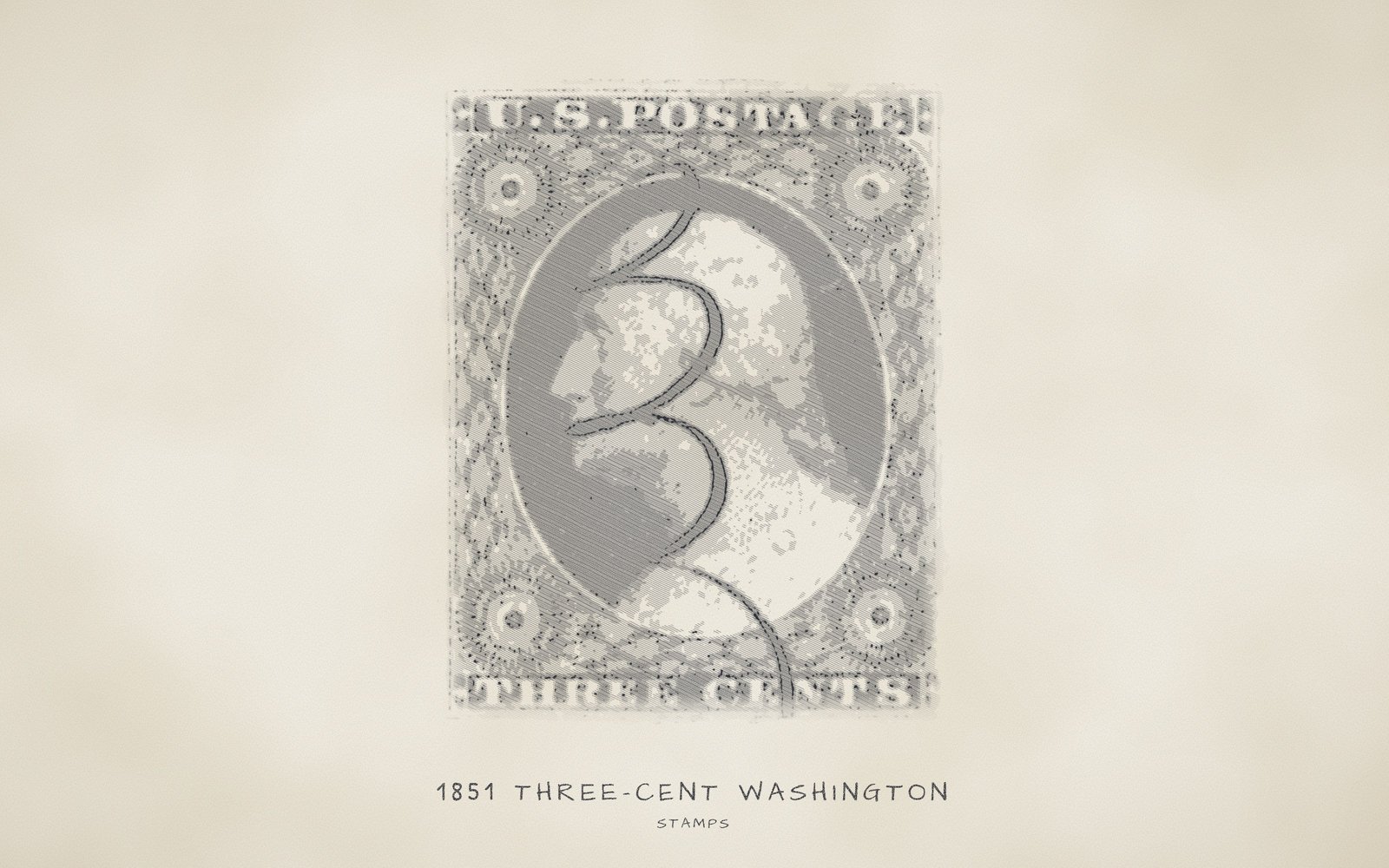
Pin down each stamp's issue by country, denomination and catalog number, then note the gum, grade, faults and value of your copy.
42 labelled fields, 29 drop-down lists, 674 preset values.
Offline and private, on your own Windows, Mac, Linux, Android and iOS devices.
Philately, the collecting and study of postage stamps and related postal material, rewards careful records, and NM Collector CP gives each stamp, block, cover or card its own item. You describe the issue by country, denomination and catalog number, then the copy you own by gum, centering, grade, cancel and faults. Your records stay on your own computer or phone, and the app itself never connects to the internet or asks for an account.
Whether you specialize in first day covers (envelopes postmarked on the day a stamp was issued), postal stationery, one country or one topic, the Stamps template speaks the trade's shorthand in its drop-down lists. You can rename any label, edit any list and add your own values at any time, or copy the template to build a variant of your own. Stamps is one of the 12 original templates refreshed for NM Collector CP 2.3.
Browse the full lists
Choose a list in the first drop-down, then open the second one to scroll through every value in that list, or start typing to jump to a value. These are for browsing only; nothing you pick here is saved.
At a glance
- Catalog tracking: "Catalog" offers "Scott", "Stanley Gibbons", "Michel" and 6 other choices, and "Catalog Number" holds the number.
- Denomination and design: "Denomination" has 32 entries, "Design" has 20 subjects, and "Year of Issue" runs from "1840" to "2027".
- Watermark, perforation and printing variants: "Watermark" has 11 entries, "Perforation" 15 and "Printing Method" 7, including "Small Crown", "Imperforate" and "Engraved (intaglio)".
- Issue type and rarity: "Issue Type" separates "Regular Issue" stamps from an "Overprint" or "Surcharge", and "Rarity" runs from "Common" to "Unique".
- Condition and grade: "Gum", "Centering", "Grade" and "Faults" describe your copy, from "MNH (never hinged)" to "NG (no gum)" and from "50 VG" to "100 Gem".
- Country and topic: "Nationality" has 221 country and issuing-authority entries, while "Class" and "Design" group stamps by purpose and subject.
- Mint versus used: "Gum" separates mint entries such as "MNH (never hinged)" from "Used" stamps, and "Cancel" records the mark, from "CDS (circular date stamp)" to "Uncanceled".
- Covers and postal items: "Type" has entries for a "Cover", a "First Day Cover", a "Booklet Pane", a "Postal Card" and "Postal Stationery".
- Supporting records: pictures, a purchase record, maintenance and event logs, custom reports, printing and CSV export, all kept on your own device.
Works offline on Windows, Mac, Linux, Android and iOS · Your records stay on your devices · Every feature free for 30 days · Activations from $24.95 a year.
What this template is for
A stockbook of used singles, a hingeless album of unused sheets, a glassine envelope of loose stamps, a drawer of first day covers (envelopes postmarked on the day a stamp was issued) and one certified rarity in its mount: a stamp collection rarely sits in one place. Each stamp, block, cover or card is one item, and the item records what it is, how it was printed, what condition it is in, where it is stored and what you believe it is worth. Everything stays on your own computer or phone.
Identification is where a stamp becomes a specific issue. Stamps carry no serial number, so nationality, denomination, class, type, catalog and design tell an 1851 United States 3c everyday stamp apart from an airmail issue or a British penny, while the catalog number, year of issue, color, perforation (the row of holes or cuts that lets stamps be separated) and printing method pin down the exact issue. The Description tab then holds paper, gum, watermark, centering, grade, cancel, faults, storage, and the appraised, current and insured values that you enter by hand.
Gum and centering use the shorthand of the stamp trade, such as "MNH (never hinged)" and "VF (very fine)", spelled out so nobody has to guess. Because spelling stays identical from stamp to stamp, a report can gather every "MNH (never hinged)" stamp or everything from one country. The lists offer 221 country and issuing-authority entries, 32 denominations, 14 classes, 16 types, 9 catalog choices, 20 designs, 188 issue years and 19 colors. A watermark, catalog or cancel style the lists lack is typed once and offered again on the next stamp, and the country list can be trimmed to the places you collect.
What you can do with it
- Give your insurer a stamp-by-stamp schedule showing "Catalog Number", "Grade", "Expertizing Certificate", "Insured Value" and "Date Insured", printed or exported to CSV.
- Keep care schedules in writing: record a "Re-sleeve" or "Dehumidify" task on a stamp's Maintenance tab with a "Next Due Date", so you can see when that stamp, cover or card is due for attention.
- A printed report or CSV export can show heirs which pieces carry an "Expertizing Certificate", alongside "Grade", "Centering" and "Faults", so they know which stamps have been independently examined.
- Locate a stamp fast by filtering a custom report on "Storage Location", whether it sits in a "Stockbook" or a "Safe Deposit Box".
- Compare duplicate copies of one issue before a sale or swap: a custom report filtered on "Catalog Number" lines up "Grade", "Centering" and "Faults", with the purchase amount from the Receipt tab.
- Export items to CSV and, in a spreadsheet, compare your own "Current Value" figures with what you paid, to see which purchases have moved in your estimate.
- Keep a history of the shows, auctions and exhibits where a stamp was bought, sold or displayed, on the Events tab, such as the "Stamp Show" recorded for the sample airmail stamp.
Best for: Stamp collectors who keep singles, blocks and sheets of United States and world issues, along with covers and postal stationery, in albums, stockbooks and mounts, and anyone who needs to record which pieces carry an expertizing certificate. The starter lists lean toward United States collecting, so add terms for other countries.
Why collectors choose NM Collector CP for Stamps
Catalog Attribution and Variety Documentation
Pair "Catalog" with "Catalog Number" to name the exact issue, then add "Year of Issue", "Color", "Perforation", "Watermark" and "Printing Method" to tell close relatives apart. "Error / Variety" is a choice in "Type", and "Identifying Marks and Features" holds plate varieties, check letters and margins. Every detail has a labelled field, so you do not have to design spreadsheet columns yourself.
Mint and Used Condition Tracking
The "Gum" list spells out the trade's abbreviations: "OG (original gum)", "MNH (never hinged)", "MH (hinged)", "MLH (lightly hinged)" and "NG (no gum)", plus "Used" for postally used stamps. "Cancel", "Centering", "Faults" and "Condition Comments" complete the picture, so mint and used stamps can share one collection and be described in the same way.
Private Records for Valuable Philatelic Collections
A stamp inventory shows what you own, where it is kept and what you believe it is worth, which makes it sensitive. NM Collector CP keeps your data on your own computer or phone, needs no account, and the app itself never connects to the internet. If you share a collection transfer file by email or a cloud service, it travels through that provider, so where it goes stays your choice.
Your Collection on Your Phone at Shows and Auctions
Copy your collection to an Android or iOS device with the whole-collection transfer file, and it is there without an internet connection at a stamp show, a bourse (a dealers' market) or an auction. You can check what you already own and read the "Catalog Number", "Grade" and "Faults" of the copy in your album before you bid. A transfer import replaces the data on the receiving device, so export from it first if it holds anything you want to keep.
Stamps, Covers and Postal Items Together
The "Type" list separates a loose "Postage Stamp" from a "Cover", a "First Day Cover", a "Booklet Pane" or a "Souvenir Sheet", so different formats can share one collection. "Style" describes multiples such as a "Pair", a "Strip of 3", a "Block of 4" or a "Plate Block". The Related tab links an item to other items and notes how they relate, for example a cover and a stamp from the same issue.
Records for Insurers, Appraisers and Heirs
Insurers, appraisers and heirs ask what a stamp is, what condition it is in and how it was documented. The record answers with "Catalog Number", "Grade", "Faults" and "Expertizing Certificate", the purchase amount on the Receipt tab, and your own "Appraised Value", "Current Value" and "Insured Value" with their dates. Add pictures, then print a report or export items to CSV. The software does not look up prices, so every value is one you enter.
Worldwide Collection Support
"Nationality" offers 221 entries, including historical issuers such as "Prussia (historical)" and "Ceylon (historical; Sri Lanka)", and "Catalog" offers "Scott", "Michel", "Yvert et Tellier" and "Unitrade". Each item records one catalog, so stamps from different countries can follow different catalogs. The starter lists lean toward United States collecting, so add terms for the other countries you collect. A custom report can then gather one country or all of them.
See a Filled-In Record Before You Start
New installations include 3 sample stamps in the Stamps collection, so you can see the fields filled in before you enter your own. If you already use NM Collector CP, Stamps can be added from the Downloads page with Import, then Collection Template.
How the fields work
Every text field in a template is a drop-down field. Pick a value from the list or type your own; the + button adds what you typed to the list, the x button clears the field and the e button opens the list editor. Number fields accept any number, date fields hold dates and notes fields hold longer text. The details below cover every field on the Identification and Description tabs, and any drop-down on the other tabs that is specific to this template. Every list can be browsed in the drop-downs under Browse the full lists; lists of 10 values or fewer are also written out in full below.
Identification tab
The Identification tab holds what tells one stamp apart from every other, since stamps carry no serial number. The item name is built from "Custom Tag", "Nationality", "Denomination", "Class", "Type", "Catalog" and "Design", in that order, so a tag comes first and the design last. "Catalog Number" and "Year of Issue" stay out of the name, so put a short reference in "Custom Tag" if you want it in lists. The other Identification fields pin down the exact issue.
Custom Tag
Drop-down · no preset values
A label of your own choosing that leads the item name. Use an album page and position, a stock number or a nickname. It also gives two copies of the same issue, such as two used 3c Washington stamps entered as separate items, names that read differently in lists.
This drop-down starts empty. Type a value into the field and use the + button to add it to the list; it will be there the next time you need it.
Nationality
Drop-down · 221 preset values
The country or postal authority that issued the stamp, such as "United States" for two of the sample items and "Great Britain" for the Penny Black. The list includes historical states, so a stamp from a place that no longer exists can be filed under the name it carried.
221 entries, mostly modern countries, with historical and special issuing bodies mixed in, for example "Prussia (historical)", "Canal Zone" and "Confederate States (CSA)". "Unknown" is there for stamps of uncertain origin.
All 221 preset values: choose “Nationality (Identification tab, 221 values)” in the Browse the full lists drop-downs, further down this page.
Denomination
Drop-down · 32 preset values
The face value printed on the stamp, entered as it reads: "3c" and "24c" for the two United States samples and "1d" for the British penny. It separates stamps of one country and design issued at different rates. Rates without a number, such as "Forever", have their own entries.
32 entries sorted as text, mostly cent values from "1/2c" to "90c". They also include dollar values, pre-decimal pence and shilling values, and postal rates without a number, such as "Forever" and "Nonmachinable".
All 32 preset values: choose “Denomination (Identification tab, 32 values)” in the Browse the full lists drop-downs, further down this page.
Class
Drop-down · 14 preset values
The purpose the stamp was issued for. The samples use "Definitive", a regular stamp kept on sale for years, for the 1851 3c and the Penny Black, and "Airmail" for the 24c Curtiss Jenny. It lets you group stamps by purpose, so reports can gather all airmails or all commemoratives.
14 purposes, from "Definitive" and "Commemorative" to "Official" and "Local Post", plus "Cinderella" (a stamp-like label not issued for government postage) and "Duck (hunting permit)" for non-postal pieces.
All 14 preset values: choose “Class (Identification tab, 14 values)” in the Browse the full lists drop-downs, further down this page.
Type
Drop-down · 16 preset values
The form the item takes. "Postage Stamp" is the plain, loose stamp and the entry for each sample. Other entries handle a "Cover" (an envelope that has been through the mail), a "First Day Cover", a "Booklet Pane" or a "Proof", so a cover and a loose stamp from the same issue stay distinct.
The everyday "Postage Stamp" plus 15 other forms: booklets, coils, souvenir sheets and postal cards, trial and sample material such as "Essay", "Proof" and "Specimen", and "Error / Variety".
All 16 preset values: choose “Type (Identification tab, 16 values)” in the Browse the full lists drop-downs, further down this page.
Catalog
Drop-down · 9 preset values
The reference catalog whose numbering you follow, recorded by name. The samples follow "Scott". A catalog number only means something within one system, so this field tells a reader which book to check the "Catalog Number" against.
9 entries: 8 named catalog systems, among them the well-known "Scott", "Stanley Gibbons", "Michel" and "Yvert et Tellier", plus "Other" for any system that is not listed.
All 9 preset values: Colnect • Facit • Michel • Other • Sakura • Scott • Stanley Gibbons • Unitrade • Yvert et Tellier
Design
Drop-down · 20 preset values
The main subject shown on the stamp. The samples use "Portrait" for the Washington and Penny Black stamps and "Aircraft" for the Curtiss Jenny airmail. It is the last field in the item name, and it makes a topical collection, such as all birds or all ships, easy to gather.
20 subjects, a mix of people and objects: "Portrait", "Coat of Arms" and "Map", nature such as "Bird" and "Flower", transport such as "Aircraft", "Ship" and "Train", and an "Other" entry for anything else.
All 20 preset values: choose “Design (Identification tab, 20 values)” in the Browse the full lists drop-downs, further down this page.
Style
Drop-down · 11 preset values
How many stamps the item holds and how they are joined together. "Single" is the everyday case, and each sample is one, while a "Pair", a "Strip of 3" or a "Block of 4" is treated by collectors as different from loose singles of the same issue.
11 groupings, from "Single" and pairs through "Block of 4" and strips to a whole "Sheet" or "Pane". It also has margin blocks such as "Plate Block" (a block carrying the printing plate number in its margin).
All 11 preset values: choose “Style (Identification tab, 11 values)” in the Browse the full lists drop-downs, further down this page.
Catalog Number
Drop-down · no preset values
The number the chosen catalog gives this stamp: 11A for the 1851 3c, C3 for the 24c airmail and 1 for the Penny Black in the sample items. Together with "Catalog" it names the exact issue and lets you find it again in your reference book.
This drop-down starts empty. Type a value into the field and use the + button to add it to the list; it will be there the next time you need it.
Year of Issue
Drop-down · 188 preset values
The year the stamp was first issued, such as 1851, 1918 and 1840 in the sample items. It places the stamp in time and, with "Catalog Number", helps pin down which issue you hold. Use "Issue Date" on the Description tab as well when you know the exact day.
188 entries, one for every year from "1840", the year of the sample Penny Black, through "2027", in ascending order. Type any other year or an approximate period if an issue needs one.
All 188 preset values: choose “Year of Issue (Identification tab, 188 values)” in the Browse the full lists drop-downs, further down this page.
Color
Drop-down · 19 preset values
The main color of the stamp, named as catalogs name it: "Dull Red" for the 3c Washington, "Black" for the Penny Black and "Carmine Rose and Blue" for the two-color airmail. Shades separate printings of one design, so record the catalog's name for it rather than a loose guess.
19 color choices: plain names such as "Blue", catalog shade names such as "Carmine" and "Vermilion", and "Multicolored" for stamps with many hues.
All 19 preset values: choose “Color (Identification tab, 19 values)” in the Browse the full lists drop-downs, further down this page.
Perforation
Drop-down · 15 preset values
How the stamp separates from its neighbors. A gauge such as "Perf 11" counts the holes along 2 centimeters, and "Imperforate" means no holes at all. The samples use "Imperforate" for the 1851 and 1840 stamps and "Perf 11" for the 1918 airmail. Gauge is a key way to tell issues apart.
15 entries. Gauges start at "Perf 10" and include the mixed "Perf 11 x 10.5", alongside "Imperforate", "Part-perforate" and "Rouletted" (slit) separations, and die-cut styles such as "Serpentine Die Cut".
All 15 preset values: choose “Perforation (Identification tab, 15 values)” in the Browse the full lists drop-downs, further down this page.
Printing Method
Drop-down · 7 preset values
The process used to print the design, which helps separate one issue from another. Every sample is "Engraved (intaglio)", where the design is cut into a plate and printed from the cut lines. Record it when you know it and leave it blank when you do not.
7 printing processes: "Engraved (intaglio)", "Lithography", "Photogravure" and "Embossed" (raised designs), along with "Letterpress", "Flexography" and "Offset".
All 7 preset values: Embossed • Engraved (intaglio) • Flexography • Letterpress • Lithography • Offset • Photogravure
Include In Reports?
Drop-down · 2 preset values
A yes or no marker set for each stamp, used for report purposes. The samples all carry "yes". Use "no" to flag stamps you may want left out of a report, such as duplicates awaiting a swap or pieces already sold, and filter on it when you build one.
A list of 2 entries, "yes" and "no", which makes the marker a simple choice that a custom report can filter on.
All 2 preset values: no • yes
Identifying Marks and Features
Notes
Free text for the details that identify this exact stamp: a type or plate variety, check letters, margins or a design feature. The samples note a Washington profile of Type II with four clear margins, a Curtiss Jenny with its center not inverted, and Penny Black check letters T-F.
Description tab
The Description tab holds condition, storage, provenance (the ownership history and the certificates and appraisals that document a stamp) and value. It covers paper, gum, watermark, centering, issue type, grade, rarity, cancel and faults, where the stamp is kept, 2 notes fields, 4 dates and 3 values. The software never looks up prices, so every value is one you enter.
Material
Drop-down · 9 preset values
The paper or base the stamp is printed on, recorded as "Wove Paper" (the even, uniform paper of most stamps) for the samples. Paper type helps separate printings of one design and matters when a catalog lists several paper varieties for the same issue.
9 choices: paper types such as "Wove Paper", "Laid Paper" (with faint ribbed lines) and "Pelure Paper" (thin, hard paper), plus modern bases such as "Foil" and "Self-adhesive".
All 9 preset values: Coated Paper • Foil • Granite Paper • Laid Paper • Other • Pelure Paper • Self-adhesive • Silk Paper • Wove Paper
Gum
Drop-down · 9 preset values
The state of the gum, the adhesive on the back, which collectors check closely on unused stamps. The 1918 airmail sample is "MNH (never hinged)", meaning no hinge (the small paper tab once used to mount stamps) was ever attached, while the two used samples are simply "Used".
Standard collecting abbreviations that each spell out their meaning, 9 entries in all. They range from "MNH (never hinged)" to "MH (hinged)" and "NG (no gum)", with an entry for "Regummed" stamps, and further entries for used stamps and for items where gum does not apply.
All 9 preset values: HR (hinge remnant) • MH (hinged) • MLH (lightly hinged) • MNH (never hinged) • NG (no gum) • Not applicable • OG (original gum) • Regummed • Used
Watermark
Drop-down · 11 preset values
A pattern formed in the paper during manufacture, visible when the stamp is held to the light or laid in watermark fluid. The samples record "Unwatermarked" for the two United States stamps and "Small Crown" for the Penny Black. It can separate printings that otherwise look identical.
Crown designs make up nearly half of the 11 entries, for example "Small Crown" and "Large Crown". The United States USPS watermarks come in single-line and double-line forms, and "Unwatermarked" is for stamps with none.
All 11 preset values: choose “Watermark (Description tab, 11 values)” in the Browse the full lists drop-downs, further down this page.
Centering
Drop-down · 7 preset values
How evenly the design sits within the margins or perforations, a key part of a stamp's condition. The samples record "VF (very fine)" for the two United States stamps and "F-VF (fine to very fine)" for the Penny Black, whose note records margins close at the bottom.
7 entries sorted alphabetically rather than by quality. Standard abbreviations such as "AVG (average)", "VF (very fine)" and "XF (extremely fine)" are spelled out, and "Superb" marks the best centering.
All 7 preset values: AVG (average) • F (fine) • F-VF (fine to very fine) • Superb • VF (very fine) • VG (very good) • XF (extremely fine)
Issue Type
Drop-down · 8 preset values
Whether the stamp is a regular issue or a special one derived from it. Ordinary stamps, the samples among them, are "Regular Issue". Other entries record an overprint, a surcharge (a new value printed over the old one), a reprint or a provisional (a temporary stand-in issue), so those are never confused with original stamps.
8 kinds of issue. "Regular Issue" covers ordinary stamps, "Reprint" marks a later printing, "Surcharge" and "Provisional" cover altered or stop-gap issues, and the rest are "Overprint", "Reissue", "Re-engraved" and "Special Printing".
All 8 preset values: Overprint • Provisional • Re-engraved • Regular Issue • Reissue • Reprint • Special Printing • Surcharge
Grade
Drop-down · 10 preset values
A numeric grade paired with a descriptive term that sums up the stamp's condition in one figure. The 1918 airmail sample is "80 VF", while the two used samples are "Ungraded" because no grade has been assigned. Enter a grade from a grading service or your own assessment.
10 entries, each pairing a number with a descriptive term, from "50 VG" up to "100 Gem", with "80 VF" in between and an "Ungraded" entry for stamps with no grade yet. The list sorts as text, so the 100 entry appears first.
All 10 preset values: 100 Gem • 50 VG • 70 F • 75 F-VF • 80 VF • 85 VF-XF • 90 XF • 95 XF-Superb • 98 Superb • Ungraded
Rarity
Drop-down · 5 preset values
How hard the stamp is to find, by your own judgment. The sample 1851 3c is "Common" and the 1918 airmail is "Scarce". It helps you spot the pieces that deserve the most careful storage.
5 entries sorted alphabetically rather than by scarcity. The scale runs from "Common" through "Scarce", "Rare" and "Very Rare" to "Unique", for a piece thought to exist only once.
All 5 preset values: Common • Rare • Scarce • Unique • Very Rare
Cancel
Drop-down · 14 preset values
The postmark or cancellation, the mark that shows a stamp has been used. The 1851 sample carries a "Grid", the Penny Black a "Maltese Cross" and the unused airmail is "Uncanceled". The style of cancel can also help date or place a used stamp.
Some entries name the style of mark, such as "CDS (circular date stamp)" and "Maltese Cross", others the method, including "Machine" and "Handstamp", and "Uncanceled" covers unused stamps. There are 14 in all.
All 14 preset values: choose “Cancel (Description tab, 14 values)” in the Browse the full lists drop-downs, further down this page.
Storage Location
Drop-down · 8 preset values
The holder or place where the stamp is kept. The samples use "Stockbook" for the used 3c, "Hingeless Album" for the airmail and "Mount" for the Penny Black. It answers the question an appraiser or heir is most likely to ask, which is where to find a particular stamp.
8 holders and places, from "Album", "Stockbook" and "Glassine Envelope" (a smooth, translucent paper sleeve) to "Safe" and "Safe Deposit Box". You can add your own shelf or box names.
All 8 preset values: Album • Cover Sleeve • Glassine Envelope • Hingeless Album • Mount • Safe • Safe Deposit Box • Stockbook
Expertizing Certificate
Drop-down · 5 preset values
Whether an expert committee has examined the stamp and issued a certificate on its authenticity and condition. The Curtiss Jenny airmail is recorded with the "Philatelic Foundation", and its receipt note says it was bought with the certificate. The other two samples use "None". No field holds the certificate number or date, so record them in "Notes".
3 named expertizing bodies, the "Philatelic Foundation", "APS" and "PSE" (the last two known by their initials), plus an "Other" entry for a body not listed, and "None" for stamps without a certificate.
All 5 preset values: APS • None • Other • Philatelic Foundation • PSE
Appraised By
Drop-down · no preset values
The person or firm that appraised the stamp, such as a dealer, an independent appraiser or an auction house. This field starts empty and each name you type joins the list for reuse. Beside the appraised value and its date, it shows an insurer, buyer or heir where the figure came from.
This drop-down starts empty. Type a value into the field and use the + button to add it to the list; it will be there the next time you need it.
Faults
Drop-down · 10 preset values
Any physical defect that lowers a stamp's condition. "None" is the entry for a sound copy, and each sample carries it. Pick the main problem, such as "Thin" (paper worn thin), "Tear" or "Toning" (discoloration), and describe the rest in "Condition Comments". Buyers and appraisers will want to know about each one.
Most of the 10 entries describe damage such as "Crease" or "Tear", or repair and perforation problems such as "Reperforated", and "None" is for a sound stamp.
All 10 preset values: Crease • None • Pulled Perf • Repaired • Reperforated • Short Perf • Stain • Tear • Thin • Toning
Condition Comments
Notes
Free text for what the lists cannot say about the state of this copy: margins, gum disturbance, toning, thin spots, clarity of the cancel or faint creases. Write it the way you would describe the stamp to a buyer or an appraiser. The three samples leave it blank.
Notes
Notes
General remarks that fit nowhere else: where you found the stamp, its history, a plate or variety detail to check later, or a reminder about a certificate you are waiting for.
Issue Date
Date
The exact day the stamp was first put on sale, when you know it, entered as a date. Each sample has one next to its "Year of Issue". The day can matter for first day covers and for telling apart issues released in the same year.
Date Appraised
Date
The day the appraised value was set. Only the 1918 airmail sample has an appraisal, so it alone fills this date. Keeping it beside the appraiser's name and the value tells you how old the figure is when you review the collection.
Date Current Value
Date
The day you last checked or updated your own current value figure. Enter it whenever you revisit the number, so a reader can see how recent your estimate is. It stays blank in all three samples.
Date Insured
Date
The date your insurance amount was set or last reviewed, for example when you added the stamp to a policy or raised the coverage. It lets you see how old that figure is. None of the samples has one.
Appraised Value
Number
The figure an appraiser assigned, entered as a plain number in whichever currency you use, such as 225.0 for the 1918 airmail in the sample items. No formatting is applied. Pair it with the date and the appraiser's name so the source of the figure is clear.
Current Value
Number
Your own estimate of what the stamp is worth today, entered as a plain number: the samples show 35.0, 225.0 and 375.0. The software does not look up prices, so you set the figure from dealer prices, auction results or a catalog you own (catalog values are a guide and can differ from selling prices), and revise it over time.
Insured Value
Number
The amount the stamp is covered for on an insurance policy or schedule, entered as a plain number. The sample items leave it empty. Fill it in when you insure a stamp, so the list you give an insurer matches your own records.
Drop-downs on the other tabs
These fields belong to tabs that every collection has, but this template gives them values of its own.
Maintenance tab
Operation
Drop-down · 6 preset values
The care task done or planned for a stamp, recorded as a maintenance entry with its dates. The list suggests routine philatelic care, such as "Re-sleeve", "Dehumidify" and "Expertize", so recurring work builds a written history for each stamp.
6 routine tasks for a stamp collection. They cover record keeping such as "Inventory" and photographing, holder changes such as "Re-sleeve" and remounting, "Dehumidify" for damp storage and "Expertize" for an expert's opinion.
All 6 preset values: Dehumidify • Expertize • Inventory • Photograph • Re-sleeve • Remount
Completed Units
Drop-down · 2 preset values
Whether the interval recorded for a finished task is counted in months or years, chosen to go with "Completed Increment". A "6 months" interval takes "months" and a "5 years" interval takes "years".
2 entries, "months" and "years", the units a completed interval is counted in.
All 2 preset values: months • years
Next Due Units
Drop-down · 2 preset values
The unit, months or years, that goes with the planned interval before a task is due again. It sits beside "Next Due Increment" and the "Next Due Date", so a plan can be read as a length of time and as a calendar date.
The same pair as for completed work, "months" and "years", used to count the interval planned before the "Next Due Date".
All 2 preset values: months • years
Completed Increment
Drop-down · 3 preset values
The interval recorded for a maintenance task that has been completed, written as a number with its unit, such as "12 months" or "5 years". Choose from the list or type your own, such as 24 months, and add it to the list for next time.
3 entries, "6 months", "12 months" and "5 years", covering half-yearly, yearly and five-yearly cycles for inventories, checks and similar tasks.
All 3 preset values: 12 months • 5 years • 6 months
Next Due Increment
Drop-down · 3 preset values
The interval planned before the task comes round again, written as a number with its unit, such as "6 months" for a humidity check on stored stamps or "5 years" for the next inventory. It works with the "Next Due Date" to give the next round a written place.
The same 3 cycles as on the completed side, "12 months", "5 years" and "6 months". Picking from the list avoids variants such as 1 year and "12 months" for the same interval.
All 3 preset values: 12 months • 5 years • 6 months
Events tab
Event
Drop-down · 8 preset values
The kind of occasion connected with a stamp, such as the "Stamp Show" recorded for the 1918 airmail in the sample items. Use it for shows, auctions, exhibits or trades, and put the details in "Description", "Results" and "Location" on the same tab.
8 occasions familiar to stamp collectors: buying and selling events such as "Auction" and "Trade", and gatherings such as "Club Meeting" and "Stamp Show". The rest cover exhibits, expertizing submissions and first day ceremonies.
All 8 preset values: Auction • Club Meeting • Exhibit • Expertizing Submission • First Day Ceremony • Purchase • Stamp Show • Trade
Tabs every collection shares
Besides Identification and Description, each item has these tabs. They work the same way in every collection.
- Pictures: Attach photographs to an item, with a note, the date each was taken, a sequence number and a flag saying whether the picture belongs in reports. Pictures are copied into the application’s own folder and stay on your device.
- Receipt: Who you got the item from and when: the business or person, address, date and amount, plus notes.
- Disposition: The same layout for the other end of an item’s life: to whom it was sold, traded or given, where, when and for how much.
- Related: Link an item to other items in your collections, for example a rifle and its scope or a watch and its box.
- Maintenance: Record maintenance operations with what was done, who did it, where, what it cost, when it was completed and when the next one is due. Repeat an operation each time you perform it.
- Events: A dated log of things that happen to an item: shows, appraisals, loans, repairs and outings, with a description, results, helpers, location and cost.
- Data Sheet: A large free-form area for anything that does not fit elsewhere, such as detailed measurements or component notes.
- Links: Links to web pages, documents and pictures related to an item, each with an optional description.
The three sample items
Every new installation includes three sample items in this collection so you can see how the fields are meant to be filled in.
- United States 3c Washington Definitive of 1851 (listed as “United States 3c Definitive Postage Stamp Scott Portrait”): A used 1851 stamp, "Imperforate", with an engraved "Portrait" design, "Scott" number 11A and a "Dull Red" color, and no "Custom Tag". The marks note a Type II Washington profile with four clear margins. It sits in a "Stockbook" with a "Grid" cancel, is "Ungraded", has a "Current Value" of 35.0, and the Receipt records a 28.0 purchase from a stamp company.
- United States 24c Airmail Curtiss Jenny of 1918 (listed as “United States 24c Airmail Postage Stamp Scott Aircraft”): The fullest sample. It has an "Aircraft" design, "Scott" number C3, "Carmine Rose and Blue" color, "Perf 11", "MNH (never hinged)" gum, grade "80 VF" and "Scarce" rarity, with a "Philatelic Foundation" certificate. It is the only sample with an appraisal, with "Appraised Value" and "Current Value" both 225.0 against a cost of 210.0, and the only one with an Events entry, for a "Stamp Show".
- Great Britain 1d Penny Black of 1840 (listed as “Great Britain 1d Definitive Postage Stamp Scott Portrait”): An "Imperforate" "Black" stamp from 1840 with a "Small Crown" watermark, "Maltese Cross" cancel, "F-VF (fine to very fine)" centering and a "Scarce" entry in "Rarity", kept in a "Mount" with a "Current Value" of 375.0. The marks note check letters T-F and four margins, close at the bottom. Its Receipt names a person rather than a business, with an amount of 300.0.
Tips
- Use "Custom Tag" for an album page and position or a stock number, so it leads the item name and separates look-alike copies, such as two singles of the same issue.
- Fill in "Catalog" and "Catalog Number" together from the start, since a catalog number means little without the name of the catalog it comes from.
- When you buy a stamp that comes with an expertizing certificate, record it that day, as the airmail sample does, and put the certificate number in "Notes", since no field holds it. Add a photo of the stamp and the certificate on the Pictures tab.
- Start a Maintenance entry such as "Inventory" for a few key stamps, with a "Next Due Date", then repeat the pattern for the rest of the collection.
Frequently asked questions about Stamps
Does NM Collector CP support Scott catalog numbers and other catalog systems?
Yes. Each stamp records the catalog in "Catalog" and its number in "Catalog Number". The "Catalog" list offers "Scott", "Stanley Gibbons", "Michel", "Yvert et Tellier", "Unitrade", "Facit", "Sakura" and "Colnect", plus "Other" for any system not listed. An item holds one catalog and one number, so if you also want an equivalent number from a second catalog, put it in "Identifying Marks and Features" or "Notes".
Can I record watermarks, perforations, printing methods and other technical varieties?
Yes. "Watermark" has 11 entries, such as "Small Crown" and "Unwatermarked", "Perforation" has 15, such as "Imperforate" and "Perf 14", and "Printing Method" has 7, such as "Engraved (intaglio)" and "Photogravure". "Material" records the paper, and "Issue Type" flags an "Overprint", "Reprint" or "Surcharge". Choose "Error / Variety" in "Type" and describe the variety in "Identifying Marks and Features".
How does NM Collector CP handle mint versus used stamps?
The "Gum" field carries the answer. Mint stamps use entries such as "OG (original gum)", "MNH (never hinged)", "MH (hinged)", "HR (hinge remnant)", "NG (no gum)" or "Regummed", and a postally used stamp is "Used". "Cancel" then records the mark, for example "CDS (circular date stamp)" or "Grid", or "Uncanceled" for an unused stamp. There is no separate date field for a cancel, so note a readable date in "Condition Comments".
Can I manage covers, postal stationery and stamps in the same software?
Yes. Besides "Postage Stamp", the "Type" list includes "Cover", "First Day Cover", "Postal Card", "Postal Stationery", "Booklet Pane" and "Souvenir Sheet", so one collection can hold them all and a custom report can filter on one kind. The Related tab links an item to other items with a note on how they relate, for example a cover and the stamp on it. You can also copy the template to build a separate one for covers.
Is my stamp collection data kept private, and does the software connect to the internet?
Your collection is stored on your own computer or phone. The app itself never connects to the internet and needs no account, so it does not send your catalog numbers, values or inventory to a server. The one route out is the one you choose: a whole-collection transfer file can be handed to any app on your device, and if you pick email or a cloud service it travels through that provider. AirDrop, Quick Share or a USB drive keep it on your own devices.
Can I use NM Collector CP at stamp shows, bourses and auctions?
Yes, on an Android or iOS device. The collection is stored on the device, so no internet connection is needed to look up what you own. To get it there, choose Collection Data Transfer and then Share Data on the desktop Export page, and load the file on the phone with Zip File on the Import page. Use the same release on both devices. An import replaces everything on the receiving device, so export from it first if it holds anything you want to keep.
How do I record plate blocks, coil pairs and other multiples?
"Style" describes how many stamps the item holds: "Single", "Pair", "Line Pair", "Strip of 3", "Block of 4", "Plate Block", "Pane" or "Sheet", among others. "Type" adds "Coil", "Booklet Pane" and "Souvenir Sheet" for the format. Each block or strip is one item, so a plate number or other detail goes in "Identifying Marks and Features". The template has no quantity field, so enter two copies of one issue as two items and tell them apart with "Custom Tag".
Can NM Collector CP handle worldwide stamp collections?
Yes. "Nationality" lists 221 country and issuing-authority entries, including historical ones such as "Czechoslovakia" and "Soviet Union (USSR; Soviet)", so a stamp can be filed under the name it carried. Each item records one "Catalog" and "Catalog Number", so you can use "Scott" for some stamps and "Michel" for others. Keep everything in one collection and let a custom report filter on "Nationality", or trim the country list to the places you collect.
How do I add the Stamps template to an installation I already use?
A new installation already includes Stamps, refreshed for NM Collector CP 2.3. If you already use the software, download the Stamps template from the Downloads page of nmCollector.net and choose Import, then Collection Template. Importing adds labels to 14 fields that were blank, and no existing label changes. If you had already named one of those fields yourself, the app lists it and asks before it changes anything, and you can cancel. Otherwise your items and their values are unaffected.
What do the three sample stamps in the Stamps collection show?
They show three ways to fill in a record. The United States 3c of 1851 is a used stamp in a "Stockbook" with a "Grid" cancel. The United States 24c airmail of 1918 is "MNH (never hinged)", has a "Philatelic Foundation" certificate, and carries an appraisal, a purchase record and a "Stamp Show" event. The Great Britain penny of 1840 is an "Imperforate" "Black" stamp with a "Small Crown" watermark. Keep, edit or delete them.
Getting this template
New installations of NM Collector CP start with all 30 templates. If you already use NM Collector CP, use the Download Template button at the top of this page, unzip the file into a templates folder on your computer, and add it with File > Import > Collection Template. The app matches the collection by name, creates it if you do not have it, and asks before it changes what any field is called.
NM Collector CP is free to try with all features for 30 days, with no credit card. After that you can keep using the free version, which needs no activation, or buy an activation for the full-feature version, for 1, 2 or 5 years or for life.
If you already have a Stamps collection
If you already keep stamps in this collection, importing the refreshed 2.3 template only adds fields. No existing label changes, and every original label keeps its place. The Identification tab gains catalog number, year of issue, color, perforation, printing method and an identifying marks note. The Description tab gains gum, centering, grade, cancel, storage location, expertizing certificate, appraised by and faults, with ready-made drop-down lists for all of them except appraised by, which fills with the names you type. Your data is unaffected unless you had already named one of those blank fields yourself. Importing is recommended, as this is the most improved of the original templates.
Try it with your own collection
Every feature is free for 30 days, with no credit card, on Windows, Mac, Linux, Android and iOS. Download the free trial.