
Collection software for firearms, coins, stamps, knives, Japanese swords, geological specimens & more - offline - no cloud risks - Windows, Mac, Linux, iOS, and Android.
Try full features Free for 30 Days - No Credit Card. After 30 days you can upgrade or continue to use free version.
Unzip it into a templates folder, then choose File > Import > Collection Template.
Southwest Pottery and Jewelry collection template
Native American Pottery & Jewelry Catalog
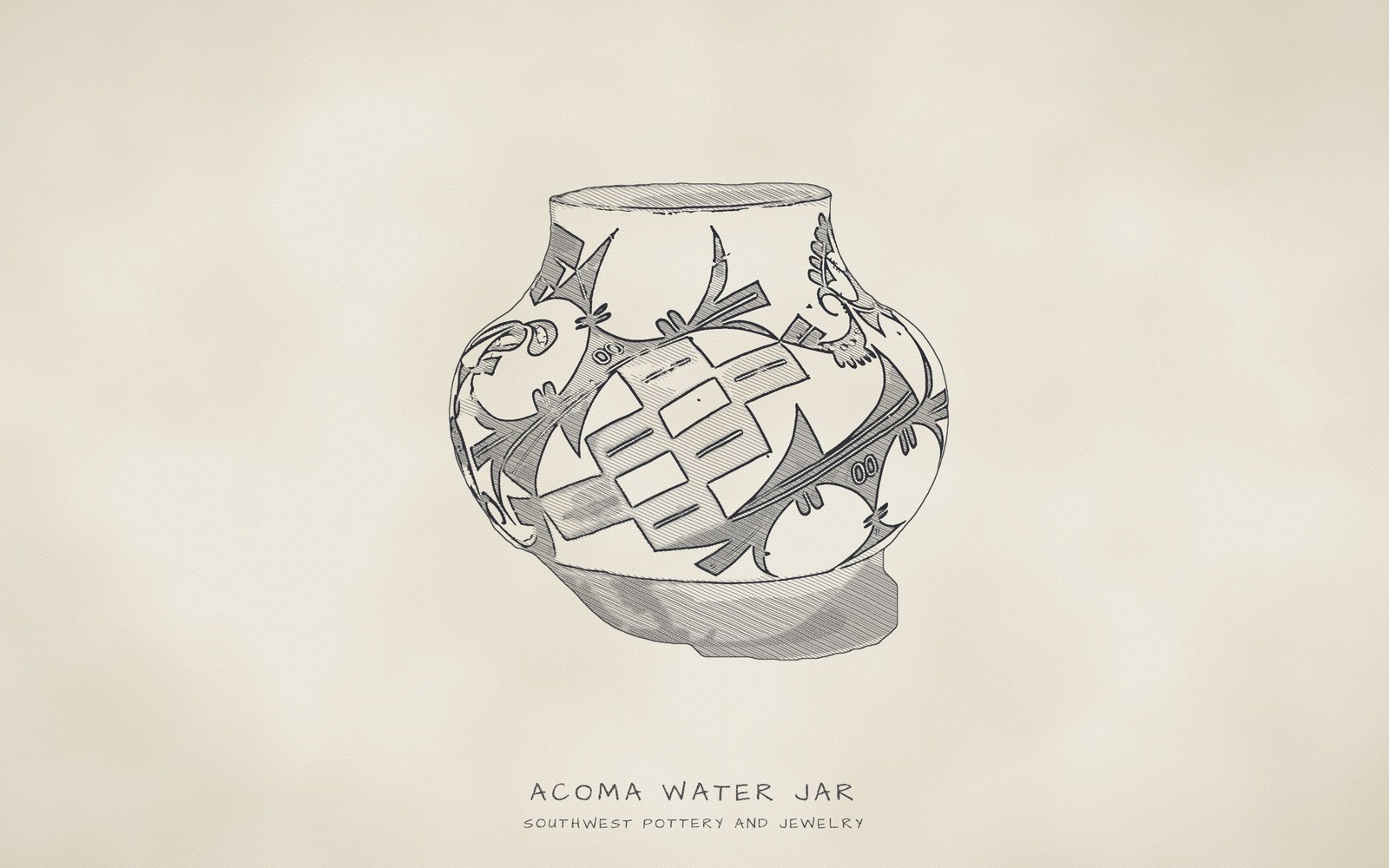
Record Southwestern pottery, jewelry and textiles by maker, pueblo or tribe, style, stone and hallmark.
36 labelled fields, 20 drop-down lists, 266 preset values.
Pottery, silver and weavings, cataloged offline on devices you own.
NM Collector CP gives each Southwestern Native American pot, bracelet, necklace, rug or carving a record of its own, for what you buy at Indian Market or a trading post and for pieces passed down in your family. A seed jar is told apart from its neighbors by its maker's pueblo, its painted style and the mark on its base, and a cuff by its silverwork, its turquoise and its hallmark. The lists use the terms dealers and collectors know: "Form" offers 35 kinds of piece, such as "Olla", "Storyteller" and "Squash Blossom Necklace", and "Pueblo / Tribe" has 28 entries, including "Acoma", "Hopi", "Navajo (Dine)" and "Zuni".
Everything in the template can be reshaped: labels renamed, lists edited, and a new potter, style or turquoise mine added to its list with the + button, then offered on every later piece. Your records are saved on the computer or phone where you enter them, and the app itself never connects to the internet or needs an account.
Browse the full lists
Choose a list in the first drop-down, then open the second one to scroll through every value in that list, or start typing to jump to a value. These are for browsing only; nothing you pick here is saved.
At a glance
- "Artist" for the maker, "Pueblo / Tribe" with 28 entries such as "San Ildefonso" and "Tohono Oodham", and "Date / Period" with 8 choices.
- "Category" (12 kinds), "Form" (35, such as "Seed Jar", "Ketoh" and "Concho Belt") and "Primary Material" (23, such as "Coin Silver").
- "Style" has 34 styles and techniques, such as "Micaceous" pottery, "Overlay" silver and "Ganado" rugs, and "Design / Motif" 22 motifs.
- "Hallmark / Signature" for the mark, "Stone / Mine" with 20 entries for turquoise source, treatment or imitation, plus "Size (ring / cuff)" and "Weight (grams)" for jewelry.
- "Condition" (13, such as "Hairline"), "Authenticity" (7), "Provenance" (10), and appraised, current and insured values, each dated and typed by you.
- Pictures of hallmarks and bases, a Receipt tab for the seller, date and amount paid, Maintenance jobs such as "Mothproof", and 10 kinds of event.
- Desktop custom reports from the fields and filters you pick, such as every "Hopi" piece, and CSV export for a spreadsheet.
- 3 sample items, an Acoma seed jar, a Navajo cuff and a Two Grey Hills rug, show which fields suit pottery, jewelry and weaving.
- The app needs no connection or account on Windows, Mac, Linux, Android and iOS, and your records stay on your own devices.
Works offline on Windows, Mac, Linux, Android and iOS · Your records stay on your devices · Every feature free for 30 days · Activations from $24.95 a year.
What this template is for
This template is built for people who collect, inherit or look after Southwestern Native American crafts: pottery, silver and turquoise jewelry, Navajo weavings, baskets, kachina carvings, fetishes (small carved animal figures), paintings and more. Each item is described by what it is ("Category" and "Form"), who made it ("Artist" and "Pueblo / Tribe"), how it looks ("Style" and "Design / Motif") and what it is made from ("Primary Material" and, for jewelry, "Stone / Mine"). One collection can hold a seed jar, a cuff bracelet and a rug side by side.
The maker of a piece is sometimes unknown, as it is for all three sample items, so the two tabs divide the work carefully. The Identification tab holds what tells one piece apart from another: "Hallmark / Signature", "Dimensions", "Date / Period", ring or cuff size and an "Identifying Marks and Features" note, which do the job a serial number does in other collections. The Description tab holds what you learn and what changes over time: condition, authenticity, provenance (the history of ownership), weight, storage and the appraised, current and insured values with their dates.
Most of the drop-down fields arrive with lists written for this kind of collection: 35 forms from "Basket (coiled)" to "Wedding Vase", 34 styles, 28 pueblos and tribes, 23 materials and 20 stone mines, sources and treatments, along with condition, authenticity and provenance terms. Choosing a value saves typing and keeps the spelling identical from item to item, so a report filtered on "Kingman" or "Two Grey Hills" finds every matching piece. Fields such as "Artist", "Custom Tag" and "Hallmark / Signature" start empty and fill with your own entries. Every label and list can be edited.
What you can do with it
- Prepare an insurance list of every piece with its "Insured Value" and "Date Insured", plus the maker, hallmark, dimensions and identifying marks that an insurer or appraiser will ask for.
- Find everything kept in one place, for example every piece in the "Safe Deposit Box" or on the "Wall", by filtering a report on "Storage / Display".
- Keep care routines on record by logging tasks such as "Polish Silver", "Mothproof" or "Re-string" on the Maintenance tab, with a "Next Due Date" so the following service is written down with the piece.
- Prepare for an appraisal or sale with a custom report that pulls together each piece's "Authenticity", "Provenance", "Condition" and "Condition Comments", using "Include In Reports?" to mark which pieces belong.
- Compare your holdings by maker or origin, for example every piece from one pueblo or every item from one period, by filtering a report on "Pueblo / Tribe" or "Date / Period".
- Record where each piece has been seen or shown, from a "Santa Fe Indian Market" visit to a "Loan to Museum", on the Events tab, with notes on the results.
- Leave heirs a clear record of who made each piece, where it came from and what was paid for it, using the Receipt tab for the seller and price, then share it as a printed report or a CSV export.
Best for: Collectors of Southwestern pottery, silver and turquoise jewelry and Navajo weavings, families looking after inherited pieces, and anyone who buys from Indian markets, galleries or trading posts and wants maker, tribe, materials and value in one record.
Why collectors choose NM Collector CP for Southwest Pottery and Jewelry
Maker, Pueblo and Hallmark in Separate Fields
Many silversmiths marked work only with initials or a symbol, and many older pieces carry no maker's mark, so each clue gets its own field. "Hallmark / Signature" holds the mark as stamped or painted and where it sits, "Artist" the maker as far as you know, and "Pueblo / Tribe" the community. "Authenticity" says how firm the attribution is, from "Documented" or "Signed" down to "Attributed".
Turquoise Recorded by Source and Treatment
"Stone / Mine" has 20 entries: mines and districts such as "Lander Blue", "Number 8" and "Royston", origins such as "Persian", and "Stabilized", "Block / Imitation" and "Unknown" for the rest. Keep the seller's description of the stone in "Notes" on the Receipt tab, so the source you record can be traced to what you were told.
Pottery, Silver and Weavings in One Collection
Rugs and baskets need no separate collection. "Style" mixes weaving regions such as "Wide Ruins", pottery styles such as "Black-on-black" and jewelry techniques such as "Tufa Cast", and "Category" covers 12 kinds of object, including "Basket", "Fetish" and "Kachina / Katsina". A field that does not suit a piece, such as a ring size on a pot, is simply left empty.
Care Suited to Silver, Stones and Wool
"Operation" on the Maintenance tab offers 9 jobs, from "Clean Textile" and "Mothproof" for wool to "Polish Silver", "Tighten Stone" and "Re-string" for jewelry. Each entry keeps the date, who did the work and the cost, and "Next Due Date" records when the job falls due again.
Private Records of Valuable Pieces
An inventory of turquoise, silver and rugs, with their values and a note of what is in the "Safe Deposit Box", is not something to hand to a company server. This one lives on your own computer or phone. The app itself never connects to the internet and asks for no account, so it has nothing to upload, and a transfer file travels only where you choose to send it.
At Indian Market, Shows and Trading Posts
Once a transfer file has put the collection on your phone or tablet, you can use it without a signal, in a crowded market or at a rural trading post alike. Before buying, filter your list by an artist, pueblo or style to see what you own. After buying, put the seller's "Name", the "Date" and the "Amount" on the Receipt tab, pick "Indian Market (SWAIA)" or "Trading Post" in "Provenance", and photograph the hallmark.
Records for Appraisers, Insurers and Heirs
An appraiser of Native jewelry looks at maker, craftsmanship, silver weight, age and condition, and an insurer may ask for photographs, receipts and an appraisal. The record holds those details, from "Weight (grams)" and "Date / Period" to "Appraised By" and "Insured Value". For heirs, who may not know a hand-coiled pot from a slip-cast one, a printed report or CSV export says what each piece is and where it is kept.
When a Piece Belongs in Another Collection
A new installation has 30 templates. A general antiques collection suits Art and Antiques, rough turquoise and mineral specimens suit Geological, and market posters and old photographs suit Paper Items. A watch belongs in Watches and Clocks, though a "Watch Band" is a form here, and Move Item shifts a piece between collections.
How the fields work
Every text field in a template is a drop-down field. Pick a value from the list or type your own; the + button adds what you typed to the list, the x button clears the field and the e button opens the list editor. Number fields accept any number, date fields hold dates and notes fields hold longer text. The details below cover every field on the Identification and Description tabs, and any drop-down on the other tabs that is specific to this template. Every list can be browsed in the drop-downs under Browse the full lists; lists of 10 values or fewer are also written out in full below.
Identification tab
The Identification tab records what a piece is, who made it, what it is made of and how to recognize it. The item name is built from seven fields in this order: "Custom Tag", "Category", "Form", "Artist", "Pueblo / Tribe", "Style" and "Design / Motif". The order matters because it decides how each item reads in lists and page titles, and a field with no label adds nothing to the name.
Custom Tag
Drop-down · no preset values
A label of your own choosing that opens the item's name, such as an inventory number, a shelf code or a nickname like the blue Acoma jar. It is a natural place for the number you write on a tag or storage box, so the record and the piece can always be matched.
This drop-down starts empty. Type a value into the field and use the + button to add it to the list; it will be there the next time you need it.
Category
Drop-down · 12 preset values
The broad kind of object, such as "Pottery", "Jewelry" or "Weaving / Textile". It is a natural first grouping for browsing and reports, and it signals which later fields apply: "Size (ring / cuff)" and "Stone / Mine" matter for jewelry, while "Dimensions" suits everything.
Twelve broad kinds of Southwestern object in alphabetical order, from "Basket" and "Kachina / Katsina" (carved figures of Pueblo spirit beings) to "Weaving / Textile". "Other" is there for anything that does not fit.
All 12 preset values: choose “Category (Identification tab, 12 values)” in the Browse the full lists drop-downs, further down this page.
Form
Drop-down · 35 preset values
The specific type of piece within its category, for example a "Seed Jar" or "Storyteller" in pottery, a "Concho Belt" or "Squash Blossom Necklace" in jewelry, a "Rug" or "Saddle Blanket" in textiles. It follows the category in the item name and does much of the work of telling pieces apart.
35 forms in alphabetical order covering pottery shapes, jewelry pieces and textiles. Jewelry includes specialist forms such as "Naja" (a crescent-shaped pendant) and "Ketoh" (a decorated wrist guard), pottery includes "Olla" (a large water jar), and weaving includes "Blanket".
All 35 preset values: choose “Form (Identification tab, 35 values)” in the Browse the full lists drop-downs, further down this page.
Artist
Drop-down · no preset values
The maker, as shown by a signature or hallmark, a certificate or what the seller told you: a potter, silversmith, weaver or carver. When the maker is not known, record what you do know, as the sample items do with Unknown Acoma potter and Unknown Navajo weaver. Use one spelling per maker so their work groups together.
This drop-down starts empty. Type a value into the field and use the + button to add it to the list; it will be there the next time you need it.
Pueblo / Tribe
Drop-down · 28 preset values
The community or nation the maker belongs to, such as "Acoma", "Zuni", "Hopi" or "Navajo (Dine)". Style, technique and materials often trace back to a community, so this is one of the most useful ways to group and compare pieces. Choose "Non-Native" or "Unknown" when that is the honest answer.
Twenty-eight entries in alphabetical order. Most are the Pueblos of New Mexico, such as "Acoma" and "San Ildefonso", and the list adds Hopi, Navajo, Apache, Tohono Oodham and Ute nations, with "Mata Ortiz (Mexico)" for the potters of the village of Mata Ortiz in Chihuahua. Two entries, "Non-Native" and "Unknown", cover makers who do not fit a community.
All 28 preset values: choose “Pueblo / Tribe (Identification tab, 28 values)” in the Browse the full lists drop-downs, further down this page.
Style
Drop-down · 34 preset values
The regional style, tradition or technique that gives the piece its look, such as "Two Grey Hills" or "Wide Ruins" for Navajo weaving, "Fine-line" for Acoma pottery, or "Stamp Work" and "Channel Inlay" for silver jewelry. Style is often what separates one similar piece from another.
Thirty-four styles in alphabetical order that mix three families. Weaving regions include "Teec Nos Pos", pottery styles and techniques include "Sgraffito" (designs scratched through the surface), and jewelry techniques include "Overlay". Add your own if a piece needs a different term.
All 34 preset values: choose “Style (Identification tab, 34 values)” in the Browse the full lists drop-downs, further down this page.
Design / Motif
Drop-down · 22 preset values
The main decoration or symbol on the piece, for example "Geometric", "Kokopelli", "Avanyu (water serpent)" or "Heartline Deer". Pick "None" for a plain piece. Motif is the last field in the item name, so it separates pieces that share a form, a tribe and a style.
Twenty-two motifs in alphabetical order, a mix of animals, birds, weather and traditional symbols. Examples include "Avanyu (water serpent)", "Cloud and Rain", "Kokopelli" and "Sun Face", and a "None" value covers undecorated pieces.
All 22 preset values: choose “Design / Motif (Identification tab, 22 values)” in the Browse the full lists drop-downs, further down this page.
Hallmark / Signature
Drop-down · no preset values
The maker's mark, stamp or signature as it appears, and where it sits on the piece. The sample items show a place mark, Acoma N.M., painted on the base of a jar and a STERLING stamp only on a cuff. Recording it in detail helps identify the maker and shows an appraiser what the piece carries.
This drop-down starts empty. Type a value into the field and use the + button to add it to the list; it will be there the next time you need it.
Primary Material
Drop-down · 23 preset values
The main substance the piece is made from, such as "Clay (native)" for pottery, "Sterling Silver" for jewelry or "Wool (handspun)" for weaving. Material affects both care and value, and it tells you whether a piece needs polishing, mothproofing or neither.
Twenty-three materials in alphabetical order. Metals such as "Sterling Silver", clays, plant fibers such as "Yucca", stones and shell such as "Spiny Oyster" are all included, and wool appears twice, as "Wool (handspun)" and "Wool (commercial)".
All 23 preset values: choose “Primary Material (Identification tab, 23 values)” in the Browse the full lists drop-downs, further down this page.
Stone / Mine
Drop-down · 20 preset values
For turquoise jewelry, the mine or district the stone came from, such as "Kingman" (recorded for the sample cuff bracelet), "Sleeping Beauty" or "Royston". Other stones, such as coral or lapis, go in "Notes" on the Description tab, or in "Primary Material" only when the stone is the main substance. Leave the field empty for pottery, baskets and textiles.
Twenty entries in alphabetical order, mostly named turquoise mines and districts such as "Kingman" and "Sleeping Beauty". It also has practical catch-alls, including "Stabilized" for treated stone and "Block / Imitation", plus a value for unknown sources.
All 20 preset values: choose “Stone / Mine (Identification tab, 20 values)” in the Browse the full lists drop-downs, further down this page.
Date / Period
Drop-down · 8 preset values
The era in which the piece was made, chosen from a range when the exact year is unknown, for example "1950 to 1970" for a piece known only to fall in those decades. When you do know a specific date, record it in "Date Manufactured" on the Description tab.
Eight choices. Five are date bands from "1900 to 1930 (Fred Harvey era)" up to "1990 to present". The rest cover earlier pieces, such as "Ancestral (prehistoric)", and "Contemporary" work. The Fred Harvey era means the early tourist trade, when the Fred Harvey Company sold Native crafts to railway travelers.
All 8 preset values: 1900 to 1930 (Fred Harvey era) • 1930 to 1950 • 1950 to 1970 • 1970 to 1990 • 1990 to present • Ancestral (prehistoric) • Contemporary • Pre-1900
Dimensions
Drop-down · no preset values
The measurements of the piece in whatever units you prefer, such as height and diameter for a jar, width for a cuff or width by length for a rug. Measurements help confirm that a piece is the one you mean, and shippers, insurers and appraisers all ask for them.
This drop-down starts empty. Type a value into the field and use the + button to add it to the list; it will be there the next time you need it.
Size (ring / cuff)
Drop-down · 16 preset values
Fill this in only for wearable jewelry: a finger size for a ring or, for a cuff bracelet, a cuff size such as "Cuff 6-inch" for the sample cuff. Leave it empty for pottery, baskets and textiles, and record the width of a cuff in "Dimensions". It is useful when you buy, sell or have a piece repaired.
Sixteen sizes: whole ring sizes from "4" to "14", and five cuff sizes from "Cuff 5-inch" to "Cuff 7-inch" in half-inch steps. Half sizes, such as 7.5, can be typed in.
All 16 preset values: choose “Size (ring / cuff) (Identification tab, 16 values)” in the Browse the full lists drop-downs, further down this page.
Include In Reports?
Drop-down · 2 preset values
A yes or no marker that you set for each item for report purposes. Use it to separate the pieces you want on a printed inventory or insurance list from those you want to leave out.
A simple two-value list containing "yes" and "no", so every item is marked with the same wording.
All 2 preset values: no • yes
Identifying Marks and Features
Notes
Free text for anything that helps recognize this exact piece: its shape, wear, repairs, decoration, color or pattern details. The sample jar notes a thin-walled body with a black fine-line lightning pattern. Photographs belong on the Pictures tab, so use words for what a photograph might miss.
Description tab
The Description tab holds what you learn about a piece and what changes over time: "Condition", "Authenticity", "Provenance", weight, where it is stored or displayed, and the appraised, current and insured values with the date for each. A "Notes" field and a "Condition Comments" field take longer text. All values are entered by hand, and the software does not look up prices.
Condition
Drop-down · 13 preset values
The overall state of the piece today. The list holds grades, such as "Very Good" for a piece with light wear, and terms for specific damage or work, such as "Hairline" for a fine crack. Use "Repaired" when damage has been mended and "Restored" when work brought the piece closer to its original look, and describe it in "Condition Comments".
Thirteen entries. Five are overall grades running from "Excellent" down to poor, and the rest describe specific damage or repair, such as "Hairline", "Stone Replaced" or "Fire Cloud (original)", a dark mark from firing that is part of the piece as made.
All 13 preset values: choose “Condition (Description tab, 13 values)” in the Browse the full lists drop-downs, further down this page.
Authenticity
Drop-down · 7 preset values
How well the maker or origin of the piece is supported. Record the strongest evidence you have, from a signature or certificate to a plain attribution, and mark a "Reproduction" or an import honestly. The samples use "Signed" for the jar, "Attributed" for the cuff and "Documented" for the rug.
Seven values in alphabetical order, from documentation-based entries such as "Certificate (IACA)" and "Documented" to plain labels for signed or unsigned pieces, attributions, copies and imports, such as "Signed", "Unsigned", "Attributed", "Reproduction" and "Import (not Native-made)". IACA stands for the Indian Arts and Crafts Association.
All 7 preset values: Attributed • Certificate (IACA) • Documented • Import (not Native-made) • Reproduction • Signed • Unsigned
Provenance
Drop-down · 10 preset values
How and from whom the piece came to you, such as "Gallery" or "Artist Direct". This is the latest link in a longer ownership history, so use the Receipt tab for the seller's address, date and price, and "Notes" for the earlier history.
Ten ways a piece may have reached you, in alphabetical order. They range from buying "Artist Direct" or at a "Trading Post" to regional venues such as "Heard Museum Fair" and "Indian Market (SWAIA)", plus estate, family, gallery, gift, auction and unknown sources. SWAIA is the Southwestern Association for Indian Arts, the organization behind the Indian Market held in Santa Fe.
All 10 preset values: Artist Direct • Auction • Estate • Family • Gallery • Gift • Heard Museum Fair • Indian Market (SWAIA) • Trading Post • Unknown
Weight (grams)
Drop-down · no preset values
The weight of the piece in grams, typed as a plain number such as 58. It is mostly recorded for silver and gold jewelry, where buyers and appraisers often ask for it. Leave it empty for pottery, baskets and textiles.
This drop-down starts empty. Type a value into the field and use the + button to add it to the list; it will be there the next time you need it.
Storage / Display
Drop-down · 7 preset values
Where the piece lives right now, so you can find it and can tell an insurer or heir where to look. The samples use "Display Case" for the seed jar, "Jewelry Box" for the cuff and "Wall" for the rug.
Seven places in alphabetical order, from secure storage such as "Safe Deposit Box" to display spots such as "Display Case" and "Wall", with "Wrapped in Storage" for pieces put away.
All 7 preset values: Display Case • Jewelry Box • Safe • Safe Deposit Box • Shelf • Wall • Wrapped in Storage
Appraised By
Drop-down · no preset values
The name of the appraiser or appraisal firm who valued the piece, so you can go back to them or pass their name to an insurer. Read it together with "Date Appraised" and "Appraised Value" to see who said what, and when.
This drop-down starts empty. Type a value into the field and use the + button to add it to the list; it will be there the next time you need it.
Condition Comments
Notes
Detailed notes on condition that a single grade cannot carry: where a chip or hairline crack sits, how a repair was made, whether a stone is original, or fading and moth damage on a textile.
Notes
Notes
General notes for anything else worth keeping: what makes the piece special, how you came to own it, or details from a certificate or conversation. The sample rug notes natural undyed wool in browns, grays and white.
Date Manufactured
Date
The date the piece was made, when you know it, for example from a dated signature, a certificate or the maker's own records. If only a range is known, use "Date / Period" on the Identification tab and leave this date empty.
Date Appraised
Date
The date printed on the appraisal document. Appraisals age, so this date tells you and any later reader how current the "Appraised Value" figure is.
Date Current Value
Date
The date you last reviewed or set the "Current Value" figure. Recording it shows how old your estimate is when you come back to it months or years later.
Date Insured
Date
The date the piece was added to an insurance policy or its insured amount was last set. It shows when coverage was last reviewed, and it sits beside "Insured Value" so the details an insurer asks about are together.
Appraised Value
Number
The figure from a professional appraisal, typed as a plain number. Appraisals are written for different purposes, so note in "Notes" what kind of value the appraiser stated. The software records what you enter and never looks up prices. Keep it separate from "Current Value" so you can see both the appraiser's figure and your own.
Current Value
Number
Your own present estimate for the piece as a plain number. The sample items show 450 for the seed jar, 600 for the cuff bracelet and 2800 for the rug. Pair it with "Date Current Value" and update it as your knowledge of the piece grows.
Insured Value
Number
The amount the piece is insured for, if it is covered, entered as a plain number. Comparing it with "Current Value" from time to time shows where the two have drifted apart, which is a useful thing to raise with your insurer.
Drop-downs on the other tabs
These fields belong to tabs that every collection has, but this template gives them values of its own.
Maintenance tab
Operation
Drop-down · 9 preset values
The care task carried out or planned for a piece, such as "Mothproof" or "Clean Textile" for a rug, or "Tighten Stone" for a loose stone in jewelry. Logging each task builds a care history that an appraiser or buyer may want to see.
Nine tasks in alphabetical order, aimed at jewelry ("Polish Silver", "Re-string"), textiles ("Mothproof") and general upkeep such as dusting, photographing and appraising.
All 9 preset values: Appraise • Clean Textile • Dust • Mothproof • Photograph • Polish Silver • Re-mount • Re-string • Tighten Stone
Completed Units
Drop-down · 2 preset values
The unit of time, months or years, that goes with the completed increment. The sample cuff bracelet's polishing job uses "months" together with an increment of "12 months".
Two values, "months" and "years", which you can extend with your own.
All 2 preset values: months • years
Next Due Units
Drop-down · 2 preset values
The unit of time, months or years, for the interval until the job should be done again, to be read together with "Next Due Increment" and "Next Due Date".
A short list of two time units, "months" and "years", matching the Completed Units list so both sides of a task read alike.
All 2 preset values: months • years
Completed Increment
Drop-down · 3 preset values
The interval recorded with a finished job, such as "12 months", which the sample cuff bracelet records for its silver polishing. It pairs with "Completed Units" on the same task.
Three ready-made intervals: "6 months", "12 months" and "5 years", covering half-yearly, yearly and five-yearly care.
All 3 preset values: 12 months • 5 years • 6 months
Next Due Increment
Drop-down · 3 preset values
How long until the job should be done again, such as "5 years" for a task you only do occasionally. The sample cuff bracelet uses "12 months", and its "Next Due Date" falls one year after completion.
The same three intervals as the completed list, "6 months", "12 months" and "5 years", so a task can be scheduled with the same wording used to record it.
All 3 preset values: 12 months • 5 years • 6 months
Events tab
Event
Drop-down · 10 preset values
The occasion connected with the piece: a market, show, appraisal, museum loan or visit, such as "Gallery Opening" or "Loan to Museum". Events build a history of where a piece has been seen, shown or valued.
Ten occasions in alphabetical order, mostly Southwestern shows and markets such as "Santa Fe Indian Market" and "Gallup Inter-Tribal Ceremonial", plus general entries such as "Appraisal" and "Loan to Museum".
All 10 preset values: Appraisal • Eight Northern Pueblos Show • Feast Day • Gallery Opening • Gallup Inter-Tribal Ceremonial • Heard Museum Guild Fair • Loan to Museum • Santa Fe Indian Market • Trading Post Visit • Whitehawk Antique Show
Tabs every collection shares
Besides Identification and Description, each item has these tabs. They work the same way in every collection.
- Pictures: Attach photographs to an item, with a note, the date each was taken, a sequence number and a flag saying whether the picture belongs in reports. Pictures are copied into the application’s own folder and stay on your device.
- Receipt: Who you got the item from and when: the business or person, address, date and amount, plus notes.
- Disposition: The same layout for the other end of an item’s life: to whom it was sold, traded or given, where, when and for how much.
- Related: Link an item to other items in your collections, for example a rifle and its scope or a watch and its box.
- Maintenance: Record maintenance operations with what was done, who did it, where, what it cost, when it was completed and when the next one is due. Repeat an operation each time you perform it.
- Events: A dated log of things that happen to an item: shows, appraisals, loans, repairs and outings, with a description, results, helpers, location and cost.
- Data Sheet: A large free-form area for anything that does not fit elsewhere, such as detailed measurements or component notes.
- Links: Links to web pages, documents and pictures related to an item, each with an optional description.
The three sample items
Every new installation includes three sample items in this collection so you can see how the fields are meant to be filled in.
- Acoma fine-line seed jar (listed as “Pottery Seed Jar Unknown Acoma potter Acoma Fine-line Geometric”): A pottery piece with a detailed Identification: "Seed Jar" form, "Fine-line" style, "Geometric" motif, "Clay (native)" material and the period "1970 to 1990". The "Hallmark / Signature" field holds the Acoma N.M. mark painted on the base and "Dimensions" holds height and diameter. The Description tab adds "Excellent" condition, "Signed" authenticity, "Trading Post" provenance, "Display Case" storage and a "Current Value" of 450.
- Navajo stamp work cuff bracelet (listed as “Jewelry Bracelet (cuff) Unknown Navajo silversmith Navajo (Dine) Stamp Work Feather”): Jewelry that uses the fields for ring and cuff size, stone and weight: "Size (ring / cuff)" is "Cuff 6-inch", "Stone / Mine" is "Kingman", and "Weight (grams)" is 58. "Hallmark / Signature" records only a STERLING stamp, and "Authenticity" is "Attributed". A "Polish Silver" entry on the Maintenance tab has a "12 months" increment and a "Next Due Date" a year after completion.
- Two Grey Hills handspun wool rug (listed as “Weaving / Textile Rug Unknown Navajo weaver Navajo (Dine) Two Grey Hills Geometric”): A textile with no stone, size or weight entries: "Category" is "Weaving / Textile", "Form" is "Rug", "Style" is "Two Grey Hills" and "Primary Material" is "Wool (handspun)", with "Dimensions" of 36 x 60 in. The "Notes" field records natural undyed wool in browns, grays and white, and the Events tab logs a "Santa Fe Indian Market" visit. The receipt shows 2200 paid against a "Current Value" of 2800.
Tips
- Photograph each hallmark and the base of every piece and add the pictures on the Pictures tab, then use "Hallmark / Signature" to note where the mark sits. A stamp or signature is much easier to compare later with a picture beside the words.
- When a maker is known only by a family or workshop name, or a piece is credited to a couple, decide once how you will write it and use that form for every piece so a report on "Artist" gathers the work.
- Fill "Hallmark / Signature", "Dimensions" and "Date / Period" when a piece first arrives, and describe unsigned pieces in "Identifying Marks and Features". These details are hard to rebuild later and are useful when you talk to an appraiser or insurer.
- For jewelry, record the metal in "Primary Material" and the stone source in "Stone / Mine". Choose "Stabilized" or "Block / Imitation" where they apply, or type an entry of your own that combines a mine and a treatment. Note the ring or cuff size.
Frequently asked questions about Southwest Pottery and Jewelry
How do I record a hallmark or signature, or a piece with no mark and no known maker?
Copy the mark into "Hallmark / Signature" letter for letter, with its position, such as inside a cuff or on the base of a pot, and add a close-up on the Pictures tab. A sterling stamp names the metal, not the maker. If the maker is unknown, choose the community in "Pueblo / Tribe", enter what you know in "Artist", such as Unknown Navajo weaver, and pick the "Authenticity" entry your evidence supports, such as "Unsigned" when there is no mark. The app does not identify marks.
Can I record which mine my turquoise came from, and whether it is stabilized?
Yes. Choose the mine or district in "Stone / Mine", such as "Kingman", "Sleeping Beauty" or "Cerrillos", or "Stabilized" or "Block / Imitation" when you know only that. For stabilized stone from a known mine, type the two together once, such as Kingman stabilized, and add it with the + button. Stones other than turquoise go in "Notes" on the Description tab, unless the piece is made mostly of one, such as a coral necklace, which can take "Coral" in "Primary Material". The app does not identify stones.
Can I record Navajo rugs and their regional styles alongside pottery and jewelry?
Yes. Choose "Weaving / Textile" in "Category" and a form such as "Rug", "Saddle Blanket" or "Sash". "Style" includes regional styles named for trading-post areas, such as "Two Grey Hills", "Ganado" and "Teec Nos Pos", and types such as "Eye Dazzler" and "Storm Pattern". "Primary Material" separates "Wool (handspun)" from "Wool (commercial)".
Does NM Collector CP tell me what a piece is worth or whether it is genuine?
No. Every value is one you type into "Current Value", "Appraised Value" or "Insured Value", beside its own date, and "Appraised By" names who gave the figure. "Authenticity" records the evidence you hold, from "Documented" to "Reproduction" or "Import (not Native-made)". The FTC advises getting a receipt that states what the seller said about the maker and materials; photograph it for the Pictures tab or link a saved copy on the Links tab.
What should I record for my insurer or appraiser?
Begin with the fields that pin down the piece: "Artist", "Pueblo / Tribe", "Form", "Hallmark / Signature", "Dimensions" and, for jewelry, "Weight (grams)" and "Stone / Mine", plus "Condition", the receipt and photographs. Mark pieces with "Include In Reports?" and print a custom report on the desktop. Your insurer or appraiser decides what is enough; the app keeps what you enter.
How do I record a fire cloud, a hairline crack or a replaced stone?
Pick the "Condition" entry that fits: grades run from "Excellent" to "Poor", and most other entries name a kind of damage or repair, such as "Hairline", "Chip", "Repaired" or "Stone Replaced". A fire cloud, the dark patch an open firing can leave on a pot, is not damage, so it has its own entry, "Fire Cloud (original)". Note anything more, and where each mark sits, in "Condition Comments".
Where are my pottery and jewelry records kept, and who can see them?
On your own computer or phone. Because the app itself never connects to the internet or asks for an account, it cannot upload your values, receipts or notes on where pieces are kept. Only files you make yourself leave the device: a CSV file, a saved report or a transfer file. A transfer file moved by cable, USB drive, AirDrop or Quick Share stays on your own devices; email or a cloud service puts it in that provider's hands.
Can I check my collection at Indian Market or a trading post without a signal?
Yes. No edition of the app needs a connection. Move the items and pictures to your phone or tablet with a transfer file made by Share Data on the computer and opened on the phone with Zip File. At the booth, see what you already own by that artist and enter a purchase on the spot. Phone and computer copies are separate, and an import replaces everything on the receiving device, so first export anything new from that device.
How do I add the Southwest Pottery and Jewelry template to an installation I already use?
This template is new in NM Collector CP 2.3, and every new 2.3 installation includes it. For an installation you already use, fetch the file from the Downloads page, then use Import > Collection Template. The app creates the collection if you have none by that name; if you have one, it lists each field label that would change and asks before renaming anything. The Android and iOS apps can import templates too.
What do the three sample items in the Southwest Pottery and Jewelry collection show?
Each uses a different set of fields, and none has a known maker. The Acoma seed jar has a place mark painted on its base, a "Trading Post" source and a current value of 450. The Navajo cuff, marked only with a sterling stamp, has a "Kingman" stone, a "Cuff 6-inch" size, 58 grams and a yearly "Polish Silver" job. The Two Grey Hills rug records handspun wool, a "Santa Fe Indian Market" event, 2200 paid and a current value of 2800.
Getting this template
New installations of NM Collector CP start with all 30 templates. If you already use NM Collector CP, use the Download Template button at the top of this page, unzip the file into a templates folder on your computer, and add it with File > Import > Collection Template. The app matches the collection by name, creates it if you do not have it, and asks before it changes what any field is called.
NM Collector CP is free to try with all features for 30 days, with no credit card. After that you can keep using the free version, which needs no activation, or buy an activation for the full-feature version, for 1, 2 or 5 years or for life.
Try it with your own collection
Every feature is free for 30 days, with no credit card, on Windows, Mac, Linux, Android and iOS. Download the free trial.