
Collection software for firearms, coins, stamps, knives, Japanese swords, geological specimens & more - offline - no cloud risks - Windows, Mac, Linux, iOS, and Android.
Try full features Free for 30 Days - No Credit Card. After 30 days you can upgrade or continue to use free version.
Unzip it into a templates folder, then choose File > Import > Collection Template.
Radios and Electronics collection template
Antique and Ham Radio Collection Software
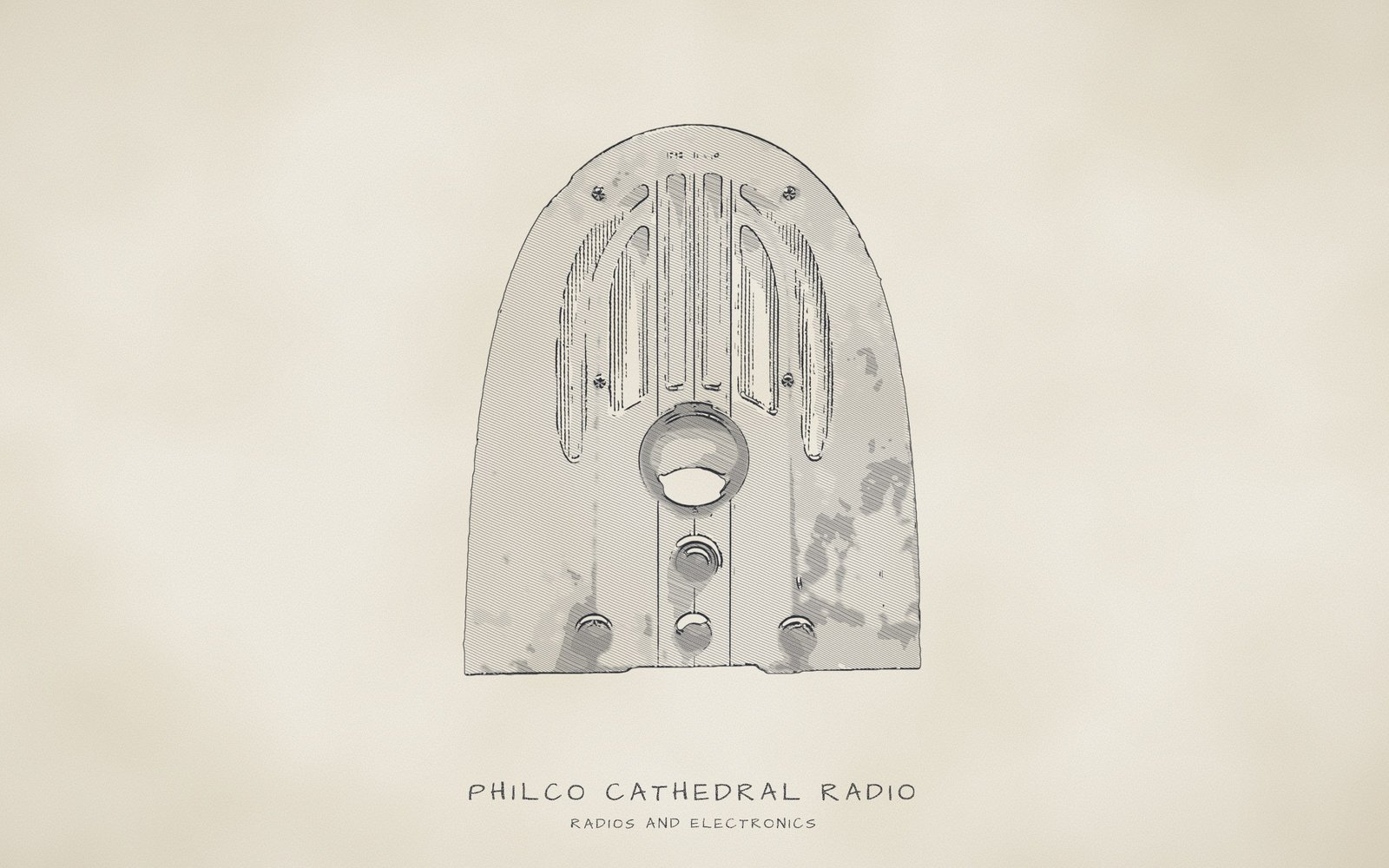
Track radios, hi-fi, ham gear and test equipment by chassis and technology, with restoration and service history beside each set.
38 labelled fields, 22 drop-down lists, 541 preset values.
Radio records kept offline on your own computer and phone, from bench to hamfest.
NM Collector CP gives each radio, receiver, amplifier or bench instrument its own record, built around what a restorer asks of an old set: which model and chassis it is, whether it plays, what has been replaced and which service data you hold. Each answer has a field of its own, from "Chassis Number" on the Identification tab to "Working?" and "Originality" on the Description tab. With 31 "Type" entries, such as "Crystal Set", "Tombstone", "Ham Transceiver" and "Reel-to-Reel", the template suits antique radio collectors, hams, hi-fi owners and keepers of old test gear alike.
Treat it as a starting point: rename any label, trim a list to the gear you own, and type a missing maker or band once and add it to its list for the next set. Everything you record, from what you paid to a hot-chassis warning, stays on your own computer or phone, and the app itself never connects to the internet.
Browse the full lists
Choose a list in the first drop-down, then open the second one to scroll through every value in that list, or start typing to jump to a value. These are for browsing only; nothing you pick here is saved.
At a glance
- "Model", "Serial Number" and "Chassis Number" are separate fields on the Identification tab, with "Identifying Marks and Features" for labels and stamps.
- "Brand" has 41 entries, such as "Hallicrafters", "Marantz" and "Hewlett-Packard", and "Type" has 31, such as "Chairside", "Car Radio" and "Television".
- "Technology" (6 entries), "Bands" (10) and "Power" (9, including "AC / DC" and "Dynamotor") record the circuit, the coverage and the supply.
- "Condition" (7 entries), "Working?" (6), "Restoration Status" (6) and "Originality" (7) are separate lists, so a set in "Excellent" condition can still be "Not Working".
- "Schematic / Manual" names the service data you hold, "Riders" or "Sams Photofact" for example, or "None".
- Pictures of the dial, chassis and labels, 15 Maintenance "Operation" entries such as "Recap", and 9 "Event" entries such as "Field Day".
- "Restoration Cost to Date" beside dated "Appraised Value", "Current Value" and "Insured Value" figures and the amount paid on the Receipt tab, all typed by hand.
- Custom reports on the desktop, printed reports and CSV export, plus 3 sample sets that show a finished record.
- No account and no internet connection needed: every record stays on your own computer or phone.
Works offline on Windows, Mac, Linux, Android and iOS · Your records stay on your devices · Every feature free for 30 days · Activations from $24.95 a year.
What this template is for
Radios, hi-fi components, ham (amateur radio) gear and test instruments share this template, which captures each piece's brand, model, chassis and technology along with its restoration history and value. A single collection can hold a Philco cathedral radio in its walnut cabinet, a Zenith Trans-Oceanic portable, a Hallicrafters shortwave receiver, a turntable, an oscilloscope or a telegraph key, because the "Type" list covers broadcast sets, ham gear, hi-fi components and test instruments together. For each set you record what it is, whether it works, how far it has been restored, where it sits and what you paid, and it stays on your own computer or phone.
The Identification tab carries the details that tell one set from another even when the serial number is missing or worn: brand, model, year, type, cabinet and color, the serial number and the chassis number (the code for the metal frame that carries the tubes and wiring, which can differ from the model name), then technology, bands, power and country. The Description tab holds the story of the individual set as it is today: condition, whether it works, how much has been restored, how original it is, which schematic (wiring diagram) or manual you own, where it is kept, and its values.
Most of what is tedious to type is already in a list. The template ships with 41 brand entries, 31 equipment types, 10 cabinet and case entries, 13 colors, 128 years from 1900 to 2027, 216 country entries that include territories and historical states, and 15 Maintenance operations such as "Dial Cord Restring". "Custom Tag", "Model", "Serial Number", "Chassis Number" and "Appraised By" start empty, because those values belong to your own gear. Lists can be extended as you go, so a brand or band missing today is one typed entry away.
What you can do with it
- Give your insurer a set-by-set schedule: brand, model, serial number, identifying marks, condition and "Insured Value" with its "Date Insured", for the items whose "Include In Reports?" is "yes".
- Tell which sets are on the "Bench", in the "Ham Shack" or on a "Display Shelf" by filtering a custom report on "Storage Location", useful before a move or a change in coverage.
- Keep service history together by logging each "Alignment", "Recap" or "Tube Test" on the Maintenance tab with its "Completion Date" and "Next Due Date", so you can see when each set was last serviced and when it is next due.
- Plan restoration work by reviewing sets whose "Restoration Status" is "Needs Restoration" or whose "Working?" entry is "Untested", then log each repair on the Maintenance tab with its "Completion Cost" and keep the running total in "Restoration Cost to Date".
- Know what you can service by recording "Schematic / Manual" for every set, then listing the ones marked "None" so you can hunt down a wiring diagram before a repair begins.
- Show a buyer or appraiser exactly what a set is by gathering "Condition", "Originality", "Restoration Status", "Serial Number" and identifying marks with the purchase price on the Receipt tab, then adding who appraised it, the value and the date.
- Keep track of pieces on loan by recording "Museum Loan" as the "Storage Location" and logging "Museum Display" on the Events tab, so you always know which sets are away from home.
- Hand a club friend or fellow restorer a printed report or an exported CSV file showing what each set is, where it is kept, how original it is, what it is thought to be worth and the story recorded in "Notes".
Best for: Restorers who bring old radios back to life, ham operators, hi-fi owners and antique radio collectors, all of whom need serial and chassis numbers, restoration history, originality, service dates and values kept together for insuring or selling.
Why collectors choose NM Collector CP for Radios and Electronics
Restoration and Originality on the Record
A buyer or a fellow restorer will want to know what an old set has been through, and the Description tab answers it in separate lists. "Restoration Status" says how far it has come, from "Needs Restoration" to "Fully Restored", or names a job such as "Cabinet Refinished". "Originality" records what was changed, such as "Replaced Grille Cloth" or "Replaced Knobs".
A Service History for Every Set on the Bench
The Maintenance tab offers 15 "Operation" entries written for radio work, such as "Alignment", "Rectifier Replacement" and "Line Cord Replacement". Each job records who did it, what it cost and when, and "Next Due Date" says when the set needs attention again. "Restoration Cost to Date" on the Description tab holds what the work has cost so far, and the Links tab can point to a scanned schematic.
Ham Station Equipment Alongside the Antiques
A station can be recorded piece by piece next to the older sets, down to "Ham Shack" in "Storage Location". "Type" has "Ham Receiver", "Ham Transceiver", "Ham Transmitter" and "Military Radio", "Brand" includes "Collins", "Drake" and "Yaesu", and "Bands" has "Amateur Bands". "Event" can note a piece taken to "Field Day" or used in a "Contest". The template records the equipment, not the contacts you make with it.
Your Radio Records Stay on Your Devices
Serial numbers, values and where each set is kept are details many owners would rather not publish. NM Collector CP stores them on your own computer or phone and asks for no account, and the app itself never connects to the internet. To move a collection you make a transfer file with Share Data and decide how it travels; a copy sent by email or a cloud service goes through that provider.
Your Collection at Hamfests, Swap Meets and Auctions
At a swap table or an auction it helps to know whether you already own that Philco tombstone. With the collection on an Android or iOS phone you can list every set you own from that maker, check what you paid for a similar one and compare a photo of an original knob, with or without a signal. A purchase can be logged there and then with a "Hamfest" or "Radio Swap Meet" event.
What an Insurer or an Heir Needs to Know About Each Set
An insurer may ask for the make, model, serial number and value of each piece, and an heir facing a room of radios has to learn which work, which were restored and which carry a warning. Beside the brand, model and serial number, "Insured Value", "Appraised Value", "Working?", "Restoration Status" and "Notes" hold those answers. On the desktop, a custom report filtered on "Include In Reports?" lists only the sets marked "yes". The app does not test or value a set.
Amplifiers, Records and Shop Tools Go Elsewhere
Instrument amplifiers belong in Musical Instruments, records and tapes in Records and Media, and a ham operator's license in Licenses. Radio bench gear such as a "Tube Tester" or "Signal Generator" stays here, while hand and power tools, including an everyday shop multimeter, go in Tools and Shop Equipment. The Related tab links a receiver to its matching speaker.
How the fields work
Every text field in a template is a drop-down field. Pick a value from the list or type your own; the + button adds what you typed to the list, the x button clears the field and the e button opens the list editor. Number fields accept any number, date fields hold dates and notes fields hold longer text. The details below cover every field on the Identification and Description tabs, and any drop-down on the other tabs that is specific to this template. Every list can be browsed in the drop-downs under Browse the full lists; lists of 10 values or fewer are also written out in full below.
Identification tab
The Identification tab holds what makes each set distinct: brand, model, year, type, cabinet, color, serial and chassis numbers, technology, bands, power, country of manufacture and a free-text note on marks and features. The item's name is built from "Custom Tag", "Brand", "Model", "Year", "Type", "Cabinet / Case" and "Color", in that order, so that order decides how each radio reads in item lists and page titles. A field whose label is removed adds nothing to the name.
Custom Tag
Drop-down · no preset values
A free-form label of your own that leads the item's name. Use an inventory number, a shelf code or a nickname such as Grandpa's Philco, so two similar sets stay easy to tell apart in lists.
This drop-down starts empty. Type a value into the field and use the + button to add it to the list; it will be there the next time you need it.
Brand
Drop-down · 41 preset values
The maker whose name is on the set, such as "Philco" for a cathedral radio, "Zenith" for a Trans-Oceanic portable or "Hallicrafters" for a shortwave receiver. Unless a "Custom Tag" comes first, it is the first thing item lists show.
An alphabetical list of 41 brand entries, from "Arvin" to "Zenith". It includes many classic broadcast-radio names such as "Philco", "RCA" and "Atwater Kent", along with hi-fi houses such as "McIntosh", ham makers such as "Collins" and instrument makers such as "Tektronix". An "Other" entry covers any maker not listed.
All 41 preset values: choose “Brand (Identification tab, 41 values)” in the Browse the full lists drop-downs, further down this page.
Model
Drop-down · no preset values
The model name or number as marked on the set, such as 90 for the Philco cathedral or Trans-Oceanic H500 for the Zenith portable. Makers sold many similar sets under one brand, so the exact model is a main way to tell them apart.
This drop-down starts empty. Type a value into the field and use the + button to add it to the list; it will be there the next time you need it.
Year
Drop-down · 128 preset values
The year the set was made or first sold, as a four-digit year such as 1931 for the sample Philco. Because it is part of the item's name, the same model from different years reads differently in lists. Use "Date Manufactured" when you know the exact date.
128 consecutive years in ascending order, from "1900" to "2027", so a crystal set from the 1920s such as "1925" or a recent piece can be picked without typing.
All 128 preset values: choose “Year (Identification tab, 128 values)” in the Browse the full lists drop-downs, further down this page.
Type
Drop-down · 31 preset values
What kind of equipment the item is. Choose a furniture style named for its shape such as "Cathedral", a radio role such as "Ham Transceiver", or a hi-fi or bench piece such as "Turntable" or "Oscilloscope". It lets you filter a mixed collection by kind of equipment.
31 types mixing cabinet styles such as "Cathedral" and "Console", ham and military gear, hi-fi components such as "Turntable", and bench instruments such as "Oscilloscope". A catch-all "Other" entry covers anything else.
All 31 preset values: choose “Type (Identification tab, 31 values)” in the Browse the full lists drop-downs, further down this page.
Cabinet / Case
Drop-down · 10 preset values
The material or build of the cabinet or case, such as "Walnut" for a wooden console or "Leatherette" for a portable. It matters because wood, early plastic and metal cases each need different care. The sample Hallicrafters S-38E has a "Metal" case.
10 entries: woods such as "Mahogany" and "Walnut", early plastics such as "Bakelite" and "Catalin", covered cases such as "Leatherette", and "Rack Mount" for equipment built to bolt into an equipment rack.
All 10 preset values: Bakelite • Catalin • Leather-covered • Leatherette • Mahogany • Metal • Plastic • Rack Mount • Walnut • Wood
Color
Drop-down · 13 preset values
The main finish color of the cabinet or case, such as "Brown" for the sample Philco cathedral or "Black" for the Zenith portable. It is the last field in the item's name and separates otherwise identical sets sold in different finishes.
13 entries covering plain colors such as "Black", "Blue" and "Red", and finishes common on radios such as "Butterscotch", "Chrome" and "Two-tone".
All 13 preset values: choose “Color (Identification tab, 13 values)” in the Browse the full lists drop-downs, further down this page.
Serial Number
Drop-down · no preset values
The number marked on the set, entered exactly as it appears, letters included, as in C123456 on the sample Philco. Some sets carry none or a worn one, so leave it empty rather than guess and rely on the other Identification fields.
This drop-down starts empty. Type a value into the field and use the + button to add it to the list; it will be there the next time you need it.
Chassis Number
Drop-down · no preset values
The code for the chassis, the metal frame that carries the tubes and wiring, which is often not the model name. The Zenith Trans-Oceanic H500 sample records 5G40, while the Hallicrafters S-38E repeats its model as S-38E. It helps match a set to the right schematic.
This drop-down starts empty. Type a value into the field and use the + button to add it to the list; it will be there the next time you need it.
Technology
Drop-down · 6 preset values
The kind of circuit inside the set, which shapes what testing and repair it needs. All 3 sample sets are "Vacuum Tube" designs. Use "Transistor" for a pocket radio or "Solid State (IC)" for later gear built on integrated circuits.
6 entries that cover the main eras of electronics: "Crystal", "Vacuum Tube", "Transistor", "Solid State (IC)" and "Digital", plus "Hybrid" for gear that mixes technologies.
All 6 preset values: Crystal • Digital • Hybrid • Solid State (IC) • Transistor • Vacuum Tube
Bands
Drop-down · 10 preset values
The wavebands the receiver or transceiver covers, which separates a plain broadcast set from a shortwave or multi-band one. The sample Hallicrafters S-38E is "AM / Shortwave" and the Trans-Oceanic is "Multi-band". Use "Not applicable" for gear with no radio bands, such as a turntable.
10 entries in alphabetical order, from "AM (broadcast)" to "Shortwave", including "Amateur Bands" and "Police / Aircraft", with "Not applicable" for gear that has no radio bands.
All 10 preset values: AM (broadcast) • AM / FM • AM / Shortwave • Amateur Bands • FM • Longwave • Multi-band • Not applicable • Police / Aircraft • Shortwave
Power
Drop-down · 9 preset values
How the item is powered, a practical detail for any old set. The Zenith Trans-Oceanic sample is "AC / DC / Battery" and the Hallicrafters S-38E is "AC / DC". Unusual sources such as "Dynamotor" can be recorded too.
A mix of 9 sources, from "12 Volt" to "Solar", covering household current ("AC", "AC / DC"), battery and combination supplies, vehicle voltages such as "6 Volt (car)", and unusual sources such as "Dynamotor", a small motor-generator that makes high voltage from a battery, and "Hand-crank".
All 9 preset values: 12 Volt • 6 Volt (car) • AC • AC / DC • AC / DC / Battery • Battery • Dynamotor • Hand-crank • Solar
Country of Manufacture
Drop-down · 216 preset values
The country where the set was built, which often says a lot about its design, parts and market. All 3 samples are "United States". A 1950s German set would use "West Germany (FRG; Federal Republic of Germany)" rather than "Germany", a Japanese one "Japan", and the list also carries historical states for older pieces.
216 entries covering countries, territories and historical states, from "Afghanistan" to "Zimbabwe". Older states such as "Czechoslovakia" and "Yugoslavia" sit beside current ones, and an "Unknown" entry is included for unknown origin.
All 216 preset values: choose “Country of Manufacture (Identification tab, 216 values)” in the Browse the full lists drop-downs, further down this page.
Include In Reports?
Drop-down · 2 preset values
A yes or no marker you set per item for report purposes, which you can use as a filter when you build a custom report. Use "yes" for pieces that belong on an insurance list, an appraisal sheet or a sale sheet, and "no" for the rest.
2 entries, "no" and "yes", listed in that order. All 3 sample items carry "yes".
All 2 preset values: no • yes
Identifying Marks and Features
Notes
Free text for anything that sets this particular set apart: labels, stamps, handwritten repair marks, dial or knob variations and cabinet details. The Philco sample notes a gothic cathedral cabinet and an original paper tube chart inside the back.
Description tab
The Description tab records the state and worth of the individual set: condition, working state, restoration status, originality, schematic or manual, storage location and who appraised it. The tab also has 2 notes fields for condition comments and general notes, 4 date fields that record when the set was made, appraised, valued and insured, and 4 number fields for the restoration cost to date and the appraised, current and insured values.
Condition
Drop-down · 7 preset values
An overall grade for how the set looks and stands today, kept separate from whether it works. Pick "Mint", "Excellent", "Very Good" and so on, or "Parts Only" for a set worth keeping only for its components. The sample Philco is "Very Good".
7 grades in alphabetical order, from "Excellent" to "Very Good", with "Mint" at the top of the scale, "Poor" near the bottom and "Parts Only" for sets kept for their components.
All 7 preset values: Excellent • Fair • Good • Mint • Parts Only • Poor • Very Good
Working?
Drop-down · 6 preset values
Whether the set operates, recorded apart from "Condition" because a handsome cabinet can hide a dead chassis. Use "Working (restored)" for a set brought back to life, "Intermittent" for one that drops out and "Untested" for a new arrival not yet checked.
6 entries, from "Display Only" (a set kept for show, not for use) to "Working (restored)", including "Intermittent", "Not Working" and "Untested" alongside a plain "Working" entry.
All 6 preset values: Display Only • Intermittent • Not Working • Untested • Working • Working (restored)
Restoration Status
Drop-down · 6 preset values
How far the set has been brought back from the state in which you found it. Record where it stands, for example "Recapped" for a set whose aging capacitors were replaced, or "Original (unrestored)" for one left as found.
6 entries that mix overall states such as "Needs Restoration", "Partially Restored" and "Fully Restored" with specific jobs such as "Cabinet Refinished" and "Recapped", plus "Original (unrestored)" for untouched sets.
All 6 preset values: Cabinet Refinished • Fully Restored • Needs Restoration • Original (unrestored) • Partially Restored • Recapped
Originality
Drop-down · 7 preset values
What has been replaced or changed since the set left the factory, which matters to many collectors. Choose "All Original" or name the swapped part, such as "Replaced Cord". The Philco sample carries "Replaced Cord" and the Zenith "All Original".
7 entries. "All Original" and "Modified" cover the two extremes, 4 entries record a replaced cord, grille cloth (the fabric over the speaker), knobs or tubes, such as "Replaced Grille Cloth", and "Unknown" is for a set with no known history.
All 7 preset values: All Original • Modified • Replaced Cord • Replaced Grille Cloth • Replaced Knobs • Replaced Tubes • Unknown
Schematic / Manual
Drop-down · 5 preset values
Which service documents you hold for the set. A schematic is the wiring diagram a repairer works from, so note the source: "Factory Manual", a published collection of service data such as "Riders" or "Sams Photofact" (the repair-manual series radio repairers have long used), or an "Online Copy".
5 sources: "Factory Manual" for the maker's own documents, "Riders" and "Sams Photofact" for published service collections, "Online Copy" for diagrams found on the web, and "None" when no schematic has been found.
All 5 preset values: Factory Manual • None • Online Copy • Riders • Sams Photofact
Storage Location
Drop-down · 6 preset values
Where the item is kept, so it can be found without a search. Entries such as "Ham Shack" or "Display Shelf" say which room or shelf holds it, and "Museum Loan" records a piece that is away on loan. The sample Philco sits in the "Living Room".
6 places, from "Bench" to "Storage", mixing spots in the home such as "Living Room" with the radio room, "Ham Shack", and "Museum Loan" for pieces away on loan.
All 6 preset values: Bench • Display Shelf • Ham Shack • Living Room • Museum Loan • Storage
Appraised By
Drop-down · no preset values
The person or firm that appraised the set, for example a dealer, an auction house or a club expert. Pair it with "Date Appraised" and "Appraised Value" so an insurer or buyer can see who set the figure and when.
This drop-down starts empty. Type a value into the field and use the + button to add it to the list; it will be there the next time you need it.
Condition Comments
Notes
Free text that backs up the "Condition" grade: cracks, chips, lifting veneer, scratched dial glass, missing knobs or a hum when it plays. Describe flaws and repairs plainly so a buyer, insurer or heir can see what the grade means.
Notes
Notes
General notes that fit nowhere else, such as how the set was acquired or a family story. The Hallicrafters sample warns of its hot chassis (a frame wired to the household power line, so a shock risk) and says to use an isolation transformer (a device that separates the set from the wall outlet) on the bench.
Date Manufactured
Date
The date the set was made, when you know it from a dated label, a service document or the seller. It is more exact than the year on the Identification tab, so fill it in when the month or day is known and leave it empty when only the year is.
Date Appraised
Date
The date of the most recent appraisal. With "Appraised Value" and "Appraised By" it forms a dated record of the valuation, the kind of detail an insurer or a buyer may ask for.
Date Current Value
Date
The date on which you set the "Current Value" figure, for example after checking recent sales yourself. Values drift, so this date shows how old your own estimate is.
Date Insured
Date
The date you recorded the "Insured Value" with your insurer. Update it when the coverage changes, so the record shows which figure was in place and when.
Restoration Cost to Date
Number
The total you have spent on restoring the set so far, such as parts, capacitor kits, a cabinet refinish or a repairer's bill. The sample Philco shows 180.0. It lets you compare what a set has cost you with what it is worth.
Appraised Value
Number
The value stated by an appraiser, entered by hand as a plain number in your own currency. Keep it beside "Appraised By" and "Date Appraised". The software does not look up prices, so this is the figure you were given.
Current Value
Number
Your own estimate of what the set is worth now, entered by hand because the software does not look up prices. The samples show 450.0 for the Philco, 250.0 for the Zenith and 120.0 for the Hallicrafters.
Insured Value
Number
The amount the item is covered for, taken from your policy or schedule and typed in by hand. Keep it next to "Date Insured", and compare it with "Current Value" to see whether the two have drifted apart.
Drop-downs on the other tabs
These fields belong to tabs that every collection has, but this template gives them values of its own.
Maintenance tab
Operation
Drop-down · 15 preset values
The kind of service work carried out. Log each job as its own entry, for example "Alignment" (retuning the circuits so the set performs as designed), as on the Philco sample, or "Dial Cord Restring" for a slipping tuning dial.
15 operations covering electronic work such as "Alignment" and "Recap", mechanical jobs such as "Dial Cord Restring", and cosmetic work such as "Cabinet Refinish".
All 15 preset values: choose “Operation (Maintenance tab, 15 values)” in the Browse the full lists drop-downs, further down this page.
Completed Units
Drop-down · 3 preset values
The unit, "hours", "months" or "years", that goes with "Completed Increment". The Philco sample uses "years" for its "Alignment" entry.
3 entries, "hours", "months" and "years". Type a different unit if you need one.
All 3 preset values: hours • months • years
Next Due Units
Drop-down · 3 preset values
The unit, "hours", "months" or "years", that goes with "Next Due Increment", saying how long until the job is due again. The Philco sample uses "years", matching its "Next Due Increment" of "5 years".
The same 3 entries as the completed units, "hours", "months" and "years", so the two sides of a service record can be filled in the same way.
All 3 preset values: hours • months • years
Completed Increment
Drop-down · 4 preset values
A ready-made duration such as "12 months" or "5 years", recorded with the job just logged. Pick one of the 4 listed or type your own, and match it to "Completed Units", as the Philco sample does with "years" and "5 years".
4 ready-made durations: "10 years", "12 months", "5 years" and "6 months". They range from 6 months to 10 years, and you can type your own.
All 4 preset values: 10 years • 12 months • 5 years • 6 months
Next Due Increment
Drop-down · 4 preset values
The duration you set before the job is due again, such as "12 months" or "10 years". The Philco sample records "5 years", the same as its "Completed Increment".
The same 4 intervals as the completed list, "10 years", "12 months", "5 years" and "6 months", so a job's completed and next due cycles can be picked in matching style. Add your own for other cycles.
All 4 preset values: 10 years • 12 months • 5 years • 6 months
Events tab
Event
Drop-down · 9 preset values
What happened to the set on this date, or where it was shown or acquired. The Hallicrafters sample records a "Hamfest" (a ham radio swap meet) with the description that it was bought at the swap tables.
9 entries that mix ham and club occasions such as "Field Day" (the annual ham radio operating event) and "Hamfest" with buying and selling such as "Auction" and "Radio Swap Meet", plus "Museum Display" and "Repair Bench".
All 9 preset values: Antique Radio Club Meeting • Auction • Contest • Field Day • Hamfest • Museum Display • Purchase • Radio Swap Meet • Repair Bench
Tabs every collection shares
Besides Identification and Description, each item has these tabs. They work the same way in every collection.
- Pictures: Attach photographs to an item, with a note, the date each was taken, a sequence number and a flag saying whether the picture belongs in reports. Pictures are copied into the application’s own folder and stay on your device.
- Receipt: Who you got the item from and when: the business or person, address, date and amount, plus notes.
- Disposition: The same layout for the other end of an item’s life: to whom it was sold, traded or given, where, when and for how much.
- Related: Link an item to other items in your collections, for example a rifle and its scope or a watch and its box.
- Maintenance: Record maintenance operations with what was done, who did it, where, what it cost, when it was completed and when the next one is due. Repeat an operation each time you perform it.
- Events: A dated log of things that happen to an item: shows, appraisals, loans, repairs and outings, with a description, results, helpers, location and cost.
- Data Sheet: A large free-form area for anything that does not fit elsewhere, such as detailed measurements or component notes.
- Links: Links to web pages, documents and pictures related to an item, each with an optional description.
The three sample items
Every new installation includes three sample items in this collection so you can see how the fields are meant to be filled in.
- Philco 90 cathedral radio from 1931 (listed as “Philco 90 1931 Cathedral Walnut Brown”): A well-documented tube radio. Identification covers brand, model, year, type, cabinet, color, serial and chassis numbers, technology, band, power and country, plus a note on the gothic cabinet and paper tube chart. Description records "Very Good" condition, "Recapped", "Replaced Cord", the "Riders" schematic, 180.0 restoration cost and 450.0 current value.
- Zenith Trans-Oceanic H500 portable (listed as “Zenith Trans-Oceanic H500 1951 Portable Leatherette Black”): A multi-band portable with a chassis number, 5G40, that differs from its model name, powered from AC, DC or battery. Description shows "Good" condition, "Working", "Partially Restored", "All Original", "Sams Photofact" as the schematic source and a current value of 250.0. No marks note is filled in, so fields with nothing to say can stay empty.
- Hallicrafters S-38E shortwave receiver from 1957 (listed as “Hallicrafters S-38E 1957 Shortwave Receiver Metal Gray”): A metal-cased receiver covering AM and shortwave, bought at a "Hamfest" and logged as an event noting the swap tables. Its "Notes" field warns of a hot chassis (wired to the household power line, so a shock risk) and calls for an isolation transformer on the bench. It is "Working", "Original (unrestored)", stored in the "Ham Shack" and valued at 120.0.
Tips
- Decide on a "Custom Tag" scheme before you enter many sets, for example a short category code plus a running number, so every item name starts in the same style and a long list stays easy to scan.
- Record the serial number, chassis number and any marks the day a set arrives, before restoration begins. Cleaning or refinishing can wear away labels and stamps, and a photo on the Pictures tab preserves how it was found.
- Extend the lists to match your bench: add "Brand" entries for makers not listed, extra "Operation" entries for jobs you do often, and any "Storage Location" such as a shelf or a box.
- Log every job on the Maintenance tab with a "Next Due Date", and update "Originality" when you swap a part. Together they tell a future owner what is original and what has been serviced.
Frequently asked questions about Radios and Electronics
Where do I find a radio's model and chassis numbers, and where does each go?
The model number is usually on a paper label on the back, inside or under the cabinet, and goes in "Model". The chassis number may be stamped on the chassis or appear on a riveted tag or the label, and goes in "Chassis Number"; because one chassis often served several models, it can lead you to the right service data when the model label is gone. "Serial Number" takes the maker's serial. All three fields are on the Identification tab.
Does recapping hurt a radio's value, and how do I record what was changed?
Opinions differ. Most restorers replace the old paper and electrolytic capacitors before a set goes back into regular use, while purists prefer a set left as found, and the software takes no side. It keeps the facts: set "Restoration Status" to "Recapped" or "Original (unrestored)", choose an "Originality" entry such as "Replaced Cord" or "Modified", and log each "Recap" on the Maintenance tab with its date, cost and who did it.
Will the software identify my radio or tell me what it is worth?
No. It holds no model database, does not date a set from its serial number and does not estimate values. What you paid goes in "Amount" on the Receipt tab, your own estimate in "Current Value", dated in "Date Current Value", and an appraiser's figure in "Appraised Value", with the appraiser in "Appraised By".
How do I record a cathedral, a tombstone or a Catalin radio?
"Type" holds the cabinet style of a broadcast set, with entries such as "Cathedral", "Tombstone", "Console" and "Chairside". "Cabinet / Case" holds the material, such as "Bakelite", "Catalin" or "Walnut", and "Color" takes entries such as "Butterscotch" and "Two-tone". The sample Philco is "Cathedral" in "Type" and "Walnut" in "Cabinet / Case". Catalin can shrink and crack with age, so note any cracks or repairs in "Condition Comments".
Can I track which schematics I own and the service each set has had?
"Schematic / Manual" on the Description tab has 5 entries, including "Riders" and "Sams Photofact", and on the desktop a custom report filtered on its "None" entry lists the sets still without a diagram. Service work goes on the Maintenance tab, with an "Operation" such as "Dial Cord Restring", the date it was done and a "Next Due Date"; the sample Philco sets "Next Due Increment" to "5 years" for its alignment. The app does not supply schematics.
Can the same collection hold hi-fi components and test equipment?
Yes. "Type" includes "Turntable", "Cassette Deck", "Tuner" and "Preamplifier" for hi-fi, and "Oscilloscope", "Signal Generator" and "Tube Tester" for the bench, with makers such as "Sansui", "McIntosh" and "Tektronix" in "Brand". A turntable or tube tester takes "Not applicable" in "Bands". Use the "Amplifier" entry for a hi-fi amplifier; a guitar or bass amplifier belongs in Musical Instruments.
Where are my radio records stored, and does anything go over the internet?
Your records and pictures are stored on your own computer or phone. The app itself never connects to the internet and asks for no account, so it sends nothing. A copy leaves your devices only when you make one: a printed report, a CSV export or a Share Data transfer file. Carried by AirDrop, Quick Share, a USB stick or a cable, such a file stays in your hands; sent by email or a cloud service, it is handled by that provider too.
Can I check my collection on my phone at a hamfest or swap meet with no signal?
Yes. The Android and iOS apps hold their own copy of your collection and work without a connection. Share Data, under Collection Data Transfer on the desktop Export page, makes the file, and Zip File, under Collection Data Transfer on the phone's Import page, loads it. An import replaces everything on the receiving device, so export from the phone first if it holds anything you want to keep. At the tables, type a brand or model into the filter on the main page to see whether you already own one.
How do I add the Radios and Electronics template to an installation I already use?
Every new 2.3 installation has it already. Otherwise, download the Radios and Electronics template from the Downloads page and use Import > Collection Template, which also works in the Android and iOS apps. The template is new in 2.3, so the import creates the collection unless you already made one with that name; in that case the app lists any field whose label would change and asks before renaming it.
What do the three sample items in the Radios and Electronics collection show?
The 1931 Philco 90 cathedral is in "Very Good" condition and "Recapped", with a "Replaced Cord", "Riders" service data and 180.0 spent on restoration against a current value of 450.0. The 1951 Zenith Trans-Oceanic portable is "All Original" and "Partially Restored", runs on "AC / DC / Battery", and has a chassis number that is not its model name. The 1957 Hallicrafters S-38E came from a "Hamfest", sits in the "Ham Shack" and has a hot-chassis warning in "Notes".
Getting this template
New installations of NM Collector CP start with all 30 templates. If you already use NM Collector CP, use the Download Template button at the top of this page, unzip the file into a templates folder on your computer, and add it with File > Import > Collection Template. The app matches the collection by name, creates it if you do not have it, and asks before it changes what any field is called.
NM Collector CP is free to try with all features for 30 days, with no credit card. After that you can keep using the free version, which needs no activation, or buy an activation for the full-feature version, for 1, 2 or 5 years or for life.
Try it with your own collection
Every feature is free for 30 days, with no credit card, on Windows, Mac, Linux, Android and iOS. Download the free trial.