
Collection software for firearms, coins, stamps, knives, Japanese swords, geological specimens & more - offline - no cloud risks - Windows, Mac, Linux, iOS, and Android.
Try full features Free for 30 Days - No Credit Card. After 30 days you can upgrade or continue to use free version.
Unzip it into a templates folder, then choose File > Import > Collection Template.
Nihonto collection template
Nihonto Japanese Sword Collection Software
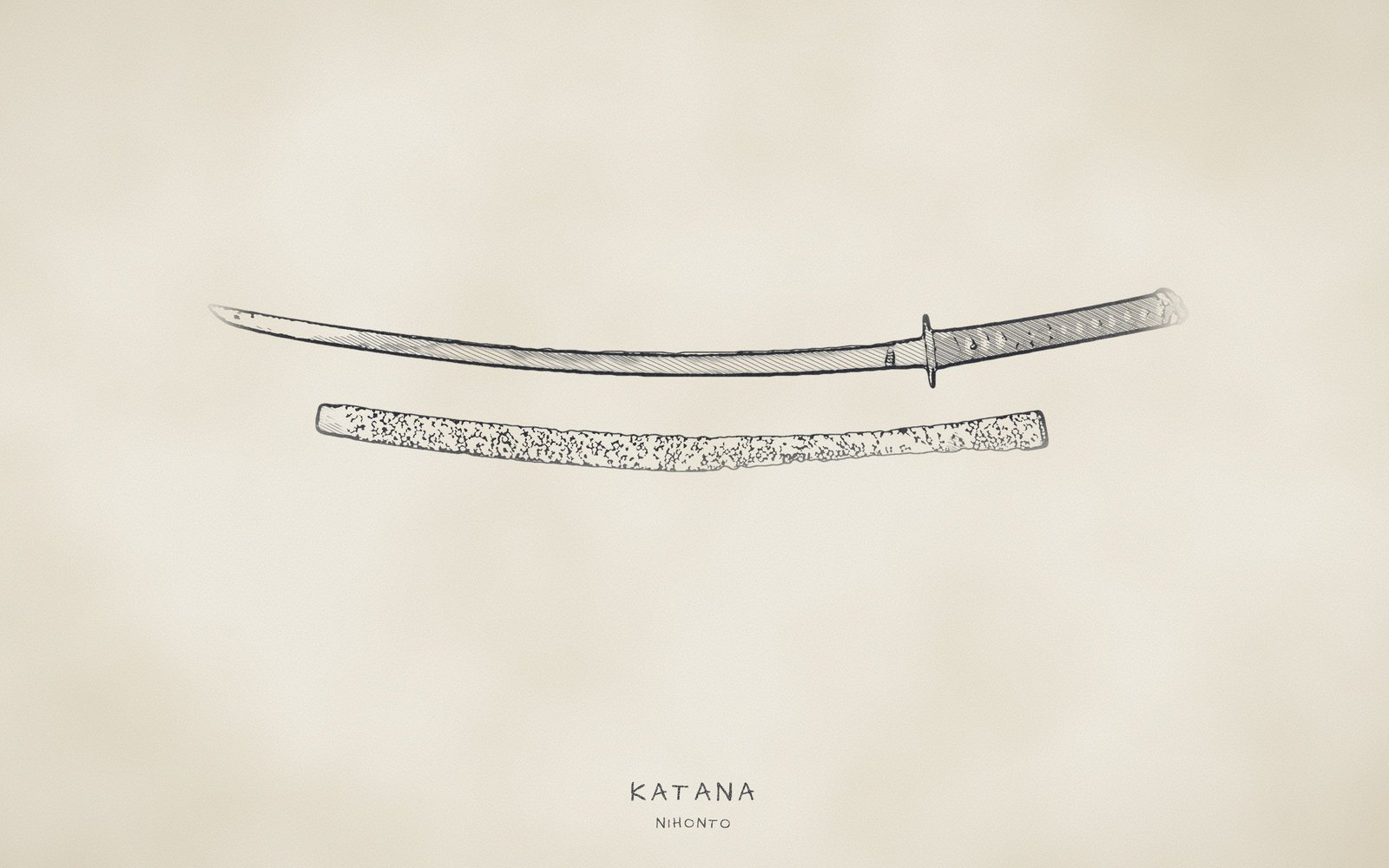
Drawing after a photo by Auckland War Memorial Museum, CC BY 4.0, via Wikimedia Commons.
Keep signature, tang, temper line, papers, care history and value together for every Japanese sword.
43 labelled fields, 22 drop-down lists, 336 preset values.
Offline records on your own computer or phone, in the vocabulary of nihonto.
Nihonto, the traditional swords of Japan, are collected for the steel as much as the story: how a blade was forged, who signed or is thought to have made it, what papers it holds and how it has been cared for. NM Collector CP records each blade as one item and keeps those details beside its receipt and its history. The record stays on your own computer or phone, and the app needs no account and never connects to the internet.
The refreshed 2.3 nihonto template is written in the vocabulary of the hobby, so a blade is described in terms a fellow collector will recognise. It suits blades from every sword period, from old koto pieces to newly made ones, and from a katana or tachi to a wakizashi, tanto or naginata. Each label can be renamed and each list edited, so the template can follow how you collect. New installations include 3 sample blades that show how it is filled in.
Browse the full lists
Choose a list in the first drop-down, then open the second one to scroll through every value in that list, or start typing to jump to a value. These are for browsing only; nothing you pick here is saved.
At a glance
- Signature status in "Mei" (10 values, including "Zaimei", "Mumei" and "Gimei"), with the smith's name kept in "Maker".
- The steel described in its own terms: "Hamon" with 40 patterns, "Hada" with 13, "Ji" with 19 and "Boshi" with 19, plus overall form in "Sugata".
- Tang records: file marks in "Yasuri-me" and outline or alteration in "Nakago Shape", with "Ubu" for an original tang and "Suriage" for a shortened one.
- Blade length in "Nagasa" and tang length in "Nakago Length", with units typed the way you measure, metric or traditional, and the kind of curvature in "Sori".
- Attribution by "Period", "Province", "School" and "Era", with "Maker" and "Sensei" filled from the names you type.
- Certification in "Papers", with 11 ready-made values covering 4 NBTHK grades, NTHK papers, "Sayagaki", "Torokusho only" and "None".
- Carving in "Horimono" (19 values), condition in "Flaws (kizu)" and free text in "Notes" for mounts, shortening history and provenance.
- A care log with "Oil (choji)", "Togi (polish)", "Habaki Fit" and "Inspect for Rust", each with a "Next Due Date" for the following job.
- "Appraised Value", "Current Value" and "Insured Value", each beside its own date, typed by hand; the software does not look up prices.
Works offline on Windows, Mac, Linux, Android and iOS · Your records stay on your devices · Every feature free for 30 days · Activations from $24.95 a year.
What this template is for
Owners of Japanese swords (nihonto) know how quickly the details blur: which blade was signed, which was shortened, which carries papers, and when each was last oiled or appraised. This template solves that by treating each blade as one item and recording what a judge, dealer or appraiser would ask about: the type, who signed or is thought to have made it, the school and province, the length, the papers, the value and the care given. The record stays on your own computer or phone.
The two template tabs share the work in a way that suits blades. Identification holds what tells one sword from another even without a serial number: the "Type", the signature ("Mei"), the file marks and shape of the tang (nakago) and the features of the steel, namely the temper line ("Hamon"), grain ("Hada"), surface ("Ji") and tip pattern ("Boshi"), along with the overall form ("Sugata"). Description holds measurements, curvature, carving, attribution by "Period", "Province", "School" and "Era", papers, flaws, dates and values.
Specialist vocabulary is the hardest part of recording a sword, so the lists carry it for you, spelled the same way on every blade. "Hamon" arrives with 40 patterns, "Province" with 52 values, "School" with 39 and "Papers" with 11, and several lists add a short plain-language explanation to help a newcomer choose. "Maker", "Sensei" and "Appraised By" start empty and fill with the smiths, teachers and appraisers you type. A school or smith the lists lack is added the first time you type it and is offered again on every later blade.
What you can do with it
- Print an insurance inventory that lists each blade with its "Type", "Nagasa" (blade length), "Papers", "Appraised Value" and "Insured Value", so you have in one report the details an insurer usually asks for.
- Keep a care schedule: log oiling with "Oil (choji)", polishing with "Togi (polish)" or a rust check with "Inspect for Rust", and set a "Next Due Date" so you know when each blade is due for attention.
- Take a printed file of each blade's identifying features, papers, flaw notes and receipt details to a judging session, an appraiser or a buyer, so the person examining it starts from a full record.
- Log each "Appraisal", "Shinsa" (a judging session for papers), "Auction" or "Sword Show" on the Events tab with its results, helpers, location and cost, so the history of the blade's outings is on file.
- A printed report or CSV export tells a family or heirs what each blade is, who made or attributed it, what papers it holds, where and for how much it was bought, and your own notes on its story.
- Keep "Appraised Value", "Current Value" and "Insured Value" side by side, each with its date, to see how far the three figures differ. Update "Current Value" and "Date Current Value" when your research changes your view. The software does not look up prices.
- Filter a custom report on "Period", "Province" or "School", for example every blade with "Province" set to "Bizen", to pull out and compare one part of your collection.
Best for: Anyone who owns, studies or looks after Japanese swords and wants each blade described the way a judge or dealer would describe it, with papers, values, care history and receipts kept together. It also suits a family looking after an inherited sword, since the papers and the story of the blade sit in one file.
Why collectors choose NM Collector CP for Nihonto
Sword Terminology in Every List
The lists on the Identification tab are written in the language a study group would use. "Yasuri-me" offers 13 file-mark patterns, "Nakago Shape" 15 tang shapes and "Sugata" 15 forms of blade construction, so two collectors describing the same tang reach for the same word. Each term is offered with one spelling, so the same pattern does not end up split across variant spellings.
Attribution and Papers Kept Apart
Who made a blade, where and when are separate questions from what certificate it holds, and the template treats them that way. "Maker", "Period", "Province", "School" and "Era" hold the attribution, "Mei" records whether the tang is signed, and "Papers" offers 11 ready-made values, from "NBTHK Hozon" to "None". "Sensei" and "Appraised By" name whoever gave an opinion, and "Notes" has room for a second one.
Steel Features and Condition in Detail
The Identification tab describes the steel, with "Hamon", "Hada", "Ji" and "Boshi" each on its own list. Condition goes in "Flaws (kizu)", a free text note where you say what the flaw is and where it sits, and "Notes" takes peg holes, shortening, mounts or a restoration. The 3 sample items show how much detail to enter, from a fully described katana to a tanto with light scratches and only a current value.
A Care History for Each Blade
The Maintenance tab uses sword vocabulary. "Operation" offers "Oil (choji)", "Togi (polish)", "Habaki Fit", "Saya Repair", "Shirasaya Repair", "Tsuka Rewrap", "Uchiko" and "Inspect for Rust". Each log entry records the "Completion Date", who did the work under "Completed By", the "Completion Cost" and a "Next Due Date", so the polishing and conservation a blade has had stays with its record for an insurer, an appraiser or your heirs.
Reports for Insurers, Appraisers and Heirs
Because papers, values, flaws, receipts and care history sit in one record, a printed report can give an insurer, an appraiser or your heirs the details they ask for. Custom reports let you pick the fields and filters, for example every blade with "Province" set to "Bizen", and items can be exported to CSV. "Include In Reports?" leaves out a blade you would rather not list. The values are ones you type, and the software does not look up prices.
Private Records on Your Own Devices
The details of a valuable blade, its papers, its value and its provenance, are the kind many owners prefer not to put on a shared server. NM Collector CP keeps the collection on your own computer or phone and needs no account, and the app itself never connects to the internet. When you move the collection between devices with Share Data, you choose where the file goes; email or a cloud service passes it through that provider.
Offline Reference at Shows and Auctions
The app works without an internet connection, so a collection on your phone can be browsed at a sword show, an auction or a dealer's table to see which blades you already own before you buy. The whole-collection transfer file moves your records from your computer to your phone in one step, pictures included, and the phone needs no connection to load or read it.
Room for Fittings and Your Own Terms
Many collectors also keep tsuba (guards), menuki (grip ornaments), fuchi-kashira (hilt collar and cap) or armor. You can build a new template from scratch, or copy this one, to start a separate collection for them, and the Related tab is there for items that belong together.
How the fields work
Every text field in a template is a drop-down field. Pick a value from the list or type your own; the + button adds what you typed to the list, the x button clears the field and the e button opens the list editor. Number fields accept any number, date fields hold dates and notes fields hold longer text. The details below cover every field on the Identification and Description tabs, and any drop-down on the other tabs that is specific to this template. Every list can be browsed in the drop-downs under Browse the full lists; lists of 10 values or fewer are also written out in full below.
Identification tab
The Identification tab holds what tells one blade from another. The item name shown in lists and page titles is built from "Custom Tag", "Type", "Mei", "Yasuri-me", "Nakago Shape", "Hamon" and "Hada", in that order, so the order decides how each blade reads at a glance. "Custom Tag" comes first, so a tag such as an inventory number leads the name. "Ji", "Boshi", "Sugata" and "Include In Reports?" follow but stay out of the name.
Custom Tag
Drop-down · no preset values
Your own label for the blade, placed first in its name. Use an inventory number or a nickname, and keep the style the same across the collection. The three sample items leave it empty, so a blade is still named by its "Type" and features until you add one.
This drop-down starts empty. Type a value into the field and use the + button to add it to the list; it will be there the next time you need it.
Type
Drop-down · 21 preset values
The kind of blade, which is the first thing a reader wants to know. Choose "Tachi" for a long sword made to be worn edge down, "Katana" for one worn edge up, "Wakizashi" for a companion short sword or "Tanto" for a dagger.
An alphabetical list of 21 types, from long swords such as "Katana" and "Tachi" and short blades such as "Wakizashi" to polearm blades such as "Naginata" and daggers, with a catch-all for anything else.
All 21 preset values: choose “Type (Identification tab, 21 values)” in the Browse the full lists drop-downs, further down this page.
Mei
Drop-down · 10 preset values
The signature cut into the tang (nakago), or the lack of one. Record its status: "Zaimei" for a signed blade, "Mumei" for an unsigned one, "Gimei" when the signature is judged false. The smith's name itself belongs in "Maker".
The list holds 10 values in alphabetical order, most with a short gloss in parentheses. They cover plain signed and unsigned states, such as "Zaimei (signed)" and "Mumei (unsigned)", and special cases such as "Gimei (false signature)" and "Shu-mei (red lacquer attribution)".
All 10 preset values: Dated (nengo) (carries a date on the nakago) • Gaku-mei (inset signature after shortening) • Gimei (false signature) • Kinzogan-mei (gold inlay attribution) • Kiritsuke-mei (signature added by a later hand) • Modern (Gendai) • Mumei (unsigned) • Orikaeshi-mei (folded-back signature after shortening) • Shu-mei (red lacquer attribution) • Zaimei (signed)
Yasuri-me
Drop-down · 13 preset values
The pattern of file marks cut into the tang (nakago). It is often a clue to the smith or school, and it is worth recording even on an unsigned blade. The samples show "Katte-sagari" on the katana, "Higaki" on the wakizashi and "Sensuki" on the tanto.
An alphabetical list of 13 file-mark patterns, from "Gyaku-takanoha" to "Takanoha". It includes 2 combined entries, such as "Shinogiji-kiri / Hiraji-sujikai", that name 2 patterns at once, and a catch-all covers the rest.
All 13 preset values: choose “Yasuri-me (Identification tab, 13 values)” in the Browse the full lists drop-downs, further down this page.
Nakago Shape
Drop-down · 15 preset values
The overall shape of the tang, which shows whether the blade is as its maker left it or has been altered. "Ubu" marks an original tang and "Suriage" one that was shortened later, as in the second sample, whose note says it was shortened in the Edo period.
An alphabetical list of 15 tang shapes. Some name the outline, such as "Funa-gata" and "Kijimomo-gata", while others record what has happened to the tang, such as "Ubu" for an unaltered tang and "Suriage" for a shortened one, with a catch-all for anything else.
All 15 preset values: choose “Nakago Shape (Identification tab, 15 values)” in the Browse the full lists drop-downs, further down this page.
Hamon
Drop-down · 40 preset values
The temper line, the visible border on the steel between the hardened edge and the softer body of the blade. Choose the pattern that best matches: the samples record "Gunome-midare" for the katana, "Suguha" for the wakizashi and "Notare" for the tanto.
40 patterns in alphabetical order, the longest list on the Identification tab. Straight lines such as "Suguha", waves such as "Notare" and irregular patterns such as "Midare" are all present, and several entries carry a plain-language explanation in parentheses.
All 40 preset values: choose “Hamon (Identification tab, 40 values)” in the Browse the full lists drop-downs, further down this page.
Hada
Drop-down · 13 preset values
The grain of the steel surface, left by the way the blade was folded and forged. Pick the closest pattern; the samples use "Itame" (a wood grain pattern) for the katana and tanto and "Masame" (a fairly straight grain) for the wakizashi.
An alphabetical list of 13 grain names. The common patterns "Itame", "Mokume" and "Masame" sit beside finer and coarser variants such as "Ko-itame", and some entries include a short explanation in parentheses.
All 13 preset values: choose “Hada (Identification tab, 13 values)” in the Browse the full lists drop-downs, further down this page.
Ji
Drop-down · 19 preset values
Features of the steel that show in the polish, both in the ji (the polished area between the temper line and the ridge) and along the temper edge. Record the effect you see: the samples note "Ji-nie" on the katana, "Chikei" on the wakizashi and "Nie" on the tanto.
19 features of the blade surface in alphabetical order, from "Ashi" to "Yubashiri". The list mixes crystalline activity such as "Nie" with misty reflections such as "Midare-utsuri".
All 19 preset values: choose “Ji (Identification tab, 19 values)” in the Browse the full lists drop-downs, further down this page.
Boshi
Drop-down · 19 preset values
The temper pattern in the point of the blade (the kissaki) and how it turns back. All three samples record "Ko-maru", a small rounded pattern.
An alphabetical list of 19 tip patterns. Several names describe how the temper line turns back in the point, such as "Kaeri-buka" and "Kaeri-asashi", while others name a tip shape, such as "Ko-maru" and "O-maru".
All 19 preset values: choose “Boshi (Identification tab, 19 values)” in the Browse the full lists drop-downs, further down this page.
Sugata
Drop-down · 15 preset values
The overall form and cross-section of the blade, called zukuri. Many swords are "Shinogi Zukuri" (with a ridge along the side), as in the first two samples, while a flat blade with no ridge is "Hira Zukuri", as in the tanto.
15 forms in alphabetical order, nearly all ending in Zukuri (a word for style of construction). They range from the common "Shinogi Zukuri" and "Hira Zukuri" to unusual forms such as "Kogarasu-maru Zukuri" and "Unokubi Zukuri", and a catch-all for anything else.
All 15 preset values: choose “Sugata (Identification tab, 15 values)” in the Browse the full lists drop-downs, further down this page.
Include In Reports?
Drop-down · no preset values
A yes or no marker you set per blade to show whether it belongs in your reports. All three samples are set to yes; type no for a blade you want left out, for example one you are still researching.
This drop-down starts empty. Type a value into the field and use the + button to add it to the list; it will be there the next time you need it.
Description tab
The Description tab holds condition, attribution and value. Here you record the blade's measurements ("Nagasa", "Nakago Length"), its curvature and carving, the maker and its place in sword history ("Period", "Province", "School", "Era"), papers, flaws and notes, and the dates and values you enter by hand for appraisal, current worth and insurance.
Nagasa
Drop-down · no preset values
The blade length, measured along the back from the point to where the blade meets the tang. It is a text field, so type the unit with the number, as the samples do: 70.3 cm for the katana and 26.8 cm for the tanto.
This drop-down starts empty. Type a value into the field and use the + button to add it to the list; it will be there the next time you need it.
Nakago Length
Drop-down · no preset values
The length of the tang, from the notches where the blade begins to the end of the tang. Read together with "Nagasa" it gives the proportions of the blade. The samples show 20.1 cm, 14.2 cm and 9.6 cm, always with the unit typed in.
This drop-down starts empty. Type a value into the field and use the + button to add it to the list; it will be there the next time you need it.
Sori
Drop-down · 6 preset values
The curvature of the blade and where along its length the curve is deepest. Choose the term that fits, such as "Torii-zori", used for the first two samples, or "Uchi-zori" for the tanto, whose curve leans towards the edge.
The list holds 6 values in alphabetical order: 4 named curves, "Mu-zori" for little or no curve, and a catch-all. All but the catch-all carry a short note in parentheses, and "Koshi-zori", "Saki-zori" and "Torii-zori" say where the deepest part of the curve lies.
All 6 preset values: Koshi-zori (Deepest part of the curvature is between the center of the blade and the munemachi.) • Mu-zori (Little or no curvature.) • Other • Saki-zori (Deepest part of the curvature is between the center and the tip of the blade.) • Torii-zori (Deepest part of the curve is at the center of the blade.) • Uchi-zori (Curves towards the edge.)
Horimono
Drop-down · 19 preset values
Carved decoration on the blade, such as grooves, deity figures and symbols. Record what is carved, or "None" if the blade is plain, as in the second and third samples. The first sample has "Bo-hi", a groove.
An alphabetical list of 19 carving types. Grooves such as "Bo-hi", deity figures such as "Fudo Myo-o" and motifs such as "Dragon" sit beside a value for carving added after the blade was made, "Later-added (ato-bori)", and one for plain blades.
All 19 preset values: choose “Horimono (Description tab, 19 values)” in the Browse the full lists drop-downs, further down this page.
Maker
Drop-down · no preset values
The swordsmith who made the blade, when known or attributed. Type the name as you want it to read and it is kept in the list, so the same smith is spelled one way on every blade. The samples leave it empty and record the school instead.
This drop-down starts empty. Type a value into the field and use the + button to add it to the list; it will be there the next time you need it.
Period
Drop-down · 6 preset values
The broad period of sword making the blade belongs to, which is a different question from the era of Japanese history. The first sample is "Shinto", the second is "Koto" and the third is "Shinshinto".
The list holds 6 values in alphabetical order, each with a short gloss and date in parentheses. They cover "Jokoto", the ancient swords made before about 900, "Koto" (old swords before 1596), "Shinto", "Shinshinto", "Gendai" and "Shinsaku", newly made blades from 1945 on.
All 6 preset values: Gendai (modern sword era - 1876 - 1945) • Jokoto (ancient swords - before c. 900) • Koto (old sword period - Pre 1596) • Shinsaku (newly made - 1945 - present) • Shinshinto (new new sword era - 1781 - 1876) • Shinto (new sword era - 1596 - 1780)
Province
Drop-down · 52 preset values
The old province of Japan where the blade was made, one of the main ways collectors sort blades by tradition. The samples use "Mino" for the katana, "Yamato" for the wakizashi and "Musashi" for the tanto.
52 values in alphabetical order, mostly old provinces of Japan, from "Awa" to "Yamato". Well-known sword areas such as "Bizen" are included, and "Unknown" covers blades of undetermined origin.
All 52 preset values: choose “Province (Description tab, 52 values)” in the Browse the full lists drop-downs, further down this page.
School
Drop-down · 39 preset values
The school or lineage of smiths the blade is attributed to. The samples show "Seki" (with province "Mino"), "Tegai" (with "Yamato") and "Suishinshi Masahide" (with "Musashi"), so school and province are recorded side by side.
39 values in alphabetical order, mixing regional schools such as "Bizen" with well-known smith names such as "Kotetsu" and "Muramasa", plus "Gunto (arsenal)" for military blades and an entry for unknown schools.
All 39 preset values: choose “School (Description tab, 39 values)” in the Browse the full lists drop-downs, further down this page.
Era
Drop-down · 11 preset values
The Japanese historical era in which the blade was made. "Period" gives the sword-history category, while this field gives the era: the first sample is "Edo", the second is "Muromachi" and the third is "Edo" again.
An alphabetical list of 11 Japanese eras, from "Edo" to "Taisho". They include "Heian", "Kamakura" and "Muromachi" alongside the modern "Reiwa", so classical blades and recent ones can both be placed.
All 11 preset values: choose “Era (Description tab, 11 values)” in the Browse the full lists drop-downs, further down this page.
Sensei
Drop-down · no preset values
The teacher, mentor or expert who has studied this blade with you or given an opinion on it, for example a senior member of your sword club. It starts empty; type a name once and it is kept in the list for other blades.
This drop-down starts empty. Type a value into the field and use the + button to add it to the list; it will be there the next time you need it.
Appraised By
Drop-down · no preset values
The person, dealer or organization that carried out the appraisal recorded in "Date Appraised" and "Appraised Value". Naming the appraiser gives an insurer, buyer or heir the source of the figure. The list starts empty and fills with the names you type.
This drop-down starts empty. Type a value into the field and use the + button to add it to the list; it will be there the next time you need it.
Papers
Drop-down · 11 preset values
The certification the blade holds, if any: papers from a sword society such as the NBTHK (the Society for the Preservation of Japanese Art Swords), a government designation, or an expert's inscription. A registration certificate alone does not judge the blade. The first sample holds "NBTHK Hozon", the second "NBTHK Tokubetsu Hozon" and the third "None".
The list holds 11 values in alphabetical order, 4 of them NBTHK grades from "NBTHK Hozon" to "NBTHK Tokubetsu Juyo". The rest cover NTHK papers such as "NTHK Kanteisho" and "NTHK-NPO Yushu", the government designation "Juyo Bijutsuhin", an expert's inscription ("Sayagaki"), "Torokusho only" for registration alone, and "None" for an unpapered blade.
All 11 preset values: choose “Papers (Description tab, 11 values)” in the Browse the full lists drop-downs, further down this page.
Flaws (kizu)
Notes
Free text on the condition of the blade: cracks, rust, scratches or other faults, and where they sit. The first sample notes a small ware (a split in the steel) near the machi (the notch where the blade meets the tang) with no fatal flaws, and the third notes light scratches from an old amateur polish.
Notes
Notes
General free text for what fits nowhere else: mounts and fittings, shortening history, provenance or the story of the blade. The first sample notes a shirasaya (a plain wooden storage scabbard) carrying a sayagaki (an expert's inscription), and a habaki (the blade collar) made of silver foil over copper.
Date Manufactured
Date
The date the blade was made, as far as it is known. A dated signature often gives only a year or a month, so enter the nearest date you can support, such as 1 January of the signed year, and explain the approximation in "Notes".
Date Appraised
Date
The date of the appraisal that produced "Appraised Value", entered as a full date. The first sample fills it; the second gives an appraised figure without a date. Enter the newest appraisal date when a blade is appraised again.
Date Current Value
Date
The date on which you last set "Current Value", so anyone reading the number knows how fresh it is. Update the date whenever you revisit the figure.
Date Insured
Date
The date the blade was last insured or its insured amount was last confirmed with your insurer, kept beside "Insured Value".
Appraised Value
Number
The figure from an appraisal, typed as a plain number in whatever currency you use; no formatting is applied. The samples show 6500 for the katana and 9000 for the wakizashi only to illustrate the field, not as a guide to what such blades sell for. The software does not look up prices.
Current Value
Number
Your own present estimate of what the blade is worth, typed by hand. The samples show 6500 for the katana, 9000 for the wakizashi and 2800 for the tanto, which has no appraised figure. These are illustrations only, not a guide to prices. Pair it with "Date Current Value".
Insured Value
Number
The amount the blade is insured for, if it is insured. The katana sample records 7000 against a current value of 6500. Keeping the figure separate lets you compare it with "Appraised Value" and "Current Value" at a glance.
Drop-downs on the other tabs
These fields belong to tabs that every collection has, but this template gives them values of its own.
Receipt tab
License Number
Drop-down · no preset values
The seller's license or registration number when you bought the blade from a dealer or other business and want it on file. It goes with the "Business" name.
This drop-down starts empty. Type a value into the field and use the + button to add it to the list; it will be there the next time you need it.
D.O.B.
Date
The date of birth of the person you bought the blade from, when you choose to record it for a purchase from an individual rather than a business. Leave it empty for dealer purchases, and keep personal details only when you need them; the collection data is kept on your own computer or phone.
Disposition tab
License Number
Drop-down · no preset values
The license or registration number of the dealer or business that receives the blade when it leaves your collection, for example when you sell or consign it.
This drop-down starts empty. Type a value into the field and use the + button to add it to the list; it will be there the next time you need it.
I. D.
Drop-down · no preset values
An identification number for the person who receives the blade, such as the number of an ID document you checked, if you choose to keep that in your record of a sale or transfer. It starts empty, and since the collection data is kept on your own computer or phone, record it only if you need it.
This drop-down starts empty. Type a value into the field and use the + button to add it to the list; it will be there the next time you need it.
D.O.B.
Drop-down · no preset values
The date of birth of the person who receives the blade, to be kept only if you need it. Unlike the date field with this name on the Receipt tab, this one is a text drop-down, so type the date in one format and use the same format every time.
This drop-down starts empty. Type a value into the field and use the + button to add it to the list; it will be there the next time you need it.
Maintenance tab
Operation
Drop-down · 8 preset values
The care job you carried out or plan to carry out on the blade. The sample oiling record for the first katana uses "Oil (choji)", and the list is written in sword vocabulary so entries such as a polish or a fitting of the collar are one pick away.
An alphabetical list of 8 sword-care jobs, among them "Habaki Fit", "Inspect for Rust", "Oil (choji)" and "Togi (polish)". The other 4 cover repairs to the scabbards, rewrapping the handle and cleaning with uchiko powder.
All 8 preset values: Habaki Fit • Inspect for Rust • Oil (choji) • Saya Repair • Shirasaya Repair • Togi (polish) • Tsuka Rewrap • Uchiko
Completed Units
Drop-down · 2 preset values
The unit, "months" or "years", recorded alongside "Completed Increment". The sample oiling entry uses "months", with an increment of "3 months" and a "Completion Date" on the same record.
The list holds 2 values, "months" and "years", so the interval can be stated in either unit. A typed value can be added if you ever need another unit.
All 2 preset values: months • years
Next Due Units
Drop-down · 2 preset values
The time unit for the interval until the next job falls due, paired with "Next Due Increment". The sample oiling entry uses "months" with "3 months", matching a "Next Due Date" three months after the "Completion Date".
The same 2 values as the completed list, "months" and "years". Pick whichever matches how you think about the next job.
All 2 preset values: months • years
Completed Increment
Drop-down · 4 preset values
A short span in text, such as "3 months" or "12 months", kept with the completed job and read together with "Completed Units" and "Completion Date". The sample oiling entry uses "3 months".
The list holds 4 ready-made spans of 1, 3, 6 and 12 months, shown in text order as "1 month", "12 months", "3 months" and "6 months". Type any other span and add it to the list.
All 4 preset values: 1 month • 12 months • 3 months • 6 months
Next Due Increment
Drop-down · 4 preset values
The span until the next job falls due, for example "3 months" for a quarterly oiling or "12 months" for a yearly inspection. Use it with "Next Due Units", alongside the "Next Due Date" field.
The same 4 spans as the completed list: "1 month", "3 months", "6 months" and "12 months". Add your own spans to the list when a job runs on a different schedule.
All 4 preset values: 1 month • 12 months • 3 months • 6 months
Events tab
Event
Drop-down · 7 preset values
The kind of occasion in the blade's history, such as an appraisal, an auction, a show or a club meeting. The first sample records a "Token Kai Meeting" (a sword club meeting) where the katana was brought for study.
The list holds 7 values in alphabetical order, from "Appraisal" and "Auction" to "Token Kai Meeting". "Shinsa", a judging session for papers, is included with exhibitions, study sessions and sword shows.
All 7 preset values: Appraisal • Auction • Exhibition • Shinsa • Study Session • Sword Show • Token Kai Meeting
Tabs every collection shares
Besides Identification and Description, each item has these tabs. They work the same way in every collection.
- Pictures: Attach photographs to an item, with a note, the date each was taken, a sequence number and a flag saying whether the picture belongs in reports. Pictures are copied into the application’s own folder and stay on your device.
- Receipt: Who you got the item from and when: the business or person, address, date and amount, plus notes.
- Disposition: The same layout for the other end of an item’s life: to whom it was sold, traded or given, where, when and for how much.
- Related: Link an item to other items in your collections, for example a rifle and its scope or a watch and its box.
- Maintenance: Record maintenance operations with what was done, who did it, where, what it cost, when it was completed and when the next one is due. Repeat an operation each time you perform it.
- Events: A dated log of things that happen to an item: shows, appraisals, loans, repairs and outings, with a description, results, helpers, location and cost.
- Data Sheet: A large free-form area for anything that does not fit elsewhere, such as detailed measurements or component notes.
- Links: Links to web pages, documents and pictures related to an item, each with an optional description.
The three sample items
Every new installation includes three sample items in this collection so you can see how the fields are meant to be filled in.
- Unsigned Shinto katana of the Seki school (listed as “Katana Mumei Katte-sagari Ubu Gunome-midare Itame”): The fullest of the three samples. Every Identification drop-down is filled except "Custom Tag", and Description adds lengths, "Sori", "Horimono", "Papers" set to "NBTHK Hozon", a flaw note, a note on the shirasaya and habaki, and appraised, current and insured values. It also carries a purchase receipt, an oiling record and a sword club meeting.
- Signed Koto wakizashi from Yamato (listed as “Wakizashi Zaimei Higaki Suriage Suguha Masame”): A signed blade ("Mei" set to "Zaimei") with a shortened tang ("Nakago Shape" set to "Suriage"). The "Notes" field records that it was shortened in the Edo period with its signature preserved. It carries "Papers" of "NBTHK Tokubetsu Hozon" and appraised and current values, with no insured value, flaws, maintenance or events entered.
- Unsigned Shinshinto tanto in Hira Zukuri (listed as “Tanto Mumei Sensuki Ubu Notare Itame”): A tanto with "Papers" set to "None", light scratches from an old amateur polish noted under "Flaws (kizu)", and only "Current Value" recorded. Its receipt fills "Name" rather than "Business", showing how a purchase from an individual is filed. It shows a blade recorded with full identification, ready for an appraisal figure to be added later.
Tips
- Type the unit with each measurement, as the samples do (70.3 cm in "Nagasa"), and record "Mei", "Yasuri-me" and "Nakago Shape" early, since the tang is where a blade's signature and any shortening show.
- Enter papers, appraisals and purchase details when you acquire a blade: "Papers", "Appraised By", "Date Appraised" and the receipt fields are the hardest to reconstruct later and are what insurers, appraisers and heirs ask about.
- Add photographs on the Pictures tab as you catalogue a blade, for example both faces of the tang, the tip and the whole blade, so the file holds what an appraiser or heir would want to see.
Frequently asked questions about Nihonto
Does NM Collector CP use authentic Japanese sword terminology for its fields and lists?
Yes. The Identification tab has fields named "Mei", "Yasuri-me", "Nakago Shape", "Hamon", "Hada", "Ji", "Boshi" and "Sugata", and each carries a list in traditional terms, such as "Uma-no-ha" for a hamon pattern or "Ubu" for an original tang. Several entries add a short plain-language note in parentheses. The overall-form label is now spelled "Sugata", correcting the old spelling Suguta. You can rename any label and edit any list.
Can I record NBTHK papers and other certification for each sword?
Yes. "Papers" on the Description tab offers 11 ready-made values, such as "NBTHK Hozon", "NBTHK Tokubetsu Hozon", "NBTHK Juyo", "NTHK Kanteisho", "Sayagaki" and "None". Name the appraiser in "Appraised By", enter the date in "Date Appraised" and put any detail from the papers in "Notes". Photographs of the papers can be added on the Pictures tab, with the rest of the blade's pictures.
How do I record the signature (mei) and the attribution of a sword?
"Mei" records the state of the signature, with values such as "Zaimei", "Mumei", "Gimei" and "Gaku-mei". The smith's name goes in "Maker", including for an unsigned blade whose attribution comes from papers. "Period", "Province", "School" and "Era" complete the attribution, and "Sensei" names the teacher or expert who studied the blade with you. Type the signature text itself in "Notes" if you want it on file.
Can I record blade measurements in traditional Japanese units?
Yes. "Nagasa" (blade length) and "Nakago Length" are text fields, so you type the number with whatever unit you use, such as shaku, sun and bu or centimetres, and no unit is enforced. The 3 sample blades use centimetres, for example 70.3 cm. "Sori" is different: it records the kind of curvature, such as "Torii-zori" or "Uchi-zori", rather than a measurement.
Is my nihonto collection data private, and where is it stored?
The collection is stored on your own computer or phone. NM Collector CP needs no account, and the app itself never connects to the internet, so it uploads nothing. If you use Share Data to move the collection between devices, you pick where the file goes: AirDrop, Quick Share or a USB drive keeps it on your own devices, while email or a cloud service passes it through that provider.
Can I check my collection at a sword show without an internet connection?
Yes. The app works offline, so once your collection is on your phone you can browse the blades you already own at a show, auction or dealer's table. On the Export page choose Collection Data Transfer, then Share Data. On the phone use the Import page, Collection Data Transfer, then Zip File. A transfer import replaces everything on the receiving device, so export from that device first.
How do I document polishing, restoration and other care for a blade?
Use the Maintenance tab. Pick the job in "Operation", such as "Togi (polish)", "Habaki Fit", "Tsuka Rewrap" or "Shirasaya Repair", then record the "Completion Date", who did the work in "Completed By", the "Completion Cost" and a "Next Due Date". Each job is its own entry in the log. The Events tab can hold an "Appraisal" or a "Shinsa" (a judging session for papers) with its results.
Can I keep katana, wakizashi, tanto and other blade types in one collection?
Yes. "Type" offers 21 ready-made values, including "Katana", "Tachi", "Wakizashi", "Tanto", "Naginata" and "Yari", so every kind of traditional blade can sit in one collection. A custom report can filter on "Type" to show only the tanto or only the tachi, or you can report on the whole collection together. Anything not listed is typed once and added to the list.
How do I add the nihonto template to an installation I already use?
New installations already start with all 30 templates. If you installed earlier, download the Nihonto template from the Downloads page, then choose Import, then Collection Template. The collection is matched by name and created if you do not have it. If you already have a Nihonto collection, the app lists each field it would rename before it changes anything and lets you cancel. The only rename is Suguta becoming "Sugata", and your items keep their values.
What do the 3 sample items included with the template show about filling it in?
The first is an unsigned Shinto katana of the Seki school, the fullest record, with "Papers" set to "NBTHK Hozon", a receipt, an oiling record and a sword club meeting. The second is a signed Koto wakizashi from Yamato with a shortened tang, "Suriage". The third is a tanto in "Hira Zukuri" with "Papers" set to "None" and only a "Current Value". The sample values only illustrate the fields and are not price guides.
Getting this template
New installations of NM Collector CP start with all 30 templates. If you already use NM Collector CP, use the Download Template button at the top of this page, unzip the file into a templates folder on your computer, and add it with File > Import > Collection Template. The app matches the collection by name, creates it if you do not have it, and asks before it changes what any field is called.
NM Collector CP is free to try with all features for 30 days, with no credit card. After that you can keep using the free version, which needs no activation, or buy an activation for the full-feature version, for 1, 2 or 5 years or for life.
If you already have a Nihonto collection
If you already keep this collection, importing the refreshed template is a light change. The app lists the one rename it would make, the caption Suguta becoming "Sugata", and asks before it changes anything. Your items keep their values. The Description tab gains "Papers", the "Sori" terms are respelled with hyphens and explained, the "Period" list gains era notes, and the "Boshi", "Yasuri-me" and "Hamon" lists grow. Your lists will show old and new spellings of the sori terms side by side until you remove the old ones.
Try it with your own collection
Every feature is free for 30 days, with no credit card, on Windows, Mac, Linux, Android and iOS. Download the free trial.