
Collection software for firearms, coins, stamps, knives, Japanese swords, geological specimens & more - offline - no cloud risks - Windows, Mac, Linux, iOS, and Android.
Try full features Free for 30 Days - No Credit Card. After 30 days you can upgrade or continue to use free version.
Unzip it into a templates folder, then choose File > Import > Collection Template.
Motor Vehicles collection template
Classic Car Collection Software
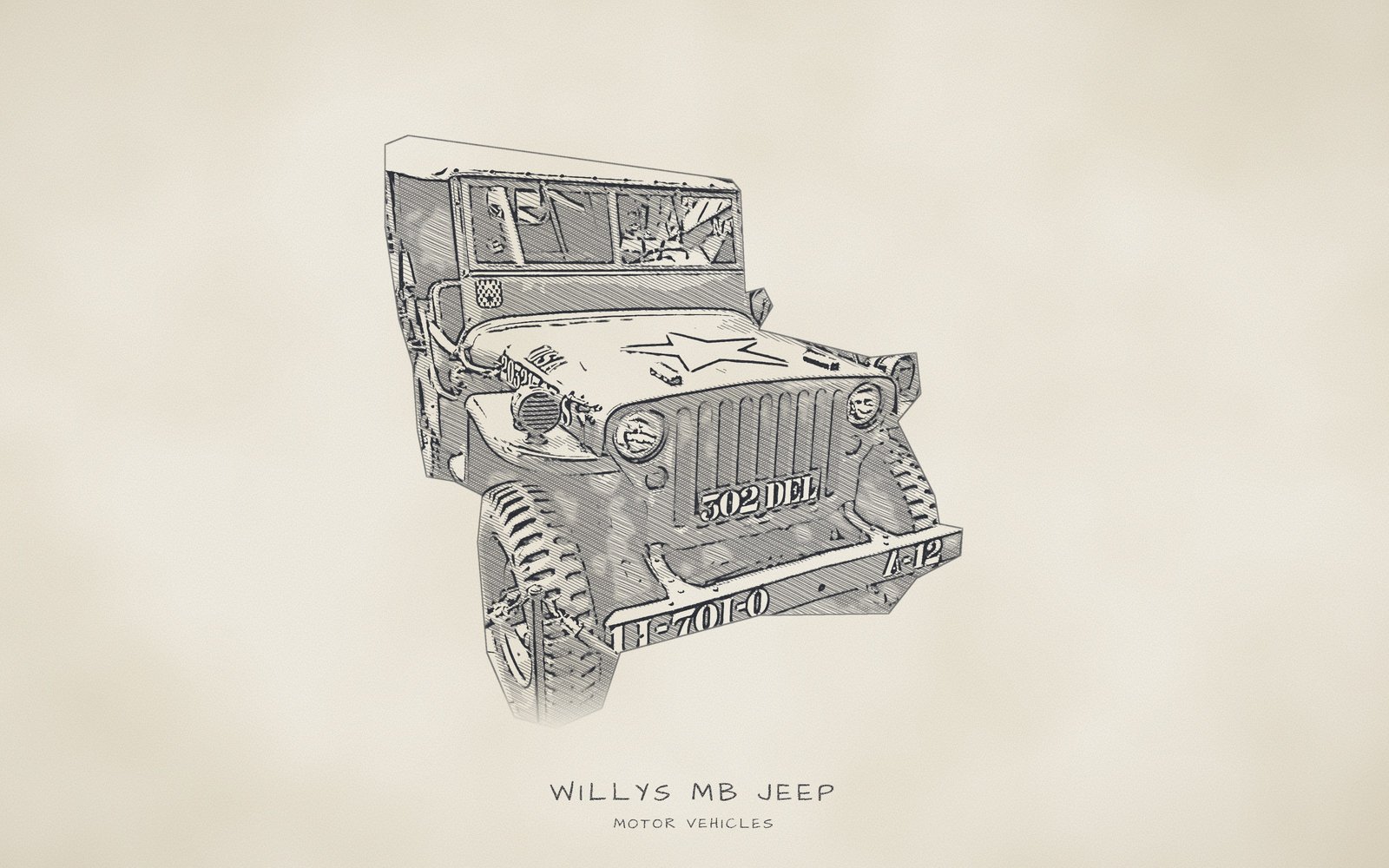
Drawing after a photo by Michael Gaylard, CC BY 2.0, via Wikimedia Commons.
A record of each vehicle's identity, condition, paperwork, restoration history and upkeep, from daily drivers to military jeeps.
48 labelled fields, 23 drop-down lists, 785 preset values.
Your garage records stay offline, on the computer and phone you own.
NM Collector CP gives every car, pickup, motorcycle, tractor, trailer or military vehicle you own a record of its own, built around what an owner, a buyer or an insurer asks first: which vehicle it is, whether the engine is original, what shape it is in, how it is titled and what has been done to it. The Identification tab pins each one down by "Year", "Make", "Model", "Body Style" and "VIN or Serial Number", and "Body Style" has 41 entries, from "Roadster" and "Station Wagon" to "Crew Cab" and "2-1/2-ton Cargo". It fits a single project in the barn as well as a mixed garage.
Nothing in the template is fixed: relabel any field, add a make or body style the lists lack, and edit "Registration State" or "Title Status" if your paperwork follows another country's rules. Everything you enter, from plate and policy numbers to the values you set, remains on your own computer or phone, and the app itself never connects to the internet.
Browse the full lists
Choose a list in the first drop-down, then open the second one to scroll through every value in that list, or start typing to jump to a value. These are for browsing only; nothing you pick here is saved.
At a glance
- "Year" (128 model years), "Make" (94 entries, such as "Packard", "Triumph" and "Farmall / IH"), "Model" and "VIN or Serial Number" on the Identification tab.
- "Engine" (26 entries), "Transmission" (16), "Drivetrain" (10) and "Fuel" (11), from a "Flathead 4" and a "Manual 3-speed" to an "Electric Motor".
- "Original Engine?" with "Numbers Matching" and "Correct Type", and "Engine" with "Non-original (swapped)" for a replacement.
- "Condition" in 6 grades from concours to parts car, and 11 "Restoration Status" entries such as "Project" and "Restomod".
- "Title Status" (10 entries), "Registration State" (53), "Registration Expires" and "Inspection Due", plus "Title Number" on the Receipt and Disposition tabs.
- Hand-entered, dated figures for "Appraised Value", "Current Value" and "Insured Value", plus a running "Restoration Cost to Date".
- Pictures of data plates and stamps, 53 Maintenance jobs such as "Points & Condenser", and 17 kinds of event such as "Swap Meet".
- CSV export, custom reports on the desktop, and 3 sample vehicles: a restored jeep, an unrestored Mustang and an M37 project.
- No internet connection or account needed on Windows, Mac, Linux, Android or iOS; every record stays on your own devices.
Works offline on Windows, Mac, Linux, Android and iOS · Your records stay on your devices · Every feature free for 30 days · Activations from $24.95 a year.
What this template is for
The Motor Vehicles template is built for people who own, restore or simply keep track of vehicles: classic and modern cars, pickups and trucks, military vehicles, motorcycles and scooters, tractors, travel trailers, snowmobiles and even boats. Each item is one vehicle. The template records what it is (year, make, model, body style, serial number, engine and drivetrain), how it looks, where it is kept, how it is titled and registered, who insures it, what it has cost and what it is worth.
The two template tabs divide the work in a way that suits vehicles. Identification holds what tells one vehicle apart from another even before you read the serial number: year, make, model, body style, engine, transmission, drivetrain, fuel, exterior color, license plate, unit markings and a notes field for identifying marks such as data plates, chips and added equipment. Description holds the facts about a vehicle's history and state: country of manufacture, condition grade, restoration status, odometer, title status, storage, insurance, registration, restoration cost and the appraised, current and insured values.
The drop-down lists do most of the typing. Years run from 1900 to 2027, there are 94 makes from Acura to Yamaha, and the body style, engine, transmission, drivetrain, fuel and exterior color lists cover everything from a 1/4-ton military jeep to an electric sedan. Condition, restoration status and title status lists give you consistent wording, and 53 maintenance operations and 17 event types are ready to pick. Model, serial number, plate and the other fields without preset values start empty and fill with your own values as you type them. You can rename any label, edit any list and add values at any time.
Several other tabs carry vehicle details as well. The Receipt and Disposition tabs each add a "Title Number" field, so the paperwork from buying and from selling a vehicle stays with its purchase or sale record. The Maintenance and Events tabs come with lists written for vehicles, including service jobs such as "Chassis Lube" and occasions such as "Cruise Night". The Pictures, Related, Data Sheet and Links tabs work as they do in every collection.
What you can do with it
- Build an insurance list with a custom report that shows year, make, model, serial number, insured value and the carrier and policy for every vehicle, then save the report layout so you can run it again.
- Find everything kept in one place by filtering a report on "Storage Location", for example every vehicle in the barn, in a storage unit or out on loan.
- Watch service due dates by recording a "Next Due Date" and a "Next Due Increment" for each job, and check "Registration Expires" and "Inspection Due" across the whole collection in one report.
- Document a restoration by keeping the "Restoration Log", "Restoration Cost to Date" and "Restoration Status" together, with before and after photos on the Pictures tab, so you can show what was done and what it cost.
- Prepare for an appraisal or a sale by gathering serial number, engine originality, title status, condition grade, maintenance history and the purchase receipt in one place, the details an appraiser or buyer usually asks about.
- Share the collection with heirs or family: a printed or exported list of every vehicle with its title status, storage location, insurance details and values tells them what exists, where it is and how it is documented.
- Keep valuations traceable by entering appraised, current and insured values by hand and dating each one, with the appraiser named in "Appraised By", so anyone reading the record can tell where a figure came from and how recent it is.
- Build a show and event history for each vehicle on the Events tab: rallies, car shows, parades and track days, with results, helpers and costs recorded next to the date.
Best for: Collectors and owners of classic, antique and military vehicles, restorers with projects in progress, and anyone with a mixed garage of cars, motorcycles, tractors and trailers who wants one organised record for insurance, maintenance and paperwork.
Why collectors choose NM Collector CP for Motor Vehicles
Identity and Originality in Separate Fields
A buyer or a judge asks which vehicle this is and how much of it is original. "VIN or Serial Number", "Hood Number / Unit Markings" and "Identifying Marks and Features" on the Identification tab answer the first; "Original Engine?" and "Restoration Status" on the Description tab answer the second. Close-ups of stamps and data plates go on the Pictures tab.
Titles, Registration and Inspection Dates
"Title Status" has 10 entries, from a "Clean" title to a "Salvage" or "Rebuilt" brand. The number on the title goes in "Title Number" on the Receipt tab when a vehicle arrives and on the Disposition tab when it leaves. On the Description tab, "Registration State" records where each vehicle is registered, and "Registration Expires" and "Inspection Due" hold the next dates for a desktop report.
Restoration and Service History in One Record
Move "Restoration Status" from "Project" through "Under Restoration" to "Restored" or "Restomod", record each stage in the "Restoration Log" and keep "Restoration Cost to Date" current, with each photo dated in "Date Taken" and numbered in "Sequence". Routine care goes on the Maintenance tab, where a "Chassis Lube" or an "Engine Oil & Filter" job can carry a "Next Due Increment" such as "3000 miles", "250 hours" or "12 months".
Military Vehicles in Their Own Terms
"Body Style" names military trucks by payload rating, such as "3/4-ton Cargo" and "2-1/2-ton Cargo", and adds "Weapons Carrier" and "Command Car", while "Make" includes "Willys", "Kaiser" and "AM General". "Hood Number / Unit Markings" holds the painted number, and "Event" offers "Military Vehicle Rally" and "MVPA Convention".
Your VINs and Values Stay With You
VINs, plate and policy numbers, values and the barn or storage unit where each vehicle sits add up to a list most owners would not post anywhere. It lives on your own computer or phone, with no account, and the app itself never connects to the internet. A transfer file you send by email or a cloud service passes through that provider.
Your Garage on Your Phone at Swap Meets and Shows
On an Android or iOS phone the collection is a local copy that works with no signal. At a swap meet, read "Identifying Marks and Features" or the "Restoration Log" before buying a part twice; after an auction, fill in "Business", "Date" and "Amount" on the Receipt tab; at a show, log a "Car Show" and its "Results".
Answers for Insurers, Appraisers and Heirs
Collector vehicle policies are often written on an agreed value, and an insurer or appraiser may ask for the photos, receipts and restoration records behind it. "Insured Value" and "Appraised Value", each dated, sit beside "Insurance Carrier and Policy" and "Appraised By". For heirs, "Storage Location" and "Title Status" show where each vehicle is and what its paperwork needs.
The Whole Garage, and Other Collections Too
A "Tractor", a "Trailer (travel)" or a "Snowmobile" can sit beside cars and motorcycles. Related things have their own places among the 30 templates: shop machines in Tools and Shop Equipment, uniforms and field gear in Militaria, a driver's license in Licenses, sales brochures and posters in Paper Items, and die-cast cars and model kits in Toys and Models.
How the fields work
Every text field in a template is a drop-down field. Pick a value from the list or type your own; the + button adds what you typed to the list, the x button clears the field and the e button opens the list editor. Number fields accept any number, date fields hold dates and notes fields hold longer text. The details below cover every field on the Identification and Description tabs, and any drop-down on the other tabs that is specific to this template. Every list can be browsed in the drop-downs under Browse the full lists; lists of 10 values or fewer are also written out in full below.
Identification tab
The Identification tab holds what tells one vehicle apart from every other, even without a serial number. The item's name is built from "Custom Tag", "Year", "Make", "Model", "Body Style", "VIN or Serial Number" and "Engine", in that order, and a field with no label adds nothing. That order decides how vehicles read in lists and page titles, so a tag comes first, then the year, make and model that identify it at a glance.
Custom Tag
Drop-down · no preset values
A short label of your own choosing, such as a garage inventory number or a nickname. Because it is the first part of the item's name, whatever you type here is the first thing you see for the vehicle in every list.
This drop-down starts empty. Type a value into the field and use the + button to add it to the list; it will be there the next time you need it.
Year
Drop-down · 128 preset values
The model year of the vehicle. Together with make and model it is the quickest way to recognise an item, and for a collector it often points to the vehicle's era and parts. The samples cover 1943, 1952 and 1966.
A single chronological list of 128 years from 1900 through 2027, so antiques, classics and current models are all covered. Typical entries are "1943", "1966" and "2024".
All 128 preset values: choose “Year (Identification tab, 128 values)” in the Browse the full lists drop-downs, further down this page.
Make
Drop-down · 94 preset values
The manufacturer or brand, such as "Willys" for the sample jeep, "Ford" for the Mustang or "Dodge" for the M37 truck. Picking from the list keeps spellings consistent, so a report can gather every vehicle from one maker.
An alphabetical list of 94 makes, from Acura to Yamaha. Passenger cars dominate, with motorcycle brands such as "Harley-Davidson", tractor makers such as "John Deere" and travel trailers such as "Airstream". An entry named "Other" catches anything missing.
All 94 preset values: choose “Make (Identification tab, 94 values)” in the Browse the full lists drop-downs, further down this page.
Model
Drop-down · no preset values
The model name or number exactly as the maker used it, such as MB, Mustang or M37 in the sample items. It follows the make in the item's name, so a heading like Willys MB is unmistakable to anyone reading a list.
This drop-down starts empty. Type a value into the field and use the + button to add it to the list; it will be there the next time you need it.
Body Style
Drop-down · 41 preset values
The kind of body or vehicle, such as "Hardtop" for the sample Mustang or "3/4-ton Cargo" for the Dodge M37. It tells a reader at once whether an item is a car, truck, motorcycle, trailer or tractor, and it separates versions of one model.
41 values in alphabetical order. The numbered military load classes such as "1/4-ton Utility (Jeep)" and "5-ton Cargo" come first, and the rest mix passenger bodies like "Sedan" and "Convertible", trucks, powersports, tractors and trailers.
All 41 preset values: choose “Body Style (Identification tab, 41 values)” in the Browse the full lists drop-downs, further down this page.
VIN or Serial Number
Drop-down · no preset values
The vehicle identification number or, for older machines, the serial number stamped on the frame or data plate, such as 6F07C123456 on the sample Mustang or MB 214573 on the Willys. It picks out one vehicle from others of the same make and model, and insurers, buyers and registries all ask for it.
This drop-down starts empty. Type a value into the field and use the + button to add it to the list; it will be there the next time you need it.
Engine
Drop-down · 26 preset values
The engine type or layout, such as "Flathead 6" (an older design with the valves beside the cylinders) for the sample Dodge M37 or "V8 Small Block" for the Mustang. Choose the type of engine now installed, or "Non-original (swapped)" if it has been replaced, and describe its originality under "Original Engine?" on the Description tab.
26 values in alphabetical order that cover inline and V engines including "V8 Hemi", boxer engines, early flathead designs, diesels, motorcycle twins and singles, "Rotary", "Electric Motor" and "Hybrid", plus "Supercharged" and "Turbocharged". "Non-original (swapped)" marks a replacement engine.
All 26 preset values: choose “Engine (Identification tab, 26 values)” in the Browse the full lists drop-downs, further down this page.
Transmission
Drop-down · 16 preset values
How the vehicle changes gears, such as "Manual 3-speed" for the sample Willys or "Automatic 3-speed" for the Mustang. The number of speeds separates otherwise similar models and helps when you judge whether a vehicle is original.
16 values in two main groups: automatics from 2 to 10 speeds and manuals from 3 to 6 speeds. Other entries cover "CVT" (continuously variable transmission), "Dual-clutch", "Pre-selector" (a gearbox where you choose the next gear in advance and then engage it) and "Direct Drive (EV)" for electric vehicles.
All 16 preset values: choose “Transmission (Identification tab, 16 values)” in the Browse the full lists drop-downs, further down this page.
Drivetrain
Drop-down · 10 preset values
Which wheels, or which final drive, put power to the ground, such as "4x4 Part-time" for both military samples or "Rear-wheel Drive" for the Mustang. For motorcycles it records chain, belt or shaft drive.
10 values covering road and off-road layouts, from "Front-wheel Drive" and "All-wheel Drive" to "4x4 Full-time" and "6x6", plus final-drive types for motorcycles (chain, belt and shaft) and one entry for tracked vehicles.
All 10 preset values: 4x4 Full-time • 4x4 Part-time • 6x6 • All-wheel Drive • Belt Drive • Chain Drive • Front-wheel Drive • Rear-wheel Drive • Shaft Drive • Tracked
Fuel
Drop-down · 11 preset values
What the vehicle runs on, such as "Gasoline" for all three sample vehicles. It matters for storage and upkeep, and it tells a diesel or electric version apart from a gasoline one of the same model.
11 values that cover conventional, alternative and electric power. Common choices are "Gasoline" and "Diesel", while "Electric" and "Plug-in Hybrid" serve newer vehicles. "Kerosene", "Propane" and "E85" are also listed.
All 11 preset values: choose “Fuel (Identification tab, 11 values)” in the Browse the full lists drop-downs, further down this page.
Exterior Color
Drop-down · 24 preset values
The outside color as it is now, such as "Olive Drab" on the sample Willys and Dodge or "Red" on the Mustang. Repaints and unfinished states like "Primer" or "Bare Metal" are worth recording for identification and condition.
24 colors in alphabetical order. Ordinary paint names such as "Black" and "Red" sit beside colors and finishes specific to vehicles, including "Olive Drab" and "Bare Metal", along with "Camouflage", "Desert Sand" and "Primer".
All 24 preset values: choose “Exterior Color (Identification tab, 24 values)” in the Browse the full lists drop-downs, further down this page.
License Plate
Drop-down · no preset values
The plate number on the vehicle, such as HST 1943 on the sample Willys or MUS 66 on the Mustang. It helps match a vehicle to a registration card or insurance record, and it can stay blank for an unregistered project like the sample Dodge.
This drop-down starts empty. Type a value into the field and use the + button to add it to the list; it will be there the next time you need it.
Hood Number / Unit Markings
Drop-down · no preset values
The number or lettering painted on the hood or body, most often on military vehicles, such as 20123456-S on the sample Willys or USA 20812345 on the Dodge M37. Most civilian vehicles leave it empty, though a fleet or race number fits here too. It tells apart vehicles of the same model and year.
This drop-down starts empty. Type a value into the field and use the + button to add it to the list; it will be there the next time you need it.
Include In Reports?
Drop-down · 2 preset values
A yes or no marker you set for each vehicle to show whether it belongs in your reports, for example an insurance list or a show list. All three sample vehicles carry "yes".
A short list with only two values, "yes" and "no", so marking a vehicle takes a single choice.
All 2 preset values: no • yes
Identifying Marks and Features
Notes
Free text for anything that sets this particular vehicle apart: data plates and where they sit, stamped script, chips, repairs, added equipment. The sample Willys lists stamped script, dash data plates, blackout lights and a pioneer tool set, while the Mustang notes matching door plate codes and a chip on the driver door edge.
Description tab
The Description tab holds the facts about a vehicle's history and state: country of manufacture, condition grade, restoration status, odometer, title status, storage location, insurance, registration, appraised, current and insured values, dates such as "Registration Expires" and "Inspection Due", and notes for condition and restoration.
Country of Manufacture
Drop-down · 216 preset values
Where the vehicle was built, which can differ from the maker's home country. All three sample vehicles show "United States". Buyers, clubs and registries often care whether a vehicle was assembled at home or abroad.
216 entries in alphabetical order covering today's countries and historical states, so older vehicles can be matched to where they were built. Examples include "United States", "Germany", "Czechoslovakia" and "Unknown".
All 216 preset values: choose “Country of Manufacture (Description tab, 216 values)” in the Browse the full lists drop-downs, further down this page.
Condition
Drop-down · 6 preset values
A grade for the overall state of the vehicle, from concours (perfect, better than new, a trailered show car) down to parts car. The samples grade the restored Willys as number 2, excellent, the Mustang as number 3, good (driver), and the Dodge as number 4, fair. Explain the grade in "Condition Comments".
Six graded values numbered 1 to 6, each followed by a short definition in parentheses. They run from number 1, concours (perfect, better than new, a trailered show car), through number 3, good (driver), and number 5, restorable (needs complete restoration), to number 6, parts car (incomplete or badly deteriorated, useful for parts).
All 6 preset values: #1 Concours (Perfect; better than new; trailered show car) • #2 Excellent (Very well restored or extremely well maintained original; no visible flaws) • #3 Good (driver) (Older restoration or well-kept original; minor flaws; drives and shows well) • #4 Fair (Runs and drives; visible wear; needs cosmetic and mechanical work) • #5 Restorable (Needs complete restoration; may not run; largely complete) • #6 Parts Car (Incomplete or badly deteriorated; useful for parts)
Restoration Status
Drop-down · 11 preset values
Where the vehicle stands in its life: for example "Restored" for the sample Willys, "Original / Survivor" (a vehicle that has not been restored and keeps its original finish) for the Mustang and "Under Restoration" for the Dodge M37. It separates finished vehicles from projects at a glance.
11 values that describe a vehicle's state or use, from "Project" to "Restored" and "Daily Driver". Others include "Restomod" (a vehicle rebuilt with modern parts), "In Storage", "Museum Display", "Race Prepared" and "Parts Vehicle".
All 11 preset values: choose “Restoration Status (Description tab, 11 values)” in the Browse the full lists drop-downs, further down this page.
Interior Color
Drop-down · no preset values
The upholstery or trim color and material, described as you would describe it to a buyer, such as Olive Drab canvas on the sample Willys or Black vinyl on the Mustang. Original interior finishes help verify a restoration.
This drop-down starts empty. Type a value into the field and use the + button to add it to the list; it will be there the next time you need it.
Odometer Reading
Drop-down · no preset values
The number shown on the odometer or hour meter, typed with any separators you like, such as 2,310 on the sample Willys or 84,120 on the Mustang. Leave it empty if the meter does not work, as on the sample Dodge, and set "Odometer Units" to match.
This drop-down starts empty. Type a value into the field and use the + button to add it to the list; it will be there the next time you need it.
Odometer Units
Drop-down · 5 preset values
The unit that goes with the reading: "Miles" for the two samples that have one, "Kilometers" for metric dashboards or "Hours" for machines that count running time. "Not Working" records a dead meter, as on the sample Dodge M37.
Five short values: the units "Miles", "Kilometers" and "Hours", and the statuses "Not Working" and "Replaced", which record a dead or replaced meter so the reading is not taken as the vehicle's true total.
All 5 preset values: Hours • Kilometers • Miles • Not Working • Replaced
Original Engine?
Drop-down · 5 preset values
Whether the engine in the vehicle is the one it left the factory with. Collectors weigh this heavily, so record what you know and use "Unknown" when there is no evidence. The samples use "Correct Type" for the Willys, whose restoration log mentions a correct date-coded engine, and "Numbers Matching" for the Mustang.
Five answers in alphabetical order: "Yes", "No" and "Unknown", plus two collector terms. "Numbers Matching" means the engine's stamped numbers agree with the vehicle's records, and "Correct Type" is for an engine of the right kind for the vehicle when you cannot say it is the original.
All 5 preset values: Correct Type • No • Numbers Matching • Unknown • Yes
Title Status
Drop-down · 10 preset values
The state of the vehicle's ownership paperwork, such as "Clean" for the sample Mustang, "Antique / Historic Plate" for the Willys or "Bill of Sale Only" for the Dodge M37. It is one of the first things an appraiser or buyer asks about.
10 values in alphabetical order, from the normal case to problem cases. "Clean" is the routine entry, "Lien" and "Salvage" flag complications, and "Non-titled (trailer / off-road)" covers vehicles that carry no title.
All 10 preset values: Antique / Historic Plate • Bill of Sale Only • Bonded • Clean • Export Only • Lien • Lost Title • Non-titled (trailer / off-road) • Rebuilt • Salvage
Storage Location
Drop-down · 9 preset values
Where the vehicle is kept, such as "Garage" for the sample Willys and Mustang or "Barn" for the Dodge M37 project. It lets you list every vehicle in one place and answers where a vehicle is when it is out on loan.
9 practical places in alphabetical order, from "Garage" and "Storage Unit" to "Barn", "Carport" and "Shop". It separates "Outdoors (covered)" from "Outdoors (uncovered)" parking, and includes "Museum" and "On Loan" for vehicles that are away from home.
All 9 preset values: Barn • Carport • Garage • Museum • On Loan • Outdoors (covered) • Outdoors (uncovered) • Shop • Storage Unit
Insurance Carrier and Policy
Drop-down · no preset values
The insurance company and policy number in one entry, such as Acme Collector Insurance, policy ACM-000123 on the sample Willys. It puts what an agent or claims handler asks for in one place. Pair it with "Insured Value" and "Date Insured".
This drop-down starts empty. Type a value into the field and use the + button to add it to the list; it will be there the next time you need it.
Appraised By
Drop-down · no preset values
The name of the appraiser or appraisal firm behind the "Appraised Value", so the figure can be traced to its source. Enter the person or company as the appraisal document names them, and pair it with "Date Appraised".
This drop-down starts empty. Type a value into the field and use the + button to add it to the list; it will be there the next time you need it.
Registration State
Drop-down · 53 preset values
The state or jurisdiction where the vehicle is registered, such as "NM" for the two registered samples. Use "Not Registered" for a project like the sample Dodge M37, and "Foreign" for a vehicle registered outside the listed states.
53 values: two-letter postal codes for the 50 states and DC in alphabetical order, plus "Foreign" and "Not Registered". Examples are "CA", "NM" and "TX".
All 53 preset values: choose “Registration State (Description tab, 53 values)” in the Browse the full lists drop-downs, further down this page.
Condition Comments
Notes
Free text that explains the condition grade in your own words: paint, interior, rust, mechanical faults, recent repairs. The sample Mustang notes original paint with touch-ups and a very good interior. It backs up the grade you chose in "Condition".
Notes
Notes
General notes on the vehicle that fit nowhere else: its history, quirks, plans or reminders. The sample Dodge M37 records that it runs but needs a brake rebuild before road use, which also tells the next owner what to do first.
Restoration Log
Notes
A running account of restoration and rebuild work: what was done, when, and with which parts. The sample Willys entry covers a 2019-2021 frame-off restoration (the body is removed from the frame so both can be reworked) with a rebuilt engine, a new wiring harness and reproduction canvas.
Date Manufactured
Date
The date the vehicle was built, when it is known from a data plate, factory records or a registry, rather than only the model year in "Year". The samples fill it for the Willys and the Mustang, and it can stay blank when only the year is known.
Date Appraised
Date
The day the appraisal was carried out, entered next to "Appraised Value" and "Appraised By". Vehicle values change, so an insurer or buyer will want to know how current the figure is. The sample Willys carries one.
Date Current Value
Date
The date on which you set the figure in "Current Value", so a later reader can tell how old your estimate is and when it may be time to revisit it.
Date Insured
Date
The date the figure in "Insured Value" was agreed or last reviewed with your insurer. It gives you a checkpoint for reviewing cover after a restoration or a change in what the vehicle is worth.
Registration Expires
Date
The date the current registration runs out. A renewal is easy to miss on a seldom-driven collector vehicle, so recording it lets you check upcoming dates in one report. The sample Willys and Mustang both have one.
Inspection Due
Date
The date the next required safety or emissions inspection falls due, where your area requires one. The sample Willys fills it. Pair it with the "State Inspection" and "Emissions Test" entries in the Operation list on the Maintenance tab.
Restoration Cost to Date
Number
A running total of what you have spent restoring the vehicle, as a plain number in your own currency, such as 28500 for the sample Willys or 3200 for the Dodge M37 project. Update it as bills arrive so the figure is ready for a sale or an appraisal.
Appraised Value
Number
The value an appraiser gave the vehicle, typed in by hand as a plain number, such as 32000 for the sample Willys. The software does not look up prices, so this is a record of what a professional said, dated in "Date Appraised".
Current Value
Number
Your own estimate of what the vehicle is worth today, entered by hand, such as 34000 for the sample Willys, 24000 for the Mustang or 7500 for the Dodge M37 project. Date it in "Date Current Value" and revisit it as the market moves.
Insured Value
Number
The amount the vehicle is insured for, entered by hand, such as 35000 for the sample Willys and 25000 for the Mustang. Keeping it beside "Appraised Value" and "Current Value" makes it easy to compare cover with worth when you talk to your insurer.
Drop-downs on the other tabs
These fields belong to tabs that every collection has, but this template gives them values of its own.
Receipt tab
Title Number
Drop-down · no preset values
The number of the certificate of title that came with the vehicle when you acquired it. Keeping it with the purchase record ties the paperwork to the seller, the date and the price you paid.
This drop-down starts empty. Type a value into the field and use the + button to add it to the list; it will be there the next time you need it.
Disposition tab
Title Number
Drop-down · no preset values
The number of the certificate of title you held when the vehicle was sold, traded or given away. It sits with the recipient's name, the date and the amount, so the record of the vehicle's departure is complete.
This drop-down starts empty. Type a value into the field and use the + button to add it to the list; it will be there the next time you need it.
Maintenance tab
Operation
Drop-down · 53 preset values
The job that was carried out, chosen from the list, such as "Chassis Lube" on the sample Willys. One entry per job builds a service history for each vehicle that shows what was done, when, and which jobs are still due.
53 jobs in alphabetical order that span routine service such as "Engine Oil & Filter", older-engine work such as "Carburetor Rebuild", and seasonal or paperwork jobs such as "Winterize" and "State Inspection".
All 53 preset values: choose “Operation (Maintenance tab, 53 values)” in the Browse the full lists drop-downs, further down this page.
Completed Units
Drop-down · 4 preset values
The unit that goes with "Completed Increment", so a job done at 2310 can be read as miles rather than kilometers or hours. The sample chassis lube job records "miles".
Four short lowercase values, "hours", "kilometers", "miles" and "months", covering engines that count hours, metric or imperial odometers, and time-based service.
All 4 preset values: hours • kilometers • miles • months
Next Due Units
Drop-down · 4 preset values
The unit that goes with "Next Due Increment", telling you whether the next service falls due by distance, engine hours or calendar time. The sample chassis lube uses "miles" for a next reading of 2810.
The same four values as the completed list, "hours", "kilometers", "miles" and "months". Keeping the two fields separate lets one job be completed by mileage and come due by months.
All 4 preset values: hours • kilometers • miles • months
Completed Increment
Drop-down · 20 preset values
The reading or interval that goes with the job. The sample records 2310 for the Willys chassis lube, matching the odometer at that time, with "Completed Units" set to "miles". You can instead pick a ready-made interval such as "3000 miles". Use one style consistently so reports line up.
20 ready-made intervals mixing distance, hours and time, such as "3000 miles", "12 months", "250 hours" and "6 months or 3000 miles" for jobs limited by whichever comes first.
All 20 preset values: choose “Completed Increment (Maintenance tab, 20 values)” in the Browse the full lists drop-downs, further down this page.
Next Due Increment
Drop-down · 20 preset values
The reading or interval at which the job should be repeated. The sample records 2810 for the Willys chassis lube, 500 miles after the 2310 job, while a ready-made value such as "6 months" states an interval instead. Together with "Next Due Date" it gives the next service a clear target.
The same 20 intervals as the completed list, from "50 hours" and "1000 miles" up to "100000 miles" and "5 years", so a job can be set to repeat by mileage, hours or calendar.
All 20 preset values: choose “Next Due Increment (Maintenance tab, 20 values)” in the Browse the full lists drop-downs, further down this page.
Events tab
Event
Drop-down · 17 preset values
The occasion at which the vehicle appeared or was tested, such as "Parade" for the sample Willys, which rode in a Veterans Day parade with the military vehicle club. Over the years these entries become a record of shows attended and results.
17 events in alphabetical order that suit vehicle owners: shows and judging such as "Car Show" and "Concours / Judging", gatherings such as "Military Vehicle Rally", and practical entries such as "Appraisal", "Dyno Test" and "Track Day".
All 17 preset values: choose “Event (Events tab, 17 values)” in the Browse the full lists drop-downs, further down this page.
Tabs every collection shares
Besides Identification and Description, each item has these tabs. They work the same way in every collection.
- Pictures: Attach photographs to an item, with a note, the date each was taken, a sequence number and a flag saying whether the picture belongs in reports. Pictures are copied into the application’s own folder and stay on your device.
- Receipt: Who you got the item from and when: the business or person, address, date and amount, plus notes.
- Disposition: The same layout for the other end of an item’s life: to whom it was sold, traded or given, where, when and for how much.
- Related: Link an item to other items in your collections, for example a rifle and its scope or a watch and its box.
- Maintenance: Record maintenance operations with what was done, who did it, where, what it cost, when it was completed and when the next one is due. Repeat an operation each time you perform it.
- Events: A dated log of things that happen to an item: shows, appraisals, loans, repairs and outings, with a description, results, helpers, location and cost.
- Data Sheet: A large free-form area for anything that does not fit elsewhere, such as detailed measurements or component notes.
- Links: Links to web pages, documents and pictures related to an item, each with an optional description.
The three sample items
Every new installation includes three sample items in this collection so you can see how the fields are meant to be filled in.
- 1943 Willys MB, a restored military jeep (listed as “1943 Willys MB 1/4-ton Utility (Jeep) MB 214573 Flathead 4”): The most complete sample. It fills every Identification field except "Custom Tag", including "Hood Number / Unit Markings", and on Description adds a "Restoration Log", insurance details, an appraisal date and all four money fields. It also has a purchase receipt, a "Chassis Lube" job due again at 2810 miles and a "Parade" event.
- 1966 Ford Mustang hardtop survivor (listed as “1966 Ford Mustang Hardtop 6F07C123456 V8 Small Block”): A lightly documented original classic. "Original Engine?" is set to "Numbers Matching", status is "Original / Survivor", and "Registration Expires" and "Condition Comments" are filled in, the latter describing the original paint. It has current and insured values but no appraisal, and the Receipt tab names the business it was bought from.
- 1952 Dodge M37 cargo truck under restoration (listed as “1952 Dodge M37 3/4-ton Cargo 81687543 Flathead 6”): A work in progress that shows how the template copes with gaps. There is no plate, no odometer reading (the units say "Not Working") and no appraisal, but it records "Under Restoration", a "Bill of Sale Only" title, "Not Registered", the cost so far, a current value and a note that the brakes need a rebuild.
Tips
- Use "Custom Tag" for something that survives a change of plates or owner, such as a garage inventory number or a nickname, because it is the first part of every item name in your lists.
- Record the serial number, the exact "Model" and the "Original Engine?" answer as soon as you acquire a vehicle, and photograph the data plates and stamped engine numbers for the Pictures tab while they are easy to reach. Those photos back up the originality you record.
- Add the values you use often to the "Operation" and "Event" lists, and any make or body style that is missing, so most entries are picked rather than typed.
- Date your figures: fill in "Date Appraised", "Date Current Value" and "Date Insured" whenever you change an amount, and start each entry in the "Restoration Log" with a date.
Frequently asked questions about Motor Vehicles
Can one collection hold cars, motorcycles, tractors and military vehicles?
Yes. "Body Style" puts a "Sedan" beside a "Sidecar Rig", a "Tractor" or a "3/4-ton Cargo" truck, and "Drivetrain" records a motorcycle's "Chain Drive", "Belt Drive" or "Shaft Drive". "Make" mixes car makers with names such as "Indian", "Kubota" and "Shasta", and "Odometer Units" can read "Hours" for a machine with an hour meter. For a separate motorcycle collection, copy this template and remove the car entries from its lists.
How do I record whether the engine is original or numbers matching?
Use "Original Engine?" on the Description tab. Collectors call an engine numbers matching when the partial VIN or serial stamped on its block matches the vehicle's own number; many older vehicles carry no such stamp, so owners check date codes and factory papers instead. Choose "Numbers Matching", "Yes" or "No" when you know, "Correct Type" for a period-correct engine that may not be the first, and "Unknown" otherwise. The app records your answer and does not verify it.
What condition scale does the template use, and how do I record an unrestored survivor?
"Condition" has 6 numbered grades, from number 1, concours, to number 6, parts car, each with a short definition of its own. Numbered scales are common in the hobby, but publishers name the steps differently, so go by the definitions. Use "Condition Comments" for the detail a single grade cannot hold, such as rust or a mechanical fault. For an unrestored original, set "Restoration Status" to "Original / Survivor", as the sample Mustang does.
How do I record a title problem, such as a lost title, a lien or a bill of sale only?
Pick the entry in "Title Status" on the Description tab: "Lost Title", "Lien", "Bill of Sale Only", "Salvage", "Rebuilt", "Bonded" or "Export Only", with "Clean" for the routine case and "Non-titled (trailer / off-road)" for a vehicle your state does not title. Note the lender, or when you applied for a replacement title, in "Notes". The template records the state of the paperwork; clearing a title is a matter for your motor vehicle office.
Can it remind me when registration, inspection or service is due?
No, the app sends no reminders. A custom report on the desktop can list "Registration Expires" and "Inspection Due" for every vehicle. Each Maintenance job can also carry a "Next Due Date" plus a "Next Due Increment", either an odometer reading or a ready interval such as "6 months or 3000 miles", and the "Operation" list includes "Registration Renewal", "Insurance Renewal" and "State Inspection".
Does it decode VINs or tell me what my vehicle is worth?
No. "VIN or Serial Number" stores what you type, an old maker's serial as well as a modern VIN, and the app does not check it. Worth is kept in figures you type yourself: an "Appraised Value" whose source goes in "Appraised By", your own "Current Value" and the "Insured Value", each dated, so an insurer or a buyer can see how current each one is.
Where is my vehicle information stored, and does it leave my devices?
On the computer or phone where you enter it, and nowhere else. The app itself never connects to the internet and needs no account, so VINs, policy numbers, values and storage places are not uploaded. A copy leaves only when you hand one over: a report, a CSV file or the transfer file made with Share Data. A file moved by AirDrop, Quick Share, a USB stick or a cable stays in your hands; one sent by email or a cloud service passes through that provider.
Can I use it in the garage, the barn or at a swap meet without a connection?
Yes. Every edition works without a connection, and the phone keeps its own copy of the collection. On the desktop Export page, Share Data under Collection Data Transfer makes the file; on the phone, Zip File under the same heading on the Import page loads it. An import replaces everything on the receiving device, so export from the phone first.
How do I add the Motor Vehicles template to an installation I already use?
A fresh 2.3 installation already includes it. Otherwise fetch it from the Downloads page and bring it in with Import > Collection Template; the Android and iOS apps can do this too. Motor Vehicles is new in 2.3, so the import normally adds it as a new collection. If you had already made a collection of that name, the app first shows any field whose label would change, and you can cancel.
What do the three sample items in the Motor Vehicles collection show?
The 1943 Willys MB is the full example: a restored jeep recorded down to its hood markings, with a restoration log, insurance, an appraisal and every money field, plus a receipt, a "Parade" event and a "Chassis Lube" next due at 2810 miles. The 1966 Mustang hardtop is an unrestored original marked "Numbers Matching", valued and insured, with no appraisal on file. The 1952 Dodge M37 is "Under Restoration" and kept in the "Barn", with no plate, "Not Registered" as its registration state, "Bill of Sale Only" as its title status and a dead odometer.
Getting this template
New installations of NM Collector CP start with all 30 templates. If you already use NM Collector CP, use the Download Template button at the top of this page, unzip the file into a templates folder on your computer, and add it with File > Import > Collection Template. The app matches the collection by name, creates it if you do not have it, and asks before it changes what any field is called.
NM Collector CP is free to try with all features for 30 days, with no credit card. After that you can keep using the free version, which needs no activation, or buy an activation for the full-feature version, for 1, 2 or 5 years or for life.
Try it with your own collection
Every feature is free for 30 days, with no credit card, on Windows, Mac, Linux, Android and iOS. Download the free trial.