
Collection software for firearms, coins, stamps, knives, Japanese swords, geological specimens & more - offline - no cloud risks - Windows, Mac, Linux, iOS, and Android.
Try full features Free for 30 Days - No Credit Card. After 30 days you can upgrade or continue to use free version.
Unzip it into a templates folder, then choose File > Import > Collection Template.
Fishing Tackle collection template
Fishing Tackle Collection Software
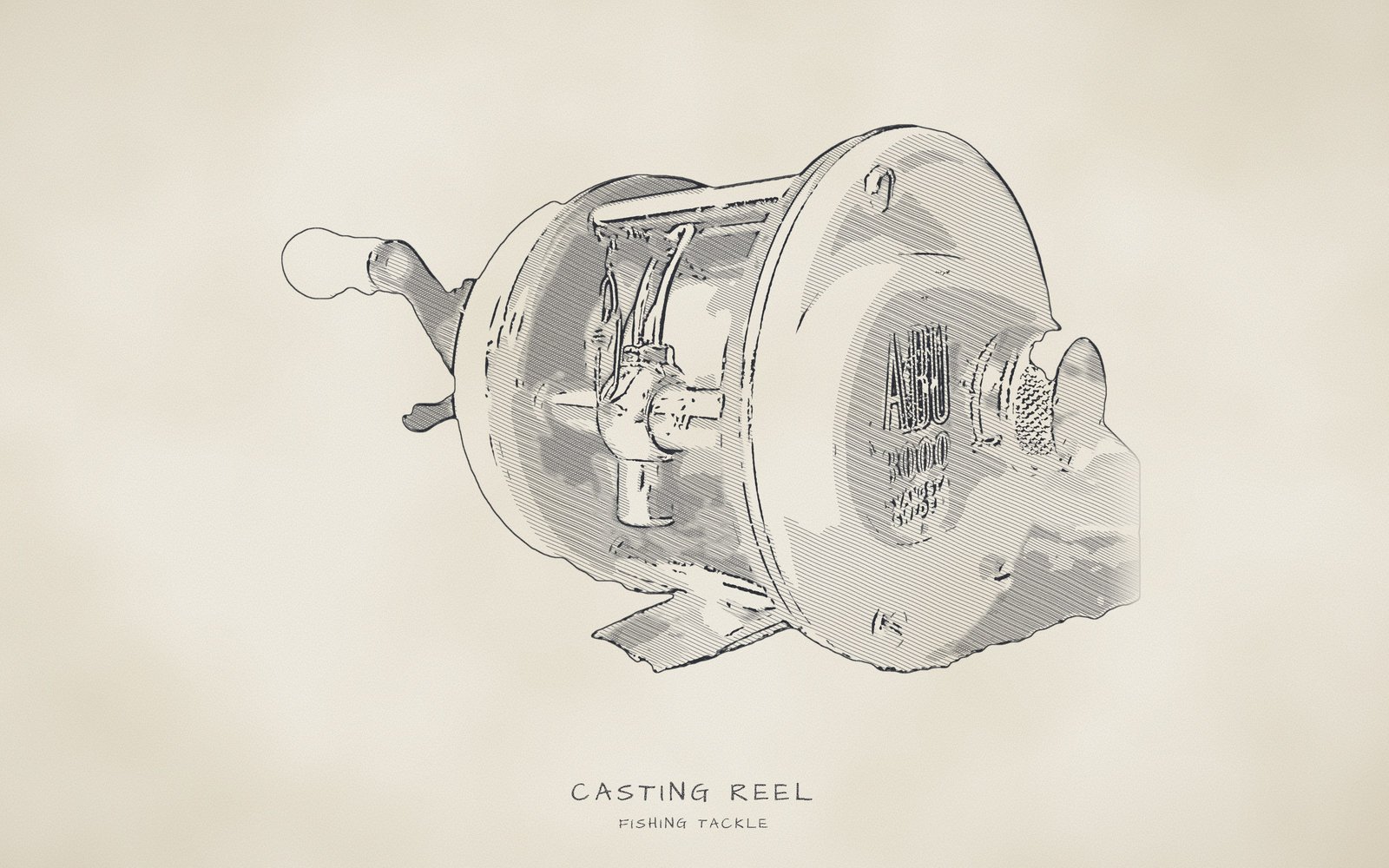
Drawing after a photo by R. Henrik Nilsson, CC BY 4.0, via Wikimedia Commons.
Identify, document and look after every rod, reel, lure and piece of tackle you own.
36 labelled fields, 21 drop-down lists, 213 preset values.
Rod, reel and lure records on your own phone, even at a cabin with no signal.
NM Collector CP gives each rod, reel, lure and fly its own record, whether you fish a few trusted outfits, collect split bamboo and wooden lures, or have been left a relative's gear and want it all written down. A bamboo fly rod, for example, is entered with its maker, model, decade, length, line weight and action, then its condition, any refinishing or rewrapping, and whether it still has its tube and bag. The lists already hold the terms anglers and collectors use, with 20 kinds of gear, such as "Spinning Reel" and "Lure (wooden)", and 31 makers, such as "Pflueger" and "South Bend".
Treat the template as a starting point. Rename any label, edit any list, and type a missing model or finish once, then press + to keep it for the next piece. Your records, from serial numbers to what you paid and where each rod is kept, are stored on your own computer or phone. The app itself never connects to the internet and needs no account.
Browse the full lists
Choose a list in the first drop-down, then open the second one to scroll through every value in that list, or start typing to jump to a value. These are for browsing only; nothing you pick here is saved.
At a glance
- "Type" covers gear such as "Ice Rod" and "Spoon", "Material" has 14 entries, such as "Hard Rubber", and "Era" runs from "1880s" to "2020s".
- "Line Weight / Rating" has 20 entries, fly weights and pound-test ranges alike, and "Action or Gear Ratio" has 15, for rod actions and reel ratios.
- "Originality" for work such as "Rewrapped", "Box and Papers" for an "Original Tube and Bag", and 8 "Condition" grades, including "Fished Hard".
- "Fishing Use" sets "Unfished" and "New Old Stock" pieces apart from working gear, and "Storage Location" has 8 places, such as "Rod Rack".
- "Operation" on the Maintenance tab lists 11 jobs, such as "Cork Grip Repair", each due again after a number of "trips", "months" or "years".
- Pictures of stamps and marks, the purchase on the Receipt tab, and 9 kinds of event, such as "Lure Show", on the Events tab.
- Figures you type into "Appraised Value", "Current Value" and "Insured Value", plus desktop custom reports, printing and CSV export.
- 3 sample items, a 1960s Orvis bamboo fly rod, a 1950s Hardy fly reel and a 1940s Heddon plastic lure, show how each is recorded.
- Your tackle records stay on your own computer or phone, with no account or connection needed on Windows, Mac, Linux, Android or iOS.
Works offline on Windows, Mac, Linux, Android and iOS · Your records stay on your devices · Every feature free for 30 days · Activations from $24.95 a year.
What this template is for
This template is built for anglers and collectors who want every rod, reel, lure and piece of tackle on record, including families sorting an inherited tackle room. Each item is one piece: a rod, a reel, a lure, a fly, a net, a creel (the basket anglers carry a day's catch in) or a tackle box. Record a rod and reel that belong together as two items and note the pairing in "Notes". A tackle box of common lures can be one item with its contents in "Notes", while valuable lures deserve an entry each. For each item the template records what it is, who made it, when, what it is made of, what line it takes, how it fishes, its condition, and where it is kept.
The Identification and Description tabs split the work. Identification holds what tells one piece from another even when there is no serial number: type, maker, model, era, size and material, followed by the line rating, action or gear ratio, number of pieces, color or pattern and retrieve direction. Some pieces, such as the sample Hardy reel and Heddon lure, have no serial number recorded, so maker, model, era and size do the identifying. Description holds the rest: condition, originality, box and papers, how much the piece has been fished, where it is stored, the appraiser, and the values and dates you enter by hand. The software does not look up prices.
The drop-down lists save you from typing the vocabulary of the hobby again and again. The template ships with 20 types of gear, 31 makers, 15 eras by decade, 14 materials, 20 line weights and ratings, and lists for condition, originality, storage and maintenance jobs. You can pick a value or type a new one and add it to the list, rename any label and edit any list at any time. Fields such as "Custom Tag", "Model" and "Length / Size" start empty and fill with your own entries as you go.
What you can do with it
- Gather an insurance list of your gear. "Maker", "Model", "Era" and "Identifying Marks and Features" sit on the Identification tab, "Current Value", "Insured Value" and "Date Insured" on the Description tab, so a report built from them has the details an insurer asks for.
- Find everything kept in one place. Filter on "Storage Location" to list what is in the "Rod Tube", the "Display Case" or the "Cabin" before a move, a trip or a tidy-up.
- Keep service records. Log jobs such as "Clean and Lube Reel" or "Replace Line" with a "Next Due Date", counted in "months", "years" or "trips", so each piece's next service is written down.
- Prepare for an appraisal or a sale. "Originality", "Condition", "Box and Papers" and "Fishing Use" sit beside "Appraised By", "Date Appraised" and "Appraised Value", giving an appraiser or buyer a full picture of each piece.
- Separate the gear you fish from the pieces you display. "Fishing Use" marks what is "Fished", "Lightly Fished", "Unfished" or "Display Only", so you can see at a glance which pieces are working gear and which are kept for show.
- Share the collection with heirs. "Notes", "Identifying Marks and Features", the Receipt tab and "Current Value" explain what each piece is, where it came from and what it cost, and reports or a CSV export can be handed on.
- Build a history for each piece. The Receipt tab records the purchase, and the Events tab logs shows, auctions, trades and fishing trips, so a rod's story stays with it.
Best for: Anglers who fish vintage bamboo rods and classic reels, collectors of wooden and plastic lures, families sorting an inherited tackle room, and anyone who wants each piece identified, its value recorded and its service history kept.
Why collectors choose NM Collector CP for Fishing Tackle
Originality and Packaging, the Way Collectors Judge Them
Refinishing or rewrapping a vintage rod, or repainting a lure, generally lowers its collector value, while an original box or tube and bag can add to it. "Originality" has 7 values for this, such as "All Original" and "Replaced Parts", and "Box and Papers" has 6, such as "Original Box" and "Papers Only". Describe hook drag or crazed varnish in "Condition Comments".
Rods, Reels, Lures and Decoys in One Collection
One set of fields serves very different pieces. "Line Weight / Rating" takes "4 wt" for a fly rod or "10-20 lb test" for a casting rod, "Action or Gear Ratio" takes "Progressive" for a rod or "6.2:1" for a reel, and "Pieces", "Retrieve" and "Color / Pattern" offer "Not applicable" where they do not fit. "Type" also covers "Net", "Creel" and "Fish Decoy".
Service Counted by the Outing or by the Calendar
On the Maintenance tab, set "Sharpen Hooks" due again after "1 trip", or a "Drag Service" or "Replace Backing" in "months" or "years". Each entry keeps "Completed By", "Completion Cost" and a "Next Due Date", and a repeated job gets a new entry.
Maker Names From the Bamboo Era to Today
The "Maker" list covers bamboo rod builders such as "Payne", "Garrison" and "Leonard", reel and lure makers of the past such as "Meek" and "Creek Chub", and names still on new gear, such as "Shimano". Pair the maker with "Material" and "Era" to place a rod in its period: fiberglass rods spread after World War II and graphite followed in the 1970s, so the material is a rough check on the decade you pick.
Values and Storage Places Kept on Your Own Devices
Serial numbers, values and which rods sit at the "Cabin" are details many owners keep to themselves. NM Collector CP stores them on your own computer or phone. The app itself never connects to the internet and needs no account, so it uploads nothing. A transfer file you create yourself moves the collection, and if you send it by email or through a cloud service, that provider carries it.
At Tackle Shows, Auctions and the Cabin
The Android and iOS apps keep their own copy of the collection and need no connection. At a tackle show or an auction, check whether you already own a lure in that "Color / Pattern" and what you paid for it, then record the purchase on the Receipt tab and log the "Lure Show", "Auction" or "Trade" on the Events tab. At the cabin, log each "Fishing Trip" against the rod you used.
A Record an Appraiser or an Heir Can Follow
Someone who does not fish may not tell a collectible reel from a spare. Each record shows the maker, model and decade, how original the piece is and what packaging survives, beside "Appraised Value", "Appraised By" and "Date Appraised". The Disposition tab records what has already been sold or given away, and a desktop custom report or a CSV export gives them the whole list.
Tackle Beside Your Other Collections
Fishing Tackle is one of 30 templates in a new installation, so the things around your tackle can have collections of their own. Old tackle catalogs and advertising fit Paper Items, a library of angling books fits Books, a fishing license fits Licenses and a fillet knife fits Knives. If a specialty of yours fits none of them, start a template from a copy or from scratch.
How the fields work
Every text field in a template is a drop-down field. Pick a value from the list or type your own; the + button adds what you typed to the list, the x button clears the field and the e button opens the list editor. Number fields accept any number, date fields hold dates and notes fields hold longer text. The details below cover every field on the Identification and Description tabs, and any drop-down on the other tabs that is specific to this template. Every list can be browsed in the drop-downs under Browse the full lists; lists of 10 values or fewer are also written out in full below.
Identification tab
The Identification tab holds what makes each piece distinct, plus a free-text note for marks and features. The item name is built from "Custom Tag", "Type", "Maker", "Model", "Era", "Length / Size" and "Material", in that order. That order decides how every item reads in the item list, so put the most useful detail first. "Serial or Patent Number" is kept but is not part of the name.
Custom Tag
Drop-down · no preset values
A short label you choose, and the first part of the item's name. Use an inventory number such as R-014, a rack position or a nickname like Dad's creek rod, so items read the way you want in lists.
This drop-down starts empty. Type a value into the field and use the + button to add it to the list; it will be there the next time you need it.
Type
Drop-down · 20 preset values
Choose what the piece is. The list separates rods, reels and lures by style, so a "Fly Rod" is never confused with a "Spinning Rod", and the sample Hardy is a "Fly Reel". "Type" also guides which later fields, such as "Retrieve" or "Pieces", are worth filling in.
Twenty types in alphabetical order, covering rods (casting, fly, ice, spinning, surf), reels (baitcasting, fly, spincast, spinning, trolling), lures, spoons and flies, and gear such as nets, creels, tackle boxes and fish decoys (decoys that draw fish close for ice spearing), with "Accessory" and "Other" as catch-alls. Examples: "Fly Rod", "Baitcasting Reel", "Lure (wooden)", "Creel" and "Fish Decoy".
All 20 preset values: choose “Type (Identification tab, 20 values)” in the Browse the full lists drop-downs, further down this page.
Maker
Drop-down · 31 preset values
The company that made the piece, a key clue when dating and appraising it. Rod builders such as "Orvis" and "Leonard", reel makers such as "Hardy" and "Pflueger", and lure companies such as "Heddon" all appear in the list, and you can add any maker that is missing.
Thirty-one makers in alphabetical order, from "Abu Garcia" to "Zebco", mixing rod builders, reel makers and lure companies, with "Other" for anything not listed. Examples: "Orvis", "Hardy", "Heddon" and "G. Loomis".
All 31 preset values: choose “Maker (Identification tab, 31 values)” in the Browse the full lists drop-downs, further down this page.
Model
Drop-down · no preset values
The maker's model name or number, which separates one piece from the next made by the same company. Enter it as it appears on the piece, such as Battenkill, Perfect or River Runt Spook. With "Maker" and "Era" it can identify a piece that has no serial number.
This drop-down starts empty. Type a value into the field and use the + button to add it to the list; it will be there the next time you need it.
Era
Drop-down · 15 preset values
The decade the piece was made, for example "1960s" for the sample Orvis rod or "1940s" for the sample Heddon lure. Use it when the exact year is unknown; "Date Manufactured" on the Description tab holds an exact date when you have one.
Fifteen decades in chronological order, from "1880s" to "2020s", so nineteenth-century antiques and current production both fit. Examples: "1920s", "1950s" and "1990s".
All 15 preset values: choose “Era (Identification tab, 15 values)” in the Browse the full lists drop-downs, further down this page.
Length / Size
Drop-down · no preset values
The physical size of the piece, written the way you would measure it and with the unit. A rod takes its length, as in 7 ft 6 in for the sample fly rod, a reel its diameter such as 3 3/8 in, and a lure its body length such as 3 in.
This drop-down starts empty. Type a value into the field and use the + button to add it to the list; it will be there the next time you need it.
Material
Drop-down · 14 preset values
What the main body of the piece is made of, which affects both care and value. "Split Bamboo", "Fiberglass" and "Graphite" point to rods from different periods, while "Aluminum", "Brass" and "Hard Rubber" describe reels, and "Balsa", "Wood" and "Plastic" describe lures.
Fourteen materials in alphabetical order, covering rod-building materials, metals used in reels and fittings, and the woods and plastics of lures. Examples: "Split Bamboo", "Graphite", "Nickel Silver" and "Balsa".
All 14 preset values: choose “Material (Identification tab, 14 values)” in the Browse the full lists drop-downs, further down this page.
Serial or Patent Number
Drop-down · no preset values
A number stamped or printed on the piece, such as the serial on the butt cap of the sample rod (B12345) or a patent number marked on a reel or lure. Leave it empty for pieces that carry none, as with the sample Hardy reel and Heddon lure.
This drop-down starts empty. Type a value into the field and use the + button to add it to the list; it will be there the next time you need it.
Line Weight / Rating
Drop-down · 20 preset values
The line size or strength the piece is designed for. Fly rods and reels use a weight number such as "5 wt" (a standard fly line size code), while spinning and casting gear use a pound-test range such as "6-12 lb test" (the breaking strength of the line). Choose "Not applicable" for lures and other gear that take no line.
Twenty ratings in two families: eleven fly line weights from "1 wt" to "12 wt", and eight pound-test ranges that run up to "30-80 lb test", plus "Not applicable" for pieces that take no line.
All 20 preset values: choose “Line Weight / Rating (Identification tab, 20 values)” in the Browse the full lists drop-downs, further down this page.
Action or Gear Ratio
Drop-down · 15 preset values
For a rod, the action: how much of the rod bends under load, from "Fast" (near the tip) to "Slow" (deep into the rod). For a reel, the gear ratio, meaning spool turns per turn of the handle, such as "5.2:1". "Single Action" suits a fly reel that turns the spool once per handle turn.
Fifteen values in one list that serves both rods and reels: seven rod actions, five gear ratios, two reel styles and a not-applicable choice. Examples: "Moderate-Fast", "Parabolic", "4.2:1" and "Single Action".
All 15 preset values: choose “Action or Gear Ratio (Identification tab, 15 values)” in the Browse the full lists drop-downs, further down this page.
Pieces
Drop-down · 8 preset values
How many sections a rod breaks into for carrying. The sample split bamboo fly rod is a two-piece rod. Mark reels, lures and other gear as "Not applicable", and use "Telescopic" for a rod that collapses into itself.
Eight values: the numbers 1 through 6 for one-piece to six-piece rods, plus "Telescopic" and "Not applicable". Examples: "1", "2", "Telescopic" and "Not applicable".
All 8 preset values: 1 • 2 • 3 • 4 • 5 • 6 • Not applicable • Telescopic
Color / Pattern
Drop-down · 14 preset values
The finish or pattern of a lure, fly or rod. The sample Heddon lure is "Perch", a pattern named after a fish, and the sample bamboo rod is "Natural". Record the name collectors use, because one lure model can come in many finishes.
Fourteen finishes in alphabetical order: patterns named after fish or bait, bright and plain colors, and "Natural" and "Not applicable". Examples: "Red Head White Body", "Firetiger", "Brook Trout" and "Silver Flash".
All 14 preset values: choose “Color / Pattern (Identification tab, 14 values)” in the Browse the full lists drop-downs, further down this page.
Retrieve
Drop-down · 4 preset values
The side a reel's winding handle is set up for, or whether it can be switched. Record it for reels, such as the sample Hardy fly reel with "Right-hand Retrieve", and use "Not applicable" for rods and lures.
Four values: "Left-hand Retrieve", "Right-hand Retrieve", "Convertible" for reels that can be changed either way, and "Not applicable" for rods and lures.
All 4 preset values: Convertible • Left-hand Retrieve • Not applicable • Right-hand Retrieve
Include In Reports?
Drop-down · 2 preset values
A yes or no marker that says whether the item is meant to be included in reports. Set it to "yes" for pieces you want in an insurance or sale listing, and to "no" for items you would leave out, such as spare parts or duplicates.
Just two values, "yes" and "no", so the marker is quick to set on every item. All three sample items are set to "yes".
All 2 preset values: no • yes
Identifying Marks and Features
Notes
Free text for anything that tells this piece apart from a similar one: stamps, decals, wrap colors (the thread windings on a rod), repairs, a maker's mark, or where the serial number sits. The sample rod notes its finish, that it has one tip, and the position of its serial.
Description tab
The Description tab holds condition, originality, box and papers, fishing use, storage location and appraiser, two note fields for condition comments and general notes, the date manufactured, and three values you enter yourself (appraised, current and insured) with a date for each. It answers the first questions an insurer, appraiser or heir asks.
Condition
Drop-down · 8 preset values
A grade for the overall physical state of the piece, given honestly and consistently so that values and appraisals mean something. The sample bamboo rod is "Excellent" and the sample Hardy reel "Very Good". Use "Condition Comments" to explain the grade.
Eight grades in alphabetical order, not ranked: the familiar scale of "Mint", "Excellent", "Very Good", "Good", "Fair" and "Poor", plus "Fished Hard" for gear with heavy honest use and "Parts Only" for pieces worth keeping only for their components.
All 8 preset values: Excellent • Fair • Fished Hard • Good • Mint • Parts Only • Poor • Very Good
Originality
Drop-down · 7 preset values
Records whether the piece is as it left the maker or has been worked on. Collectors weigh this closely, since a rod marked "Refinished" or a lure marked "Repainted" is judged differently from one that is "All Original".
Seven values in alphabetical order: "All Original", a group describing work done on the finish, paint, parts, wraps or restoration, and "Unknown" for pieces with no known history. "Rewrapped" means the thread windings on a rod have been redone. Examples: "Repainted", "Replaced Parts" and "Restored".
All 7 preset values: All Original • Refinished • Repainted • Replaced Parts • Restored • Rewrapped • Unknown
Box and Papers
Drop-down · 6 preset values
What has survived with the piece: the original box, a tube or pouch, or paperwork. A rod that still has its "Original Tube and Bag" or a lure in its "Original Box" carries more of its own history, and "Papers Only" records a piece that kept its paperwork but not its packaging.
Six values in alphabetical order, covering complete packaging, single items such as a pouch or paperwork, and none. Examples: "Original Tube and Bag", "Pouch", "Papers Only" and "None".
All 6 preset values: Box and Papers • None • Original Box • Original Tube and Bag • Papers Only • Pouch
Fishing Use
Drop-down · 5 preset values
How much the piece has actually been fished. The sample rod is "Lightly Fished", the reel "Fished" and the lure "Unfished". "New Old Stock" is for old gear that was never used and never sold at retail, often still in the shop's packaging, while "Unfished" fits any piece you own that has never been on the water.
Five values covering use from none to regular, plus a choice for show pieces. Examples: "Unfished", "New Old Stock", "Lightly Fished" and "Display Only".
All 5 preset values: Display Only • Fished • Lightly Fished • New Old Stock • Unfished
Storage Location
Drop-down · 8 preset values
Where the piece is kept, so you can find it or account for it. Be as specific as you like, such as a "Rod Tube" for the sample bamboo rod or a "Display Case" for the lure, and add your own places, like a named closet or a shelf in the workshop.
Eight places, ranging from whole buildings and vehicles to individual holders and cases. Examples: "Cabin", "Boat", "Rod Rack" and "Display Case".
All 8 preset values: Boat • Cabin • Display Case • Garage • Rod Rack • Rod Tube • Tackle Box • Wall Mount
Appraised By
Drop-down · no preset values
The name of the appraiser, dealer or expert who valued the piece, so the figure in "Appraised Value" can be traced to a source. Type a person or shop once and it can be reused on other items.
This drop-down starts empty. Type a value into the field and use the + button to add it to the list; it will be there the next time you need it.
Condition Comments
Notes
Free text that backs up the "Condition" grade with detail: rust on a guide, a chipped finish, a reel that turns roughly, a lure with paint loss. An appraiser or buyer wants more than a single word.
Notes
Notes
General free text about the piece that fits nowhere else: where it came from, previous owners, what you have learned about the model, or stories about the fish it has caught. It is the place for provenance, meaning the history of ownership.
Date Manufactured
Date
The exact date the piece was made, when you can establish it, for example from a dated mark or maker's records. When only the decade is known, leave this empty and record the decade in "Era".
Date Appraised
Date
Records when the appraisal in "Appraised Value" was made. Appraisals age, so this date shows how current the figure is when you review the collection or talk with an appraiser.
Date Current Value
Date
Record when you last set or checked the figure in "Current Value", and update it when you revisit your own estimate, so an old estimate is not mistaken for a recent one.
Date Insured
Date
The date the figure in "Insured Value" was set or last confirmed. It helps when you compare your own record with the list of items on your insurance policy.
Appraised Value
Number
A number for the value an appraiser gave the piece, entered by hand in whatever currency you use. Number fields carry no formatting, and the software does not look up prices. Pair it with "Appraised By" and "Date Appraised".
Current Value
Number
Your own estimate of what the piece is worth today, as a plain number. The sample items use 950 for the Orvis rod, 450 for the Hardy reel and 65 for the Heddon lure. These are sample entries to show the format, not price guidance. You type it in yourself and update it as you learn more.
Insured Value
Number
The amount you have insured, or plan to insure, the piece for, entered by hand as a number. Keeping it beside "Current Value" lets you compare the two figures whenever you review the collection.
Drop-downs on the other tabs
These fields belong to tabs that every collection has, but this template gives them values of its own.
Maintenance tab
Operation
Drop-down · 11 preset values
The service job carried out on the piece, such as "Cork Grip Repair" for a worn rod handle or "Drag Service" for a reel whose drag has begun to slip. Use it for reel care, rod repair, or new line and hooks, and add jobs of your own, such as re-seating a guide (a ring that carries the line).
Eleven jobs in alphabetical order, covering reel care, rod repair (including the ferrule, the joint between rod sections), finish work, line and backing (the line under a fly line) service, hook work and a general check. Examples: "Clean and Lube Reel", "Rewrap Guides", "Replace Line", "Sharpen Hooks" and "Varnish".
All 11 preset values: choose “Operation (Maintenance tab, 11 values)” in the Browse the full lists drop-downs, further down this page.
Completed Units
Drop-down · 3 preset values
The unit for the service interval, such as "months", "trips" or "years". Fishing gear wears with use, so "trips" sit beside "months" and "years". The sample reel service is counted in "months".
Three units, alphabetical: "months", "trips" and "years", so service can be counted by the calendar or by use.
All 3 preset values: months • trips • years
Next Due Units
Drop-down · 3 preset values
The unit in which the next service is counted, matching "Next Due Increment". Choose "trips" for gear serviced by use, such as a hook check after a number of outings, or "months" and "years" for gear serviced by the calendar.
The same three units as the completed list, "months", "trips" and "years", kept identical so the two sides of a maintenance record can be compared.
All 3 preset values: months • trips • years
Completed Increment
Drop-down · 5 preset values
How long the service interval was, written with its unit, for example "12 months" for the yearly service of the sample Hardy reel. Use it together with "Completed Units".
Five ready-made intervals, two counted in trips and three in months. Examples: "1 trip", "5 trips", "3 months" and "12 months".
All 5 preset values: 1 trip • 12 months • 3 months • 5 trips • 6 months
Next Due Increment
Drop-down · 5 preset values
How long until the job is due again, written with its unit, such as "12 months" for a yearly reel service or "5 trips" for a hook check. Use it with "Next Due Units" and the "Next Due Date".
The same five intervals as the completed list, two by trips and three by months, ranging from "1 trip" to "12 months". Add your own, such as a season or two years.
All 5 preset values: 1 trip • 12 months • 3 months • 5 trips • 6 months
Events tab
Event
Drop-down · 9 preset values
The kind of occasion the piece was part of, such as a "Fishing Trip" (the sample Orvis rod was used on one), or the show, auction or trade where it was bought or sold. It builds the history of how the piece was used and where it has been.
Nine occasions mixing the ways gear is used and the ways it changes hands. Examples: "Fishing Trip", "Tournament", "Antique Tackle Show" and "Auction".
All 9 preset values: Antique Tackle Show • Auction • Casting Clinic • Fishing Trip • Guided Trip • Lure Show • Purchase • Tournament • Trade
Tabs every collection shares
Besides Identification and Description, each item has these tabs. They work the same way in every collection.
- Pictures: Attach photographs to an item, with a note, the date each was taken, a sequence number and a flag saying whether the picture belongs in reports. Pictures are copied into the application’s own folder and stay on your device.
- Receipt: Who you got the item from and when: the business or person, address, date and amount, plus notes.
- Disposition: The same layout for the other end of an item’s life: to whom it was sold, traded or given, where, when and for how much.
- Related: Link an item to other items in your collections, for example a rifle and its scope or a watch and its box.
- Maintenance: Record maintenance operations with what was done, who did it, where, what it cost, when it was completed and when the next one is due. Repeat an operation each time you perform it.
- Events: A dated log of things that happen to an item: shows, appraisals, loans, repairs and outings, with a description, results, helpers, location and cost.
- Data Sheet: A large free-form area for anything that does not fit elsewhere, such as detailed measurements or component notes.
- Links: Links to web pages, documents and pictures related to an item, each with an optional description.
The three sample items
Every new installation includes three sample items in this collection so you can see how the fields are meant to be filled in.
- Orvis Battenkill split bamboo fly rod (listed as “Fly Rod Orvis Battenkill 1960s 7 ft 6 in Split Bamboo”): A two-piece 1960s rod, the only sample with a serial number, an identifying marks note and an Events record. It is rated "5 wt" with "Moderate" action and keeps its "Original Tube and Bag". The Receipt tab shows an Albuquerque fly shop purchase at 800 against a "Current Value" of 950, and Events logs a "Fishing Trip" on the San Juan River. The figures are sample entries, not price guidance.
- Hardy Perfect aluminum fly reel (listed as “Fly Reel Hardy Perfect 1950s 3 3/8 in Aluminum”): A 1950s reel with no serial number, so maker, model, era and size do the identifying. It has a "7 wt" rating, "Single Action" and "Right-hand Retrieve", and "Pieces" and "Color / Pattern" are marked "Not applicable". The seller is entered under "Name" rather than "Business", and a "Clean and Lube Reel" job is logged in "months".
- Heddon River Runt Spook plastic lure (listed as “Lure (plastic) Heddon River Runt Spook 1940s 3 in Plastic”): A 1940s lure in the "Perch" pattern, kept "Unfished" in its "Original Box" in a "Display Case". Line rating, action, pieces and retrieve are all "Not applicable", so a lure is described by maker, model, era, size, material and color. The Receipt tab records a dealer and a purchase price of 50, and "Current Value" is 65. The figures are sample entries, not price guidance.
Tips
- Photograph each piece when you record it, including maker's stamps, the reel foot, the rod butt cap and any patent markings, and add the pictures on the Pictures tab so marks can be checked later.
- Extend the lists that matter to you. The "Maker" list holds 31 names, so add lesser-known rod builders, lure companies or local makers, and let "Model" fill with your own entries as you record pieces.
- As soon as a piece arrives, record its serial or patent number, maker, model and marks, and its "Condition" and "Originality" as you found it, before any cleaning or repair, so a later refinish or rewrap can be logged honestly. Add the purchase on the Receipt tab the same day.
- Count service in "trips" for gear you fish and in "months" or "years" for pieces on display. A reel serviced every "12 months" and a hook check every "5 trips" both fit the ready-made intervals.
Frequently asked questions about Fishing Tackle
Where is my tackle collection stored, and is it private?
Your tackle records stay in the app on the computer or phone you use. The app itself never connects to the internet and asks for no account, so nothing you record reaches a server through it. Your records leave a device only when you pass on a report, a CSV export or a transfer file. Sent over a cable, on a USB stick or by AirDrop or Quick Share, that file stays among your own devices; sent by email or through a cloud service, it passes through that provider.
Can I check what I own at a tackle show or an auction without an internet connection?
Yes. Every edition works offline, and the Android and iOS apps hold their own copy of the collection. Type a maker or model, such as "Hardy", into the filter field to list what you already have before you bid, and enter what you paid on the Receipt tab on the spot. A transfer file moves the collection between phone and computer, and importing it replaces what is on the receiving device, so export from that device first.
Does NM Collector CP tell me what my old rods, reels and lures are worth?
No. The software does not look up prices, and an appraiser needs to examine vintage tackle in hand, where maker, condition and originality all count. The app gives each figure a place: your own estimate in "Current Value" with "Date Current Value", an appraisal in "Appraised Value" with "Date Appraised", and the amount insured in "Insured Value" with "Date Insured". A CSV export puts the figures side by side in a spreadsheet.
How do I make a list of my tackle for my insurance agent?
Record what identifies each piece, including "Serial or Patent Number" and "Identifying Marks and Features", with pictures of its markings. Set "Include In Reports?" to "yes" on the pieces to list, then build a desktop custom report filtered on it, or export the items to CSV. To list only the gear kept on your boat, add a filter on "Storage Location" set to "Boat". Your agent can tell you what the policy needs; the app simply keeps what you enter.
How do I record a rod that has been refinished or rewrapped, or a lure that has been repainted?
Pick the matching value in "Originality", such as "Refinished", "Rewrapped" or "Repainted", or "Unknown" when you cannot tell, and say what was done in "Condition Comments", such as wraps redone in a new color. If you had the work done, log it on the Maintenance tab as "Varnish", "Rewrap Guides" or "Ferrule Repair", with "Completed By", "Completion Date" and "Completion Cost". Pictures taken before and after the work show the change.
How do I record the line weight of an old bamboo rod made before numbered line weights?
Fly lines were once silk and sized by letters, so an older rod may carry a letter code such as HDH, or no marking at all. Type the marking as it appears in "Identifying Marks and Features". If you know the modern equivalent, choose it in "Line Weight / Rating", or type the letter code and press + to add it to the list.
Can I use a numbered lure grading scale instead of the condition words?
Yes, by adding it to the list. "Condition" comes with plain-word grades such as "Mint", "Good" and "Fished Hard", listed alphabetically rather than ranked. Many lure collectors also grade on a numbered scale that runs from new in the box down to a repaint. Type your grade, press + to keep it, and use the e button to remove words you will not use.
Can I record a rod and reel that go together, or a tackle box full of lures?
Yes. Enter the rod and the reel as two items and link them on the Related tab. A tackle box can be an item of its own with "Type" set to "Tackle Box" and its common lures listed in "Notes", while a valuable lure inside gets its own item with "Storage Location" set to "Tackle Box". For similar lures, Duplicate Item repeats one lure's Identification, Description and Receipt entries as often as you need, and you change only what differs, such as "Color / Pattern".
How do I add the Fishing Tackle template to an installation I already use?
Every new installation of NM Collector CP 2.3 has it already. On an older installation, download it from the Downloads page, then choose Import > Collection Template. It is matched to a collection of the same name, or a new collection is created. If you set up a Fishing Tackle collection of your own earlier, the app lists each field whose name would change and lets you cancel first. Template imports work on Android and iOS too.
What do the three sample items in the Fishing Tackle collection show?
The Orvis Battenkill, a two-piece split bamboo fly rod from the 1960s, is the fullest record, with a serial number, a "5 wt" rating, its "Original Tube and Bag", a fly shop receipt and a "Fishing Trip" on the Events tab. The 1950s Hardy Perfect fly reel has no serial number, came from a private seller and logs a "Clean and Lube Reel" service. The 1940s Heddon River Runt Spook, a plastic lure in the "Perch" pattern, has never been fished and sits boxed in a "Display Case".
Getting this template
New installations of NM Collector CP start with all 30 templates. If you already use NM Collector CP, use the Download Template button at the top of this page, unzip the file into a templates folder on your computer, and add it with File > Import > Collection Template. The app matches the collection by name, creates it if you do not have it, and asks before it changes what any field is called.
NM Collector CP is free to try with all features for 30 days, with no credit card. After that you can keep using the free version, which needs no activation, or buy an activation for the full-feature version, for 1, 2 or 5 years or for life.
Try it with your own collection
Every feature is free for 30 days, with no credit card, on Windows, Mac, Linux, Android and iOS. Download the free trial.