
Collection software for firearms, coins, stamps, knives, Japanese swords, geological specimens & more - offline - no cloud risks - Windows, Mac, Linux, iOS, and Android.
Try full features Free for 30 Days - No Credit Card. After 30 days you can upgrade or continue to use free version.
Unzip it into a templates folder, then choose File > Import > Collection Template.
Coins collection template
Coin Collection Software for Numismatists
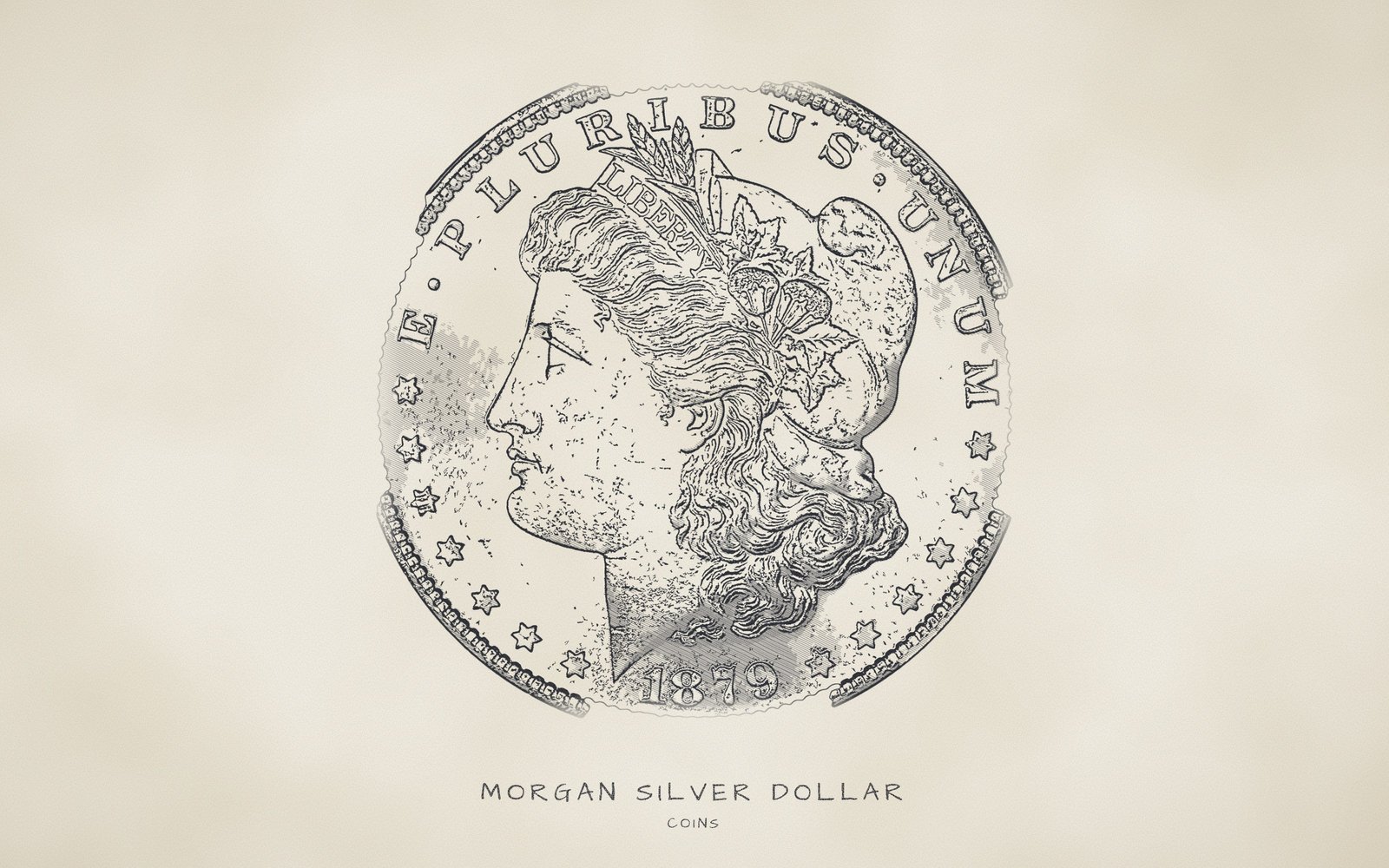
Identify each coin by year, mint mark and variety, then record its grade, metal, certification and value.
34 labelled fields, 17 drop-down lists, 488 preset values.
Works offline, and keeps your coin records on your own computer and phone.
NM Collector CP gives coin collectors a ready-made template that records each coin as its own item. Whether you keep Morgan dollars, ancient Greek and Roman pieces, modern commemoratives or bullion, the lists already use the terms you know: denominations such as "Dime", "Crown" and "Denarius", 50 coin types, and grades that run from "PO-1" to "MS-70". It suits a first album of state quarters as well as a shelf of graded coins.
The template is a starting point, not a fixed form. Every label can be renamed, every drop-down list can be edited, and a value you type can be added to its list for next time. You can also copy the template or build a new one from scratch for a narrow specialty of your own. Everything is stored on your own computer or phone, and the app itself never connects to the internet.
Browse the full lists
Choose a list in the first drop-down, then open the second one to scroll through every value in that list, or start typing to jump to a value. These are for browsing only; nothing you pick here is saved.
At a glance
- Year, denomination, mint mark, type, variety and nationality on the Identification tab, with lists of 36 denominations, 19 mint marks and 50 types.
- Grade on a scale of 42 entries from "PO-1" to "MS-70", plus 24 variety entries covering doubled dies, overdates and minting errors.
- Mintage, metal, weight and diameter, with 23 metals from "Aluminum" to "Zinc" and purities such as "Silver (90%)" and "Gold (22k)".
- Grading service and certification number fields, with 9 service entries including "PCGS" and "NGC", and "Raw" for coins that no company has graded.
- Purchase details on the Receipt tab, and appraised, current and insured values with their dates, all entered by you. The software does not look up prices.
- A "Storage Location" list of 12 entries, such as "Slab Box", "Dansco Album" and "Safe Deposit Box", that you can extend with your own.
- Photographs of both sides of each coin on the Pictures tab, and a Maintenance tab for tasks such as "Inventory Check" and "Submit for Grading".
- Three sample coins in the collection show how the fields are meant to be filled in.
Works offline on Windows, Mac, Linux, Android and iOS · Your records stay on your devices · Every feature free for 30 days · Activations from $24.95 a year.
What this template is for
A cigar box of Lincoln wheat cents, a row of graded coins sealed in plastic holders called slabs, an album of state quarters and a few tokens and medals: coin collections gather in odd containers, yet every piece still needs its own record. Each coin is one item here, recording what it is, what it is made of, how it is graded, where it is kept and what you believe it is worth, all on your own computer or phone. Tokens, medals and bullion fit as well, because the denomination list includes "Token", "Medal" and "Bullion (1 oz)".
The Identification tab does the sorting out. Year, denomination, mint mark, type, variety and nationality together tell one 1921 Morgan dollar apart from another struck at a different mint, and coins carry no serial number to do that job. The Description tab then holds everything else: condition and grade, metal, weight and diameter, the grading service and certification number, the storage location, and the appraised, current and insured values that you enter by hand.
Grade, metal and grading service use the vocabulary that collectors and grading companies already share, and consistent spelling from coin to coin is what lets a report gather every "Silver (90%)" piece or every coin graded by one service. The lists offer 36 denominations, 19 mint marks, 50 types, 24 varieties, 42 grades, 23 metals, 9 grading services and 216 nationality entries. A series that the "Type" list lacks, such as a foreign issue, is one typed entry away and is offered again on the next coin.
What you can do with it
- Build an insurance list of every coin with its grade, grading service, certification number, "Insured Value" and "Date Insured", then print it or export it to share with your insurer.
- Know which coins sit in the "Safe Deposit Box", which are in a "Dansco Album" and which are in a "Slab Box" by filtering a custom report on "Storage Location".
- Keep a written schedule of care: record an "Inventory Check", "Insurance Update" or "Re-holder" (moving a coin to a new holder) on the Maintenance tab with a "Next Due Date", so your yearly review follows a set plan.
- Decide what to send off for grading by filtering a custom report on "Grading Service" for "Raw" coins, then log "Submit for Grading" on the Maintenance tab when a coin goes out.
- Give a dealer or auction house a printed report of each coin's grade, grading service, certification number, metal, weight, diameter and catalog number, with the purchase details from the Receipt tab.
- Export items to CSV and compare what you paid, from the Receipt tab, with your own "Current Value" figures in a spreadsheet, to see how your estimates differ from your purchase prices.
- Keep a history of when and where each coin was shown, bought or appraised on the Events tab, such as the "Local Club Meeting" where the sample Morgan dollar was shown.
- Record a sale or gift on the Disposition tab, with the date, the person or business and the amount, so the record of a coin you no longer own stays complete.
Best for: Anyone whose shelves or safe hold United States or world coins, tokens and medals, from graded slabs to albums and ungraded (raw) pieces in flips, and who wants each coin's grade, holder, certification number and insured value kept in one place.
Why collectors choose NM Collector CP for Coins
Grading Service Documentation for Certified and Raw Coins
The Description tab has separate fields for "Grading Service", "Grade" and "Certification Number". The service list has 9 entries, including "PCGS", "NGC", "CAC", "ANACS" and "ICG", with "Raw" for a coin no company has graded and "Other" for a service that is not listed. Certified and raw coins share one collection, and a custom report can filter on "Grading Service" to gather only the certified ones.
Variety and Error Attribution
The "Variety" field lists 24 entries, such as "Doubled Die Obverse", "Overdate", "Repunched Mint Mark" and "Error (off-center)", and it includes "VAM". Type your own attribution, such as a reference number from a die variety guide, and it is offered again on the next coin. Use "None" for a coin you have checked and found to be a standard issue.
Values You Record, With Dates and Sources
What you paid goes on the Receipt tab, in "Amount" beside the date and the seller. Your own figures go on the Description tab: "Appraised Value" with "Appraised By" and "Date Appraised", "Current Value" with "Date Current Value", and "Insured Value" with "Date Insured". Every figure is one you enter, because the software does not look up prices.
Your Coin Records Stay on Your Devices
Certification numbers, values and holdings are stored on your own computer or phone. The app itself never connects to the internet and needs no account, so it uploads nothing. Moving a whole collection to another device uses a single transfer file that you create and send yourself. If you send that file by email or through a cloud service, it travels through that provider.
Checking Your Holdings at a Coin Show
The Windows, Mac and Linux editions and the Android and iOS apps all work offline. A phone or tablet holds its own copy of your collection, so you can look through your item list before you buy, where each coin's name is built from its Identification fields, and add a purchase straight away. Moving a collection between devices replaces the data on the receiving device, so export first if it holds anything you want to keep.
One Program for Coins and Other Collections
Coins is one of 30 collection templates in a new installation, so a coin collector who also keeps stamps, paper items or a home inventory can give each its own collection. Tokens and medals fit within Coins, because "Token" and "Medal" are denominations, and banknotes belong in Paper Items. For a specialty of your own, copy a template or build a new one from scratch.
Documentation for Heirs and Appraisers
A coin record holds what an appraiser or an heir asks about: the year, mint mark and variety, the grade and grading service with its certification number, the metal, weight and diameter, where the coin is kept, what was paid and who appraised it. Pictures of both sides can be added on the Pictures tab, and a printed or exported report puts the details on paper for someone who does not collect.
How the fields work
Every text field in a template is a drop-down field. Pick a value from the list or type your own; the + button adds what you typed to the list, the x button clears the field and the e button opens the list editor. Number fields accept any number, date fields hold dates and notes fields hold longer text. The details below cover every field on the Identification and Description tabs, and any drop-down on the other tabs that is specific to this template. Every list can be browsed in the drop-downs under Browse the full lists; lists of 10 values or fewer are also written out in full below.
Identification tab
The Identification tab holds what tells one coin apart from every other, even without a serial number. The item name is built from "Custom Tag", "Year", "Denomination", "Mint Mark", "Type", "Variety" and "Nationality", in that order, so the tag comes first, the year next and the country last. The order of these seven fields decides how coins read in lists. "Include In Reports?" marks the coin for report purposes.
Custom Tag
Drop-down · no preset values
A label of your own choosing that leads the item name. Use an inventory number, an album page and slot, or a nickname. It also gives two look-alike coins, such as a pair of 1943 steel cents, names that read differently in lists.
This drop-down starts empty. Type a value into the field and use the + button to add it to the list; it will be there the next time you need it.
Year
Drop-down · no preset values
The date shown on the coin, such as 1921, 1942 or 1943 on the three sample coins. There is no preset list, so you can type an approximate period or a range for an undated or ancient coin, or the date as it appears on a coin dated by another calendar.
This drop-down starts empty. Type a value into the field and use the + button to add it to the list; it will be there the next time you need it.
Denomination
Drop-down · 36 preset values
The face value or coin class, such as "Dollar", "Half Dollar" or "Small Cent" in the sample items. It separates coins that share a year and mint mark, and the list also covers ancient, foreign and bullion pieces.
An alphabetical list of 36 denominations. About half are United States coins, from "Half Cent" and "Dime" to "Double Eagle ($20)", with the gold ones showing their face value. Bullion sizes, ancient coins, "Token", "Medal" and other world currencies such as "Yen" make up the rest.
All 36 preset values: choose “Denomination (Identification tab, 36 values)” in the Browse the full lists drop-downs, further down this page.
Mint Mark
Drop-down · 19 preset values
The mark showing which mint struck the coin, usually a small letter such as "D" (Denver) on the 1921 dollar and "S" (San Francisco) on the 1942 half dollar in the sample items. Many older Philadelphia coins carry no mark, and the list has its own entry for that case.
19 entries in alphabetical order: letter marks including "CC" and "D (Dahlonega)", city names such as "Perth" for other mints, and "None (Philadelphia)" for coins that carry no mark at all.
All 19 preset values: choose “Mint Mark (Identification tab, 19 values)” in the Browse the full lists drop-downs, further down this page.
Type
Drop-down · 50 preset values
The design or series name, which is how collectors usually talk about a coin, such as "Morgan Dollar", "Walking Liberty Half" or "Lincoln Wheat" in the three samples. It separates coins of one denomination that carry different designs.
50 series and design names in alphabetical order. United States designs make up most of the list, from early types such as "Flowing Hair" and "Draped Bust" to modern ones such as "State Quarter" and "America the Beautiful Quarter", alongside bullion programs such as "Krugerrand" and "Maple Leaf", tokens, ancient coin styles and colonial pieces.
All 50 preset values: choose “Type (Identification tab, 50 values)” in the Browse the full lists drop-downs, further down this page.
Variety
Drop-down · 24 preset values
Any recognized difference within one date and mint: a doubled die (a die that carries a doubled image), an overdate (one date punched over another), a mint mark punched over another, or a minting error. All three sample items use "None", the right entry for a coin with no known variety.
24 entries in alphabetical order. Many describe die differences or minting errors, such as "Doubled Die Obverse" and "Error (off-center)". The others include date varieties such as "Overdate", finishes such as "Proof" and "Cameo", issue types such as "Pattern", "Restrike" and "Type 1", and "None" for a standard coin.
All 24 preset values: choose “Variety (Identification tab, 24 values)” in the Browse the full lists drop-downs, further down this page.
Nationality
Drop-down · 216 preset values
The country or issuing authority that struck the coin, such as "United States" for all three sample items. The list includes some historical states, but not every one, so for a missing issuer, such as an ancient or medieval authority, type its name and add it to the list. It is the last field in the item name.
216 entries in alphabetical order, mostly modern countries. Historical states appear too, some marked as such, for example "Prussia (historical)" and "Ottoman Empire (historical; Turkey)", and others listed under their own names, such as "Czechoslovakia" and "Yugoslavia", along with "Confederate States (CSA)" and "Unknown" for coins of uncertain origin.
All 216 preset values: choose “Nationality (Identification tab, 216 values)” in the Browse the full lists drop-downs, further down this page.
Include In Reports?
Drop-down · no preset values
A yes or no marker set per coin for report purposes. All three sample items are marked yes. Use no as your own signal for pieces you want treated as left out of reports, such as duplicates or coins you have already sold.
This drop-down starts empty. Type a value into the field and use the + button to add it to the list; it will be there the next time you need it.
Description tab
The Description tab holds condition, storage, provenance and value. It covers grade, metal, weight, diameter, grading service and certification number, where the coin is kept, two notes fields, and three dates and three values for appraisal, current worth and insurance. The software never looks up prices, so every value is one you enter.
Condition
Drop-down · 14 preset values
The overall state of the coin in a word or two, such as "Uncirculated" for the 1921 dollar or "Circulated" for the 1942 half. Use it for the broad picture and keep the detail for the comments field.
14 entries in alphabetical order. Most describe problems worth disclosing, such as "Cleaned", "Corroded" and "Environmental Damage", alongside general states such as "Circulated", "Uncirculated" and "Proof", and "Details (net graded)" for coins graded with a noted problem.
All 14 preset values: choose “Condition (Description tab, 14 values)” in the Browse the full lists drop-downs, further down this page.
Grade
Drop-down · 42 preset values
The coin's grade on the 70-point scale used by collectors and grading companies. Among worn coins a higher number means less wear; in the mint state range it means fewer marks and better surfaces. The sample items record "MS-63", "AU-58" and "MS-64". For a coin no service has graded, enter your own estimate or "Ungraded".
42 entries, sorted alphabetically by prefix rather than by quality. The scale runs from "PO-1" for a heavily worn coin up to "MS-70" for a perfect mint state coin, with a separate proof series that ends at "PR-70", and an "Ungraded" entry.
All 42 preset values: choose “Grade (Description tab, 42 values)” in the Browse the full lists drop-downs, further down this page.
Mintage
Drop-down · no preset values
The number of coins struck for that date and mint, typed as a plain figure with commas, such as 20,345,000 for the 1921 Morgan dollar or 12,708,000 for the 1942 half dollar. It gives a rough guide to how scarce a date is, though survival rates matter as much. Leave it blank if unknown, as the third sample does.
This drop-down starts empty. Type a value into the field and use the + button to add it to the list; it will be there the next time you need it.
Metal
Drop-down · 23 preset values
What the coin is made of, including purity where the list gives it. The two silver samples use "Silver (90%)" and the 1943 cent uses "Steel". Exact metal matters for bullion and for telling a steel cent from a copper one.
23 entries in alphabetical order. Pure metals such as "Silver" sit beside alloys such as "Billon" (a low-silver alloy), and gold and silver come in several purities, for example "Gold (22k)" and "Silver (.999)", so bullion and coinage can be told apart.
All 23 preset values: choose “Metal (Description tab, 23 values)” in the Browse the full lists drop-downs, further down this page.
Weight
Drop-down · no preset values
The coin's weight, typed with its unit as the samples do: 26.73 g for the 1921 dollar, 12.5 g for the 1942 half dollar and 2.7 g for the 1943 cent. Weight can expose a wrong metal or an altered coin, so it is worth weighing once and recording.
This drop-down starts empty. Type a value into the field and use the + button to add it to the list; it will be there the next time you need it.
Diameter
Drop-down · no preset values
The width of the coin across its face, with the unit, such as 38.1 mm for the Morgan dollar, 30.6 mm for the half dollar and 19 mm for the cent as recorded in the samples. Together with weight it confirms what you have and helps you choose the right holder.
This drop-down starts empty. Type a value into the field and use the + button to add it to the list; it will be there the next time you need it.
Grading Service
Drop-down · 9 preset values
The company that graded and sealed the coin, or "Raw" (not graded) when none has. The sample items show one coin graded by "PCGS", one by "NGC" and one left "Raw". Buyers and insurers often ask which service assigned the grade.
9 entries in alphabetical order. 7 grading and verification companies are listed by abbreviation, including "PCGS" and "NGC", along with "Raw" for coins that no company has graded and "Other" for a service that is not listed.
All 9 preset values: ANACS • CAC • ICG • NGC • Other • PCGS • PCI • Raw • SEGS
Certification Number
Drop-down · no preset values
The serial number on the label of a graded coin's holder, for example 41236578 on the PCGS-graded dollar or 6012345-004 on the NGC-graded cent in the sample items. It ties your record to one specific slab. Leave it blank for a raw coin.
This drop-down starts empty. Type a value into the field and use the + button to add it to the list; it will be there the next time you need it.
Storage Location
Drop-down · 12 preset values
Where the coin physically is: the holder or album it sits in, or the place that holder is kept. The samples use "Slab Box" for the two graded coins and "2x2 Flip" for the raw half dollar. Consistent entries let you pull up every coin from one place.
12 entries in alphabetical order, mixing holders such as "2x2 Flip" and "Air-Tite Capsule", albums and folders such as "Dansco Album", and secure places such as "Safe Deposit Box". You can add your own box, shelf or drawer names.
All 12 preset values: choose “Storage Location (Description tab, 12 values)” in the Browse the full lists drop-downs, further down this page.
Strike / Designation
Drop-down · 18 preset values
How the coin was struck or the designation it carries: "Business Strike" for a regular circulation issue, as in all three sample items, a proof finish, or a grading company's label. It separates coins of the same date and grade that were made or marketed differently. "Proof" also appears in the "Condition" and "Variety" lists; use "Condition" for wear.
18 entries in alphabetical order. Finishes such as "Business Strike", "Matte Proof" and "Reverse Proof" sit with release labels such as "First Strike", and with the short abbreviations that grading companies add, for example "DMPL" (deep mirror prooflike, a highly reflective surface).
All 18 preset values: choose “Strike / Designation (Description tab, 18 values)” in the Browse the full lists drop-downs, further down this page.
Appraised By
Drop-down · no preset values
The person or business that appraised the coin, such as a dealer, a numismatic appraiser or an auction house. Recording the name beside the appraised value and its date shows an insurer, a buyer or an heir where the figure came from.
This drop-down starts empty. Type a value into the field and use the + button to add it to the list; it will be there the next time you need it.
Catalog Number
Drop-down · no preset values
The reference number a standard catalog gives the coin, for example KM# 110 for the 1921 Morgan dollar or KM# 132a for the 1943 steel cent in the sample items. KM numbers come from the Krause Standard Catalog of World Coins. It gives collectors a shared way to name the exact type and find it in reference books.
This drop-down starts empty. Type a value into the field and use the + button to add it to the list; it will be there the next time you need it.
Condition Comments
Notes
Free text about the physical state that a single condition entry cannot carry: rub on the high points, luster, toning, scratches or cleaning. The 1942 half dollar sample notes a slight rub on Liberty's breast with full luster in the fields.
Notes
Notes
General remarks that fit nowhere else: the coin's history, how you came to own it, an unusual feature or a reminder to yourself. The 1943 cent sample records that it is a wartime zinc-coated steel cent.
Date Appraised
Date
The day the appraisal was made, meaning the date of the figure entered as the appraised value. The first sample item has one. Keeping the date beside the value shows how old the figure is when you review the collection.
Date Current Value
Date
The date you last set your "Current Value" figure, so any reader knows how recent your estimate is. Update it whenever you revisit the number.
Date Insured
Date
The date the insured value was set or last reviewed, for example when you added the coin to a schedule or raised the amount. It shows at a glance whether the insured figure is due for another look.
Appraised Value
Number
The figure an appraiser gave the coin, entered as a plain number in whichever currency you use, such as 95.0 for the 1921 dollar, the only sample with an appraisal. No formatting is applied, so type just the number and use the appraisal date and name beside it.
Current Value
Number
Your own estimate of what the coin is worth today, as a plain number: the samples show 95.0, 40.0 and 25.0. The software does not look up prices, so the figure is yours to set from dealer offers, auction results or judgment, and to revise over time.
Insured Value
Number
The amount the coin is covered for under an insurance policy or schedule, entered as a plain number. The sample items leave it empty. Fill it in when you insure a coin, so the list you hand to an insurer matches your records.
Drop-downs on the other tabs
These fields belong to tabs that every collection has, but this template gives them values of its own.
Maintenance tab
Operation
Drop-down · 7 preset values
The task done or planned for a coin, recorded as a maintenance entry. The third sample item logs an "Inventory Check", and the list also covers sending a coin for grading or moving it to a new holder. Repeated tasks build a history for the coin.
7 entries in alphabetical order, each a task a coin owner will recognize. They cover periodic reviews such as "Inventory Check", grading and holder work such as "Submit for Grading" and "Re-holder" (moving a coin to a new holder), and professional care such as "Conservation (NCS)", where NCS is a coin conservation service.
All 7 preset values: Conservation (NCS) • Insurance Update • Inventory Check • Photograph • Re-holder • Storage Rotation • Submit for Grading
Completed Units
Drop-down · 2 preset values
One of the 2 ready-made unit choices, "months" or "years", for the completed side of a maintenance entry, alongside "Completed Increment". Pick one and use it for every coin so entries read alike. The third sample item picks "years" here for its annual "Inventory Check".
A very short list of 2 entries, "months" and "years", so the unit is normally picked rather than typed and stays consistent from coin to coin.
All 2 preset values: months • years
Next Due Units
Drop-down · 2 preset values
The same 2 choices, "months" or "years", for the next due side of an entry. Use it alongside "Next Due Increment" and the "Next Due Date". The third sample item picks "years" here too.
The same 2 ready-made entries, "months" and "years", that are offered for completed work, which keeps schedules consistent from one coin to the next.
All 2 preset values: months • years
Completed Increment
Drop-down · 3 preset values
The interval that applies to the work just done, such as "12 months" for the annual inventory check in the third sample item. If your routine differs, type your own interval, such as 6 months, and add it to the list.
3 entries, "12 months", "24 months" and "5 years", covering yearly, two-yearly and five-yearly cycles for checks, insurance reviews and similar tasks.
All 3 preset values: 12 months • 24 months • 5 years
Next Due Increment
Drop-down · 3 preset values
The interval planned for the next round, such as "12 months" in the third sample item, where the "Next Due Date" falls a year after the "Completion Date".
The same 3 cycles as the completed side: "12 months", "24 months" and "5 years". Choosing from the list avoids variant spellings of one interval, such as 1 year and 12 months.
All 3 preset values: 12 months • 24 months • 5 years
Events tab
Event
Drop-down · 8 preset values
The kind of occasion connected with the coin, such as a show where it was bought or displayed, an auction, a dealer visit or an appraisal. The first sample item records a "Local Club Meeting", with the details in the description and location.
8 entries in alphabetical order, all occasions familiar to coin collectors: buying and selling events such as "Auction" and "Estate Sale", and gatherings such as "Coin Show" and "Local Club Meeting". The rest are appraisals, dealer visits, mint releases and the American Numismatic Association convention.
All 8 preset values: ANA Convention • Appraisal • Auction • Coin Show • Dealer Visit • Estate Sale • Local Club Meeting • Mint Release
Tabs every collection shares
Besides Identification and Description, each item has these tabs. They work the same way in every collection.
- Pictures: Attach photographs to an item, with a note, the date each was taken, a sequence number and a flag saying whether the picture belongs in reports. Pictures are copied into the application’s own folder and stay on your device.
- Receipt: Who you got the item from and when: the business or person, address, date and amount, plus notes.
- Disposition: The same layout for the other end of an item’s life: to whom it was sold, traded or given, where, when and for how much.
- Related: Link an item to other items in your collections, for example a rifle and its scope or a watch and its box.
- Maintenance: Record maintenance operations with what was done, who did it, where, what it cost, when it was completed and when the next one is due. Repeat an operation each time you perform it.
- Events: A dated log of things that happen to an item: shows, appraisals, loans, repairs and outings, with a description, results, helpers, location and cost.
- Data Sheet: A large free-form area for anything that does not fit elsewhere, such as detailed measurements or component notes.
- Links: Links to web pages, documents and pictures related to an item, each with an optional description.
The three sample items
Every new installation includes three sample items in this collection so you can see how the fields are meant to be filled in.
- 1921 D Morgan Dollar graded MS-63 by PCGS (listed as “1921 Dollar D Morgan Dollar None United States”): Leaves "Custom Tag" blank and fills the other Identification fields, with a "Variety" of "None" for a standard coin. The Description tab carries "Uncirculated", "MS-63", a "Mintage" of 20,345,000, "Silver (90%)", 26.73 g, 38.1 mm, a "PCGS" certification number, "Slab Box" storage and KM# 110. It is the only sample with an appraisal, with "Appraised Value" and "Current Value" both 95.0.
- 1942 S Walking Liberty Half, raw in a 2x2 flip (listed as “1942 Half Dollar S Walking Liberty Half None United States”): A raw coin: the "Grading Service" is "Raw", so there is no certification number, and it sits in a "2x2 Flip". It is "Circulated" with a "Grade" of "AU-58" recorded without a service, so the grade is not certified. "Condition Comments" notes a slight rub on Liberty's breast with full luster in the fields. The "Current Value" is 40.0, with no appraisal, a lighter way to fill the tab.
- 1943 Lincoln Wheat Small Cent in steel, graded MS-64 by NGC (listed as “1943 Small Cent None (Philadelphia) Lincoln Wheat None United States”): A wartime cent in "Steel" with the "Mint Mark" set to "None (Philadelphia)", graded "MS-64" by "NGC" under certification number 6012345-004. A note records that it is a zinc-coated steel cent, and "Mintage" is left blank. The Receipt names a person rather than a business, and a Maintenance entry logs an annual "Inventory Check" completed by the owner.
Tips
- Enter a "Variety" only after you have checked the coin against a reference, and use "None" for a standard coin, so the field shows which coins you have already examined.
- Extend the lists you use most: add your own storage locations, such as a named box or drawer, and any series missing from the type list, so later entries are one pick away.
- Record the grading service and certification number the day you buy a graded coin, and add a photo of the holder label on the Pictures tab while the details are in front of you.
- Start an annual "Inventory Check" on the Maintenance tab for a few coins, as the third sample does, with "12 months" as the increment, then repeat the pattern for the rest of the collection.
Frequently asked questions about Coins
How does NM Collector CP handle PCGS and NGC certified coins?
The Description tab has "Grading Service", "Certification Number" and "Grade" fields. "Grading Service" offers 9 entries, including "PCGS", "NGC", "CAC", "ANACS" and "ICG". Type the number from the holder's label into "Certification Number", as the two graded sample coins do. Raw and certified coins sit in the same collection, and a custom report can filter on "Grading Service" to list only the certified coins for an insurer.
Can I record coin varieties and mintage information?
Yes. "Variety" lists 24 entries, including "Doubled Die Obverse", "Overdate", "Proof" and "VAM", and you can type others. "Mintage" is an open field for the number struck, such as 20,345,000 on the 1921 Morgan dollar sample. The Identification tab also holds "Year", "Denomination", "Mint Mark", "Type" and "Nationality", so each coin is described by the details collectors use to tell issues apart.
Does the coin template include catalog numbers, and can I keep stamps in the same software?
The Description tab has a "Catalog Number" field, where the sample coins record references such as KM# 110. Stamps is a separate template with its own fields, including a catalog number, and it is one of the 30 templates in a new installation. Each collection uses its own template, so coins and stamps stay in separate collections within the same program.
How do I record the condition of a raw coin that no company has graded?
Set "Grading Service" to "Raw" and leave "Certification Number" empty. "Grade" holds your own estimate on the same scale, such as "AU-58" on the raw 1942 sample coin, or "Ungraded" if you prefer not to guess. "Condition" gives the broad state, with entries such as "Circulated" and "Uncirculated", and "Condition Comments" holds the detail. Photographs of both sides go on the Pictures tab.
Can I keep what I paid and what a coin is worth separately?
Yes. What you paid goes on the Receipt tab, in "Amount", with the date and the seller. Worth is kept on the Description tab as "Appraised Value", "Current Value" and "Insured Value", each with its own date field. Every figure is one you type in, because the software does not look up prices. Export items to CSV if you want to compare the figures in a spreadsheet.
Is my coin collection data private?
Collection data is stored on your own computer or phone. Because the app itself never connects to the internet, it has nothing to upload, and it asks for no account. To move a collection to another device you create one transfer file yourself. Sending it by AirDrop, Quick Share, a USB drive or a cable keeps it on your own devices. Sending it by email or a cloud service means it passes through that provider.
Can I use it at coin shows without an internet connection?
Yes. The app never needs a connection, on the desktop or on Android and iOS. A phone or tablet holds its own copy of the collection, so you can look through your item list before buying and add a purchase straight away. The copies on your phone and your computer are separate. Moving a collection uses the transfer file, and importing it replaces the data on the receiving device, so export first if you want to keep anything.
Can I keep a large coin collection organized in it?
Each coin is its own item, so a collection grows one record at a time, from a small album to shelves of graded coins. The item name is built from "Custom Tag", "Year", "Denomination", "Mint Mark", "Type", "Variety" and "Nationality", so lists read the same way from coin to coin. "Storage Location" records where each coin is kept, and a custom report lets you pick fields and filters and save the layout.
I already use NM Collector CP. How do I add the coin template to my installation?
Download the Coins template from the Downloads page, then choose Collection Template on the Import page. It is matched to your collection named Coins. The one rename is the old MintTest label, which becomes "Mint Mark", and four unlabeled Description fields gain labels, including "Grading Service" and "Catalog Number". The app lists every rename and asks before it changes anything, and your items keep their values. Exporting your template and items first gives you a copy.
What do the three sample coins in the collection show?
They show how the fields are meant to be filled in. The first is a 1921 D Morgan dollar graded "MS-63" by "PCGS", with a certification number, a mintage, a storage entry and an appraisal. The second is a raw 1942 S Walking Liberty half dollar in a "2x2 Flip", with a note on its condition and no certification number. The third is a 1943 steel cent graded "MS-64" by "NGC", with an annual "Inventory Check" on the Maintenance tab.
Getting this template
New installations of NM Collector CP start with all 30 templates. If you already use NM Collector CP, use the Download Template button at the top of this page, unzip the file into a templates folder on your computer, and add it with File > Import > Collection Template. The app matches the collection by name, creates it if you do not have it, and asks before it changes what any field is called.
NM Collector CP is free to try with all features for 30 days, with no credit card. After that you can keep using the free version, which needs no activation, or buy an activation for the full-feature version, for 1, 2 or 5 years or for life.
If you already have a Coins collection
If you already keep coins in this collection, importing the refreshed 2.3 template is a low-risk change. One label is corrected: the old MintTest field becomes "Mint Mark", and the values already entered there show under the new name. Four Description fields that previously had no label now carry one: "Grading Service", "Certification Number", "Strike / Designation" and "Catalog Number". Several preset lists are added. The app lists the MintTest rename and asks before it changes anything. Nothing is lost, and importing is recommended.
Try it with your own collection
Every feature is free for 30 days, with no credit card, on Windows, Mac, Linux, Android and iOS. Download the free trial.