
Collection software for firearms, coins, stamps, knives, Japanese swords, geological specimens & more - offline - no cloud risks - Windows, Mac, Linux, iOS, and Android.
Try full features Free for 30 Days - No Credit Card. After 30 days you can upgrade or continue to use free version.
Unzip it into a templates folder, then choose File > Import > Collection Template.
Ammo collection template
Ammo Inventory Software for Reloaders
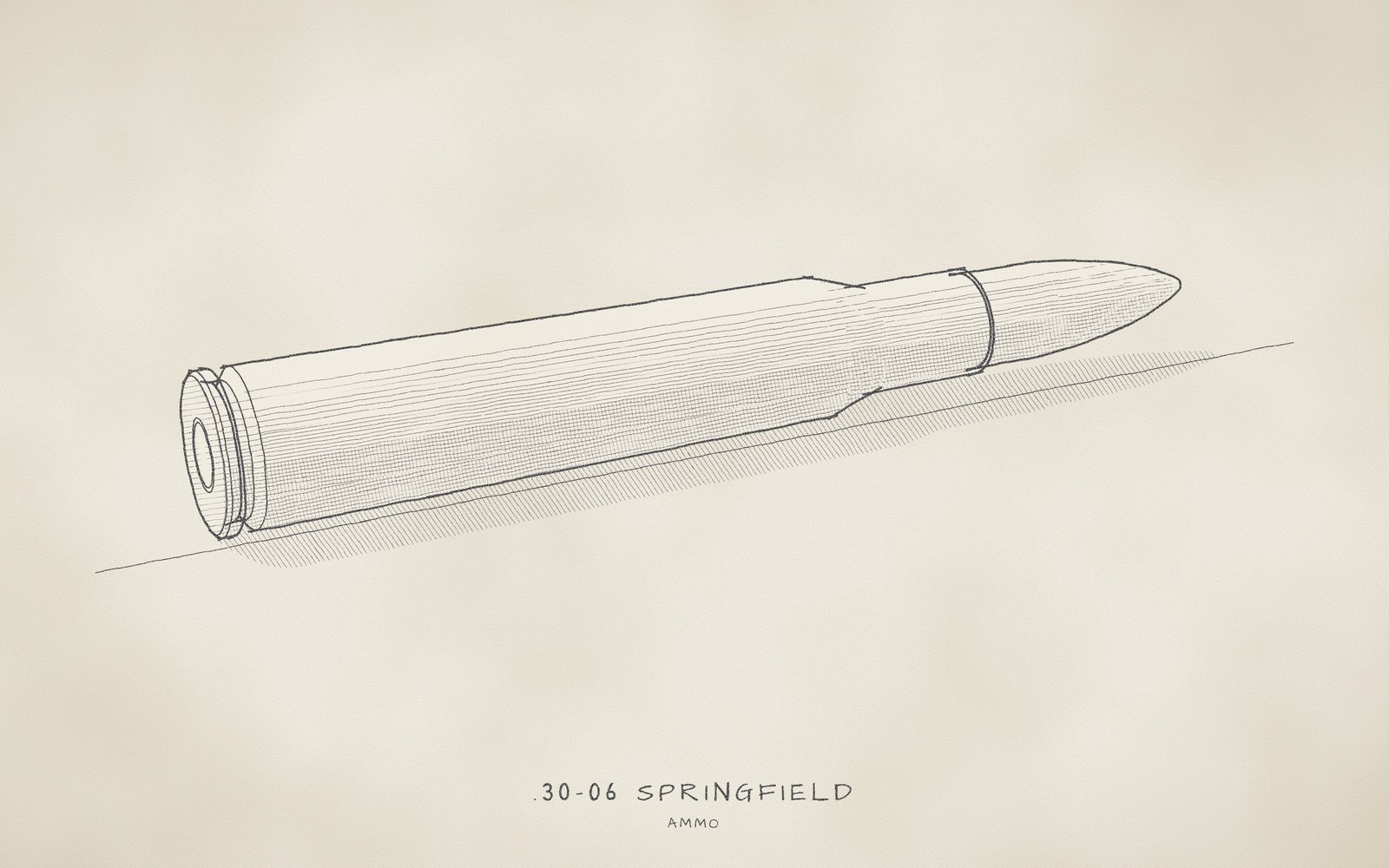
Record every load you own, from factory match rounds to military surplus and handloads, with quantities, lots and storage.
39 labelled fields, 23 drop-down lists, 629 preset values.
Round counts and storage places, kept offline on your own computer and phone.
In NM Collector CP each load of ammunition is one record, whether it belongs to a shooter or hunter with factory boxes in the cabinet, a reloader writing down each batch from the bench or a cartridge collector sorting rounds by headstamp. A record says what the round is, which lot it came from, where it is kept and how many rounds are left. The 134 "Caliber or Gauge" entries reach from ".22 Long Rifle" and "12 Gauge 3-inch" to military rounds such as "7.62x54R" and muzzleloading sizes such as ".58 Minie".
The template is a starting point. Relabel a field, trim a list to the entries you use, or type a new powder, maker or shelf and press + to keep it for the next item. Rifle, pistol, rimfire, shotshell and black powder loads can share one collection. The inventory is kept on your own computer or phone with no account, and the app itself never connects to the internet.
Browse the full lists
Choose a list in the first drop-down, then open the second one to scroll through every value in that list, or start typing to jump to a value. These are for browsing only; nothing you pick here is saved.
At a glance
- Caliber or gauge from 134 entries, including older military rounds such as "7.7x58 Arisaka", beside 56 makers and 216 country entries.
- "Head Stamp" and "Lot Number" for what is marked on the case and the box, and "Date Manufactured" for the year.
- "Bullet Type" with 37 entries such as "HPBT" and "Birdshot", "Bullet Grain" with 40 weights, and 9 case materials.
- "Powder Type" with 34 powders, "Primer" with 16 entries including "Boxer" and "Berdan", "Powder Charge", "Velocity" and a "Corrosive" flag.
- "Quantity on Hand" for the round count, 11 packaging forms such as "Stripper Clips" and "Bulk Bag", and 6 starting storage places.
- Pictures of headstamps and box labels, 5 upkeep jobs such as "Desiccant Change" on the Maintenance tab, and outings such as a "Range Day" on the Events tab.
- Values you type in "Appraised Value", "Current Value" and "Insured Value", with desktop custom reports, printing and CSV export.
- 3 sample loads show a fully recorded .308 match box, .30-06 surplus dated from its headstamp and 12 gauge birdshot with a logged "Hunt".
- Works offline with no account on Windows, Mac and Linux and in the Android and iOS apps, and the inventory stays on your own devices.
Works offline on Windows, Mac, Linux, Android and iOS · Your records stay on your devices · Every feature free for 30 days · Activations from $24.95 a year.
What this template is for
An ammo can of surplus .30-06 in cotton bandoliers, a cabinet shelf of factory .308 match boxes, a box of 12 gauge birdshot left from dove season, and not one serial number among them. This template gives each distinct load its own item: a particular caliber or gauge from a particular maker, with its own bullet, its own lot and its own stock on hand. It records what the round is, how it was made, what condition it is in, where it is stored and what it is worth, so a question such as how many rounds of a given load are left has a quick answer.
Ammunition has no serial number, so the Identification tab does the work of telling one load from another. It combines category, caliber or gauge, manufacturer, country and head stamp (the markings stamped on the base of the case) with bullet type, bullet weight in grains (a grain is 1/7000 of a pound), powder, primer and a corrosive flag. The Description tab then covers the practical side: condition, case material and shape, packaging, lot number, whether the round is reloaded, storage location, quantity on hand, dates and the values you record by hand.
"Caliber or Gauge" runs to 134 entries, from ".17 HMR" to "9x19 Parabellum (9mm Luger)", while "Country" offers 216 and "Manufacturer" 56, and ready lists cover bullet types, powders, primers, packaging and storage. "Head Stamp", "Lot Number", "Powder Charge" and "Velocity" start empty because they hold what only you can read off the case or the box, or measure yourself, and every entry you type there is offered again on the next item.
What you can do with it
- Compile an inventory for an insurer, an appraiser or your own household record. "Quantity on Hand", "Storage Location", "Insured Value", "Appraised By" and "Appraised Value" are kept for each load, ready to print or export to CSV.
- Know which loads sit in the "Safe", the "Ammo Cabinet" or the "Range Bag" by filtering a custom report on "Storage Location", then save the layout to reuse it later.
- Keep upkeep on schedule for stored stock by logging jobs such as "Inspect for Corrosion", "Desiccant Change" and "Rotate Stock" (using the oldest ammunition first) on the Maintenance tab, with a completion date and a next due date.
- Separate the corrosive from the rest: filter a custom report on "Corrosive" for "yes" or "unknown" to list the rounds you know or suspect leave residue that calls for prompt cleaning after shooting, such as older surplus you have not yet checked.
- Keep handload records: note the bullet, grain weight, powder, powder charge, primer and measured velocity of each load, and log testing on the Events tab as "Load Development" or "Chronograph Session".
- Check a maker's notice about a batch against your own stock by listing the "Lot Number" of each load in a custom report, with "Manufacturer" and "Quantity on Hand" beside it.
- Track shooting and hunting use by logging a "Range Day", "Hunt" or "Match / Competition" event with results and cost, then update the quantity on hand so the stock count stays accurate.
Best for: Shooters and hunters who keep a stock of factory ammunition, reloaders who track their handloads, and cartridge collectors who need to tell nearly identical surplus and historical rounds apart. Inert ordnance and the guns themselves have their own templates, Militaria and Firearms.
Why collectors choose NM Collector CP for Ammo
Factory Stock, Handloads and Collectibles Kept Apart
"Category" has 18 groupings that mix uses, such as "Hunting" and "Match / Competition", with kinds of round, such as "Rimfire" and "Shotshell". Set "Reloaded?" on the Description tab to "yes" on every handload and "Category" to "Collectible" on the rounds kept for display, and a desktop custom report filtered on either field lists that group.
Military Surplus by Pack, Origin and Year
"Packaging" names how surplus comes: "Spam Can", "Battle Pack", "Bandolier", "En-bloc Clips" or "On Links", and "Rounds per Package" includes "440", the usual count in a 7.62x54R spam can. "Country" has 216 entries, among them states that no longer exist, such as "Czechoslovakia" and "Yugoslavia", and "Date Manufactured" takes the year a military headstamp usually carries.
Round Counts, Storage Places and Upkeep
"Quantity on Hand" is a number you change after a purchase or a range trip, so one item can follow a load and lot for as long as you hold it. "Storage Location" starts with 6 places, including "Garage" and "Off-site". Storage guides advise inspecting stored ammunition every few months, and the Maintenance tab logs each inspection with a "Next Due Date" showing when to look again.
Private Records of What You Hold and Where
How many rounds you hold, which sit in the "Safe" and what they are worth are details to keep close. NM Collector CP stores them on your own computer or phone, needs no account, and the app itself never connects to the internet, so it uploads nothing. To move the collection you make one transfer file and send it yourself; sent by email or a cloud service, it passes through that provider.
At the Gun Counter, the Range or a Cartridge Show
The Android and iOS apps hold their own copy of the collection and need no connection. At the store, see how many rounds of a caliber you hold before buying more. At the range, log a "Range Day" with its results, and at a cartridge show, check which headstamps you already have. An import replaces what is on the receiving device, so export from it first.
Values and Appraisals on File for Insurers and Heirs
Many home policies limit theft coverage for firearms and related items, and an insurer may ask for a list. Each load keeps "Insured Value", "Appraised Value" with "Appraised By", and "Current Value", each with its own date, all typed by you, since the software does not look up prices. For heirs, "Storage Location" says where each can and box is kept. Print a custom report on the desktop or export to CSV.
Guns, Militaria and Ammunition in One Program
Ammo is one of 30 templates in a new installation. The guns go in Firearms, inert ordnance and other military relics in Militaria, and knives in Knives. The Related tab links a load to the rifle or pistol that fires it, whichever collection that gun is in, and a firearms license can be kept in Licenses. For anything else, copy a template or build one from scratch.
How the fields work
Every text field in a template is a drop-down field. Pick a value from the list or type your own; the + button adds what you typed to the list, the x button clears the field and the e button opens the list editor. Number fields accept any number, date fields hold dates and notes fields hold longer text. The details below cover every field on the Identification and Description tabs, and any drop-down on the other tabs that is specific to this template. Every list can be browsed in the drop-downs under Browse the full lists; lists of 10 values or fewer are also written out in full below.
Identification tab
The Identification tab holds what sets one load apart from another, since ammunition has no serial number. An item's name is built from "Custom Tag", "Category", "Caliber or Gauge", "Manufacturer", "Country", "Head Stamp" and "Bullet Type", in that order, and a field with no label adds nothing. That order decides how items read in every list. The remaining fields cover bullet weight, powder and powder charge, velocity, primer, corrosive status and report inclusion.
Custom Tag
Drop-down · no preset values
A label of your own choosing that leads the item name, such as an inventory number, a shelf or box code, or a nickname for a favorite load. Use one consistent scheme so items read clearly in lists.
This drop-down starts empty. Type a value into the field and use the + button to add it to the list; it will be there the next time you need it.
Category
Drop-down · 18 preset values
The purpose or general type of the ammunition, chosen as it fits your use, for example "Match / Competition" for the .308 sample or "Military Surplus" for the .30-06 sample. It gives a broad grouping for reports.
18 purposes and types in alphabetical order, from "Black Powder" and "Blanks" to "Training". They mix use-based entries such as "Hunting", "Home Defense" and "Target Practice" with collector and military entries such as "Collectible" and "Military Surplus".
All 18 preset values: choose “Category (Identification tab, 18 values)” in the Browse the full lists drop-downs, further down this page.
Caliber or Gauge
Drop-down · 134 preset values
The cartridge or shotshell size, the most important entry for telling loads apart. Choose the name printed on the box or head stamp, such as ".308 Winchester" or "12 Gauge", and spell it the same way every time so the same caliber always groups together.
134 entries sorted by name. About two thirds begin with a decimal point, such as ".308 Winchester" and ".45-70 Government", including black powder sizes. The rest are metric or gauge names such as "6.5 Creedmoor" and "12 Gauge 3-inch". Many older and obsolete rounds are included.
All 134 preset values: choose “Caliber or Gauge (Identification tab, 134 values)” in the Browse the full lists drop-downs, further down this page.
Manufacturer
Drop-down · 56 preset values
The company or arsenal that made the round, as shown on the box or head stamp, for example "Federal" or "Lake City" in the samples. Select "Hand-loaded" for your own reloads and "Unknown" when the maker cannot be identified.
56 makers in alphabetical order. Current commercial brands such as "Federal" and "Winchester" sit beside military and ordnance plants such as "Frankford Arsenal", older names such as "Kynoch", and entries for handloads and unknown makers.
All 56 preset values: choose “Manufacturer (Identification tab, 56 values)” in the Browse the full lists drop-downs, further down this page.
Country
Drop-down · 216 preset values
The country where the ammunition was made. The list includes historical names, so a wartime round can be recorded under the state that existed when it was produced. All three samples use "United States".
216 entries in alphabetical order: present-day countries and territories, historical states, and "Unknown". Historical entries include "Soviet Union (USSR; Soviet)", "Prussia (historical)" and "Austria-Hungary (historical; Austro-Hungarian)", which suit older military cartridges.
All 216 preset values: choose “Country (Identification tab, 216 values)” in the Browse the full lists drop-downs, further down this page.
Head Stamp
Drop-down · no preset values
The markings stamped on the base of the case, usually the maker's initials, the caliber or a year. Type it as it reads, for example FC 308 WIN, LC 52 or WINCHESTER 12 GA in the samples. It usually tells you the maker, and often the caliber or year, of a loose round after the box is gone.
This drop-down starts empty. Type a value into the field and use the + button to add it to the list; it will be there the next time you need it.
Bullet Type
Drop-down · 37 preset values
The bullet construction or, for shotshells, the load. Record it as printed on the box: "HPBT" (hollow point boat tail) for the match sample, "Ball" for the surplus round or "Birdshot" for the shotgun shell. It is the last field that feeds the item name.
37 bullet and load types. Jacketed and lead bullet styles such as "FMJ" and "JHP" make up most of the list, followed by shotshell loads such as "Buckshot 00" and "Slug (Foster)" and specialty rounds such as "Tracer", "Frangible" and "Blank".
All 37 preset values: choose “Bullet Type (Identification tab, 37 values)” in the Browse the full lists drop-downs, further down this page.
Bullet Grain
Drop-down · 40 preset values
The bullet weight in grains (a grain is 1/7000 of a pound), entered as a plain number, such as "168" for the match .308 and "150" for the .30-06 surplus. Shotshell items leave it empty and describe the shot size in "Notes" instead, as the 12 gauge sample does.
40 bullet weights entered as plain numbers, ranging from "30" to "500". They are listed in text order, so "100" comes before "30". Light values such as "55" suit small rifle loads for small game and pest control, mid-range values such as "124" and "168" cover common rifle and pistol bullets, and heavy values such as "500" cover big-bore rounds.
All 40 preset values: choose “Bullet Grain (Identification tab, 40 values)” in the Browse the full lists drop-downs, further down this page.
Powder Type
Drop-down · 34 preset values
The propellant used, mostly relevant for handloads and black powder shooting. For factory ammunition choose "Factory (unknown)", as the match sample does, or leave it blank. Handloaders can record the exact powder, such as "Hodgdon Varget".
34 propellants, mostly named by maker and number: Hodgdon is the largest group with 9, followed by Alliant with 6 and IMR with 5, then Winchester, Accurate and Vihtavuori. Black powder and substitutes such as "Goex Black Powder" and "Pyrodex" are included, along with generic entries such as "Factory (unknown)".
All 34 preset values: choose “Powder Type (Identification tab, 34 values)” in the Browse the full lists drop-downs, further down this page.
Powder Charge
Drop-down · no preset values
The amount of powder loaded into each round of a handload, typed as text with its unit so the entry is unambiguous. It is a record of what you made, kept beside the powder, primer and bullet it went with. Leave it blank for factory ammunition.
This drop-down starts empty. Type a value into the field and use the + button to add it to the list; it will be there the next time you need it.
Velocity
Drop-down · no preset values
The measured or advertised muzzle speed, typed as text with its unit, such as 2650 fps (feet per second) in the match sample. Record figures from a session with a chronograph (a device that measures bullet speed) for handloads, or the box rating for factory ammunition.
This drop-down starts empty. Type a value into the field and use the + button to add it to the list; it will be there the next time you need it.
Primer
Drop-down · 16 preset values
The primer that ignites the round. The list offers sizes such as "Large Rifle", designs such as "Boxer" and "Berdan", and "209 Shotshell" for shotguns, so choose the entry that best describes the round and use it consistently. The .308 sample uses "Large Rifle", the surplus .30-06 uses "Boxer" and the 12 gauge sample uses "209 Shotshell".
16 primer entries: standard pistol and rifle sizes such as "Small Pistol" and "Large Rifle", with magnum versions of each, the ignition designs "Boxer", "Berdan", "Rimfire" and "Pinfire", "209 Shotshell" for shotguns, and "Percussion Cap #10", "Percussion Cap #11" and "Musket Cap" for muzzleloading and historical arms.
All 16 preset values: choose “Primer (Identification tab, 16 values)” in the Browse the full lists drop-downs, further down this page.
Corrosive
Drop-down · 3 preset values
Whether the primer leaves corrosive residue that can damage a bore if it is not cleaned, mostly a concern with older military surplus. Use "yes" when you know the round is corrosive, "no" when you know it is not, and "unknown" for anything you have not checked or cannot confirm, which is the safest entry for old surplus.
3 values, "no", "yes" and "unknown", so a load can be flagged as corrosive, non-corrosive or not yet confirmed.
All 3 preset values: no • unknown • yes
Include In Reports?
Drop-down · 2 preset values
A yes or no marker set per item for report purposes. Use "yes" for the loads you plan to include in an inventory or insurance report and "no" for those you want left out. All three samples use "yes".
A minimal list of "no" and "yes", so each item can be marked in or out of your reports.
All 2 preset values: no • yes
Description tab
The Description tab holds the practical record for each load: its condition, the case, packaging and lot, whether it is reloaded, where it is stored and how many rounds are on hand. It also carries 2 note fields, 4 dates, and the appraised, current and insured values, which you enter by hand.
Condition
Drop-down · 8 preset values
The state of the ammunition as you keep it. Use "Factory Sealed" for unopened boxes, as in the match sample, "Surplus" for military surplus and "Opened Box" once a box is started. Detail belongs in "Condition Comments".
8 condition terms: sealed and new stock such as "Factory Sealed", opened stock such as "Opened Box", problem states such as "Corroded" and "Tarnished", and origin terms for reloaded and surplus rounds.
All 8 preset values: Corroded • Damaged • Factory Sealed • New • Opened Box • Reloaded • Surplus • Tarnished
Case Material
Drop-down · 9 preset values
What the case or hull is made of, for example "Brass" for both rifle samples and "Plastic Hull" for the shotshell. It separates loads that share a caliber and matters when you inspect stock for rust or corrosion.
9 materials: metal cases led by "Brass" and "Steel", with plated and coated variants such as "Nickel-plated Brass" and "Lacquered Steel", 2 shotshell hull types including "Paper Hull", and "Copper (rimfire)" for rimfire cartridges.
All 9 preset values: Aluminum • Brass • Copper (rimfire) • Lacquered Steel • Nickel-plated Brass • Paper Hull • Plastic Hull • Polymer-coated Steel • Steel
Case Type
Drop-down · 7 preset values
The case feature that best identifies the cartridge, chosen from a list that mixes outlines and base designs. The .308 and .30-06 samples use "Rimless" and the 12 gauge shell uses "Rimmed". Pick one approach and use it consistently, and put anything extra, such as a bottleneck outline, in "Notes".
7 case shapes in alphabetical order, from "Belted" and "Bottleneck" to "Rimless" and "Straight-wall". They describe the outline of the case and the design of its base.
All 7 preset values: Belted • Bottleneck • Rebated • Rimless • Rimmed • Semi-rimmed • Straight-wall
Packaging
Drop-down · 11 preset values
How the rounds are packed: "Factory Box" for the .308 and 12 gauge samples, "Bandolier" for the surplus .30-06. Packaging affects storage and counting, and for surplus the original pack is worth noting.
11 ways ammunition is packed, from retail forms such as "Factory Box" and "Loose" to bulk and military forms such as "Bandolier" and "Spam Can", including cans, clips, links and bags.
All 11 preset values: choose “Packaging (Description tab, 11 values)” in the Browse the full lists drop-downs, further down this page.
Rounds per Package
Drop-down · 11 preset values
How many rounds one package holds, such as "20" for the match .308 box or "25" for the shotshell box. Together with the quantity on hand it lets you work out how many boxes you hold.
11 package counts written as plain numbers, ranging from "5" to "1000" and covering the usual box sizes such as "20" and "50", plus one less common count, "440". They are listed in text order, so "100" and "1000" come before "20".
All 11 preset values: choose “Rounds per Package (Description tab, 11 values)” in the Browse the full lists drop-downs, further down this page.
Lot Number
Drop-down · no preset values
The manufacturer's lot or batch code printed on the box, for example 2L3B0412 in the match sample. It separates two boxes of the same load made at different times and lets you check a box against a maker's notice about a batch.
This drop-down starts empty. Type a value into the field and use the + button to add it to the list; it will be there the next time you need it.
Reloaded?
Drop-down · 2 preset values
Marks whether the ammunition is a reload. Use "yes" for your own reloads or reloads bought from others and "no" for factory ammunition, as all three samples do. Because "Category", "Manufacturer" and "Condition" also offer reload values, treat this yes or no field as the one to filter on.
Just 2 values, "yes" and "no", so each item can be flagged as a handload or as factory-made.
All 2 preset values: no • yes
Storage Location
Drop-down · 6 preset values
Where the ammunition is kept now, such as "Ammo Cabinet" for the match and shotshell samples and "Ammo Can" for the surplus .30-06. Consistent locations make it easy to pull a list of everything stored in one place.
6 starting places to keep ammunition, including "Safe", "Ammo Cabinet", "Range Bag" and "Off-site". Add your own rooms, shelves and cans as you go.
All 6 preset values: Ammo Cabinet • Ammo Can • Garage • Off-site • Range Bag • Safe
Appraised By
Drop-down · no preset values
The name of the person or business that appraised the item, such as a dealer or a specialist collector. Record it with the appraisal date and value so the figure can be traced to its source. Leave it blank if no appraisal has been done.
This drop-down starts empty. Type a value into the field and use the + button to add it to the list; it will be there the next time you need it.
Condition Comments
Notes
Free text describing the condition in more detail than the list allows, such as tarnish on the case mouths, dents in the box or green corrosion found on inspection. It backs up the condition you selected.
Notes
Notes
General notes that fit nowhere else. The samples use it for details such as M2 ball (a US military .30-06 round) on eight-round en-bloc clips in cotton bandoliers, or a 2 3/4 inch, 1 oz, No. 7 1/2 shot load for dove and clays.
Date Manufactured
Date
The year or date the ammunition was made, often read from the head stamp or lot code. The surplus sample records 1952 to match its LC 52 head stamp. Leave it blank when the date is unknown.
Date Appraised
Date
The date of the appraisal recorded in "Appraised By" and "Appraised Value". It is the day the appraisal was done, so anyone reading the record can see how recent the valuation is.
Date Current Value
Date
The date you set the figure in "Current Value". Updating it each time you revisit prices shows how old your estimate is. The match sample carries a date beside its current value.
Date Insured
Date
The date the "Insured Value" was set or last reviewed. It helps you remember when the figure you give an insurer was last checked.
Quantity on Hand
Number
How many rounds of this load you hold now, for example 200 for the match sample. Number fields take any number, so update it as you shoot or buy more instead of creating a new item.
Appraised Value
Number
The amount stated in an appraisal, entered by hand in the currency you use. The software does not look up prices. Record it for rare, historical or bulk lots and pair it with the appraiser and the date.
Current Value
Number
Your own estimate of what the stock is worth today, entered by hand in your own currency, since the software does not look up prices. The match sample records 340 as the total for its 200 rounds, so record the total for the stock on hand and use the same basis for every item.
Insured Value
Number
The amount you have insured this stock for, entered by hand in your own currency. Keep it next to "Date Insured" so the figure you give an insurer is easy to find.
Drop-downs on the other tabs
These fields belong to tabs that every collection has, but this template gives them values of its own.
Maintenance tab
Operation
Drop-down · 5 preset values
The upkeep task performed on the stored ammunition, such as "Inspect for Corrosion" (used for the surplus .30-06 sample) or "Desiccant Change". Each entry is a dated record of care for that item.
5 upkeep jobs suited to stored ammunition: "Desiccant Change", "Inspect for Corrosion", "Inventory Count", "Repack" and "Rotate Stock".
All 5 preset values: Desiccant Change • Inspect for Corrosion • Inventory Count • Repack • Rotate Stock
Completed Units
Drop-down · 2 preset values
The time unit, "months" or "years", that goes with the completed job's interval. The surplus sample uses "months" for its six-month corrosion check.
A 2-value list of time units, "months" and "years", used to describe how long the completed job's interval runs.
All 2 preset values: months • years
Next Due Units
Drop-down · 2 preset values
The time unit, "months" or "years", that goes with the next due entry. The surplus sample chooses "months" here as well.
The same 2 time units as the completed job, "months" and "years", so a schedule can be stated in whichever suits the task.
All 2 preset values: months • years
Completed Increment
Drop-down · 2 preset values
An interval that goes with the completed job, chosen from the list, such as "6 months" for the corrosion check in the surplus sample. The list also offers "12 months".
2 intervals, "6 months" and "12 months", matching a twice-yearly or a yearly check.
All 2 preset values: 12 months • 6 months
Next Due Increment
Drop-down · 2 preset values
An interval that goes with the next due entry, "6 months" or "12 months". The surplus sample uses "6 months", and its "Next Due Date" falls six months after its "Completion Date".
The same 2 intervals are offered here, "6 months" and "12 months", so the next check can be set for half a year or a full year ahead.
All 2 preset values: 12 months • 6 months
Events tab
Event
Drop-down · 6 preset values
The occasion when the ammunition was used or handled, such as "Hunt" for the shotshell sample's opening day of dove season or "Range Day". Results and location can be recorded beside it.
6 events tied to shooting and collecting: outings such as "Range Day" and "Hunt", "Chronograph Session" and "Load Development" for testing loads, plus "Match / Competition" and "Gun Show".
All 6 preset values: Chronograph Session • Gun Show • Hunt • Load Development • Match / Competition • Range Day
Tabs every collection shares
Besides Identification and Description, each item has these tabs. They work the same way in every collection.
- Pictures: Attach photographs to an item, with a note, the date each was taken, a sequence number and a flag saying whether the picture belongs in reports. Pictures are copied into the application’s own folder and stay on your device.
- Receipt: Who you got the item from and when: the business or person, address, date and amount, plus notes.
- Disposition: The same layout for the other end of an item’s life: to whom it was sold, traded or given, where, when and for how much.
- Related: Link an item to other items in your collections, for example a rifle and its scope or a watch and its box.
- Maintenance: Record maintenance operations with what was done, who did it, where, what it cost, when it was completed and when the next one is due. Repeat an operation each time you perform it.
- Events: A dated log of things that happen to an item: shows, appraisals, loans, repairs and outings, with a description, results, helpers, location and cost.
- Data Sheet: A large free-form area for anything that does not fit elsewhere, such as detailed measurements or component notes.
- Links: Links to web pages, documents and pictures related to an item, each with an optional description.
The three sample items
Every new installation includes three sample items in this collection so you can see how the fields are meant to be filled in.
- Federal .308 Winchester match ammunition (listed as “Match / Competition .308 Winchester Federal United States FC 308 WIN HPBT”): A factory match load recorded in full. "Category", "Caliber or Gauge", "Manufacturer" and "Bullet Type" come from the lists, while the "Head Stamp", "Velocity" of 2650 fps and "Lot Number" are typed in. It also fills "Quantity on Hand" with 200 next to "Rounds per Package" of 20, a "Current Value" of 340 and a receipt from Acme Sporting Goods.
- Lake City .30-06 surplus in bandoliers (listed as “Military Surplus .30-06 Springfield Lake City United States LC 52 Ball”): Military surplus with "Condition" set to "Surplus", "Packaging" set to "Bandolier" and "Storage Location" set to "Ammo Can". The LC 52 head stamp is matched by a "Date Manufactured" in 1952, "Notes" describe the eight-round en-bloc clips, and "Powder Type" and "Velocity" are left blank. A Maintenance entry logs an "Inspect for Corrosion" check by the owner, with the next check due six months later.
- Winchester 12 gauge birdshot for dove (listed as “Hunting 12 Gauge Winchester United States WINCHESTER 12 GA Birdshot”): A shotshell recorded with "Birdshot" as the "Bullet Type", "209 Shotshell" as the "Primer", "Plastic Hull" as the "Case Material" and 25 as the "Rounds per Package". "Bullet Grain" and "Powder Type" stay blank, and the shot size and intended use go into "Notes". An Events entry logs a "Hunt" on opening day of dove season with the result, used 1 box.
Tips
- Cartridge collectors can add one item per head stamp variation and set "Quantity on Hand" to 1, using "Head Stamp", "Manufacturer" and "Date Manufactured" to tell near-identical rounds apart.
- Extend the lists you use most: add your own places to "Storage Location", any powder or maker you shoot to "Powder Type" or "Manufacturer", and any missing weight to "Bullet Grain".
- Copy the "Lot Number" from the box when you buy, before it is opened or thrown away, because it is printed on the packaging. The "Head Stamp" stays on the case, so a loose round still points to its maker and often its year.
- Keep one item per distinct load and lot, and update "Quantity on Hand" as you shoot or buy more rather than creating a new item each time. Log each outing as an event.
Frequently asked questions about Ammo
Where is my ammunition inventory stored, and who can see it?
On your own computer or phone. NM Collector CP needs no account and the app itself never connects to the internet, so your round counts, storage places and values are not sent anywhere by the app. They leave a device only as a report, a CSV export or a transfer file that you hand on. AirDrop, Quick Share or a USB drive keep that file among your own devices; email or a cloud service carries it through that provider.
Can I check my stock at the gun counter or the range without a signal?
Yes. Every edition works offline, and your phone or tablet keeps its own copy of the collection. Type a caliber into the filter field to list those loads and check each "Quantity on Hand" and "Lot Number", then raise the count after a purchase or log a "Range Day". Changes made on the phone stay there until you move the data with the transfer file, which replaces what is on the receiving device, so export from it first.
How do I keep an accurate round count, and does the app subtract rounds after a range day?
The app does not subtract rounds by itself. Lower "Quantity on Hand" yourself after each outing, and log the outing on the Events tab with the number of rounds fired in "Results", so you can see later where the rounds went and when. For a total across loads, list "Quantity on Hand" in a desktop custom report, export it to CSV and add up the column in a spreadsheet.
What should I record from the headstamp and the box label?
Type the headstamp into "Head Stamp" as it reads. Commercial headstamps usually give the maker and caliber, military ones usually a plant code and a year, which can go into "Date Manufactured". The name on a headstamp is not always the company that loaded the round, so note any doubt in "Notes". Copy the lot code from the box label into "Lot Number", and photograph the label and the case base on the Pictures tab.
Can I catalog a cartridge collection one headstamp variation at a time?
Yes. Give each variation its own item with a "Quantity on Hand" of 1, then use Duplicate Item to copy a finished record and change only what differs, such as "Head Stamp" or "Case Material". Set "Category" to "Collectible", note tarnish or a missing primer in "Condition Comments", and add a close-up of each headstamp on the Pictures tab, as cartridge collecting guides suggest. On the Events tab, type a cartridge show into "Event" and add it to the list.
How do I mark ammunition that may be corrosive?
Set "Corrosive" on the Identification tab to "yes" or "no" once you are sure, and choose "unknown" for stock you have not confirmed; the app does not decide for you. Corrosive primers leave salts in the bore that cause rust unless the gun is cleaned promptly. Much of the older military surplus has them, Boxer-primed as well as Berdan-primed, so the "Primer" entry does not settle it. A desktop custom report filtered on "Corrosive" lists the loads that need that care.
Can I keep my handload records here?
Yes. Pick the powder in "Powder Type" (34 entries, such as "Hodgdon H4350" and "Alliant Unique"), type the charge in "Powder Charge" and the speed in "Velocity" with their units, choose "Primer" and "Bullet Grain", and set "Reloaded?" to "yes". Log each "Load Development" or "Chronograph Session" on the Events tab. Overall length fits in "Notes" or on the Data Sheet tab. The app stores what you record and supplies no load data.
Does the app tell me what my ammunition is worth or what each round cost?
No. The software does not look up prices or work out costs. The Receipt tab holds the "Amount" you paid. "Current Value" holds your own estimate, "Appraised Value" an appraiser's figure and "Insured Value" your insured amount, each typed by hand with its own date. For a cost per round, divide the "Amount" by the number of rounds bought, not by "Quantity on Hand", which falls as you shoot.
How do I add the Ammo template to an installation I already use?
New installations of 2.3 already include it. Otherwise, download the Ammo template from the Downloads page, then use Import > Collection Template; the app matches your Ammo collection by name or creates it. None of the labels from the earlier Ammo template change, but 10 blank Description fields gain labels, such as "Lot Number" and "Quantity on Hand", and the "Caliber or Gauge" list is tidied and enlarged. If you had already given one of those 10 fields a label of your own, the app names it before the import and lets you cancel.
What do the three sample items in the Ammo collection show?
The Federal .308 match box is the fullest, with a typed headstamp, velocity and lot number, 200 rounds in boxes of 20, a current value and a receipt. The Lake City .30-06 surplus carries a 1952 manufacture date to match its headstamp and a storage inspection on the Maintenance tab, due again after 6 months. The Winchester 12 gauge birdshot leaves bullet weight blank, puts the shot size in "Notes" and logs a dove "Hunt".
Getting this template
New installations of NM Collector CP start with all 30 templates. If you already use NM Collector CP, use the Download Template button at the top of this page, unzip the file into a templates folder on your computer, and add it with File > Import > Collection Template. The app matches the collection by name, creates it if you do not have it, and asks before it changes what any field is called.
NM Collector CP is free to try with all features for 30 days, with no credit card. After that you can keep using the free version, which needs no activation, or buy an activation for the full-feature version, for 1, 2 or 5 years or for life.
If you already have a Ammo collection
Importing the refreshed template changes none of the labels the earlier version already had, but it adds labels to 10 Description fields that were blank: "Condition", "Case Material", "Case Type", "Packaging", "Rounds per Package", "Lot Number", "Reloaded?", "Storage Location", "Appraised By" and "Quantity on Hand". The "Caliber or Gauge" list is also cleaned up and greatly expanded. Your data is unaffected unless you had labelled one of those blank fields yourself, and the app lists any such field before it imports.
Try it with your own collection
Every feature is free for 30 days, with no credit card, on Windows, Mac, Linux, Android and iOS. Download the free trial.